

According to Mordor Intelligence, the digital asset management market is estimated at $7.51 billion in 2026 and projected to reach $14.42 billion by 2031. That growth reflects a simple reality: every team is creating more content, across more channels, with more pressure to find, reuse, approve, and deliver the right assets faster.
This digital asset management guide explains how creative teams can organize, search, share, and reuse large photo and video libraries — without moving everything to the cloud.
Managing digital files has never been more complex — or more critical. Photos, videos, logos, brand documents, design files, raw footage, social edits, campaign exports: creative assets multiply fast. They live across external drives, NAS servers, cloud folders, editing software, old catalogs, team computers, and client inboxes.
At first, this feels manageable. Then one day, your team needs a specific shot, a previous client delivery, a video clip from last year, or the latest approved campaign visual — and no one knows exactly where it is.
That is the problem digital asset management is designed to solve.
But for photographers, videographers, studios, agencies, and marketing teams, the question is no longer only: “Where should we store our assets?”
The real question is:
How can we make thousands — or millions — of media files instantly searchable, usable, and shareable without moving everything to the cloud?
This guide explains what digital asset management is, how it works, who needs it, and why a local-first, AI-powered approach like Peakto can be a smarter alternative for creative teams working with large media libraries.
Digital Asset Management: Definition and Why It Is Not Just Storage
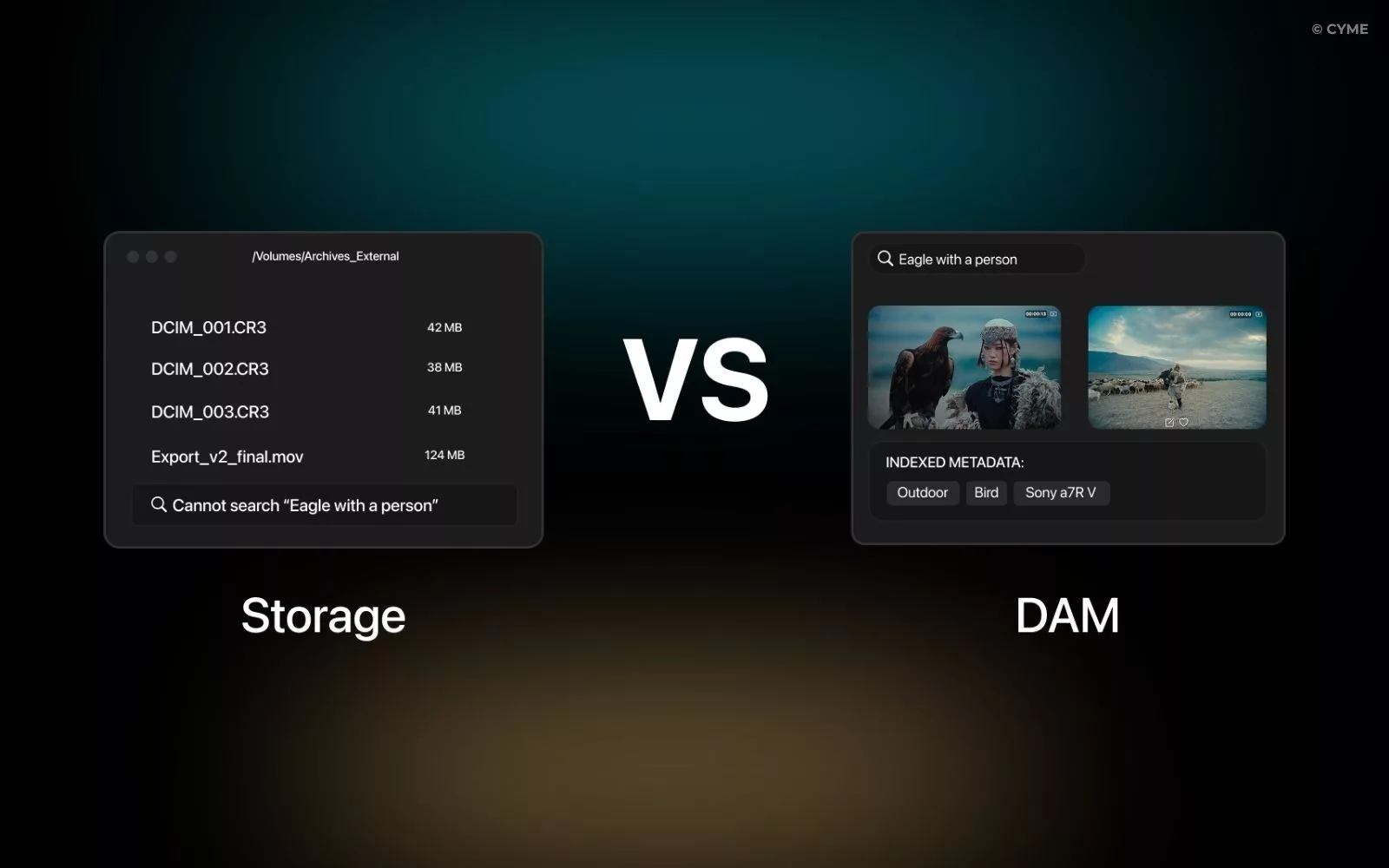
Digital asset management, often shortened to DAM, refers to the systems and workflows used to store, organize, search, manage, and share digital files.
A DAM is not just a hard drive. It is not just a cloud folder. And it is not just a place where files are saved. Storage keeps files alive. DAM makes them usable.
A traditional folder can tell you that a file is called IMG_4587.CR3 or Final_video_v12.mp4. A DAM helps you understand what is inside that file, where it belongs, who can use it, whether it has been approved, and how quickly it can be found again.
For creative teams, this difference matters. Your archive is not just a backup. It is a working memory of your brand, your clients, your campaigns, your shoots, and your stories.
What Counts as a Digital Asset?
A digital asset is any file that has creative, operational, or business value and may need to be reused. For a creative team, that can include photos, RAW files, edited images, client galleries, videos, interviews, B-roll, design files, motion graphics, logos, brand kits, product visuals, campaign assets, presentations, press kits, audio files, and more.
For a marketing team, a digital asset may be a product image used in an ad campaign. For a photographer, it may be a RAW file from a client shoot. For a video team, it may be a five-second clip hidden inside two hours of footage.
In all cases, the challenge is the same: the file has value only if it can be found, understood, reused, and shared at the right moment.
Benefits of Using a DAM
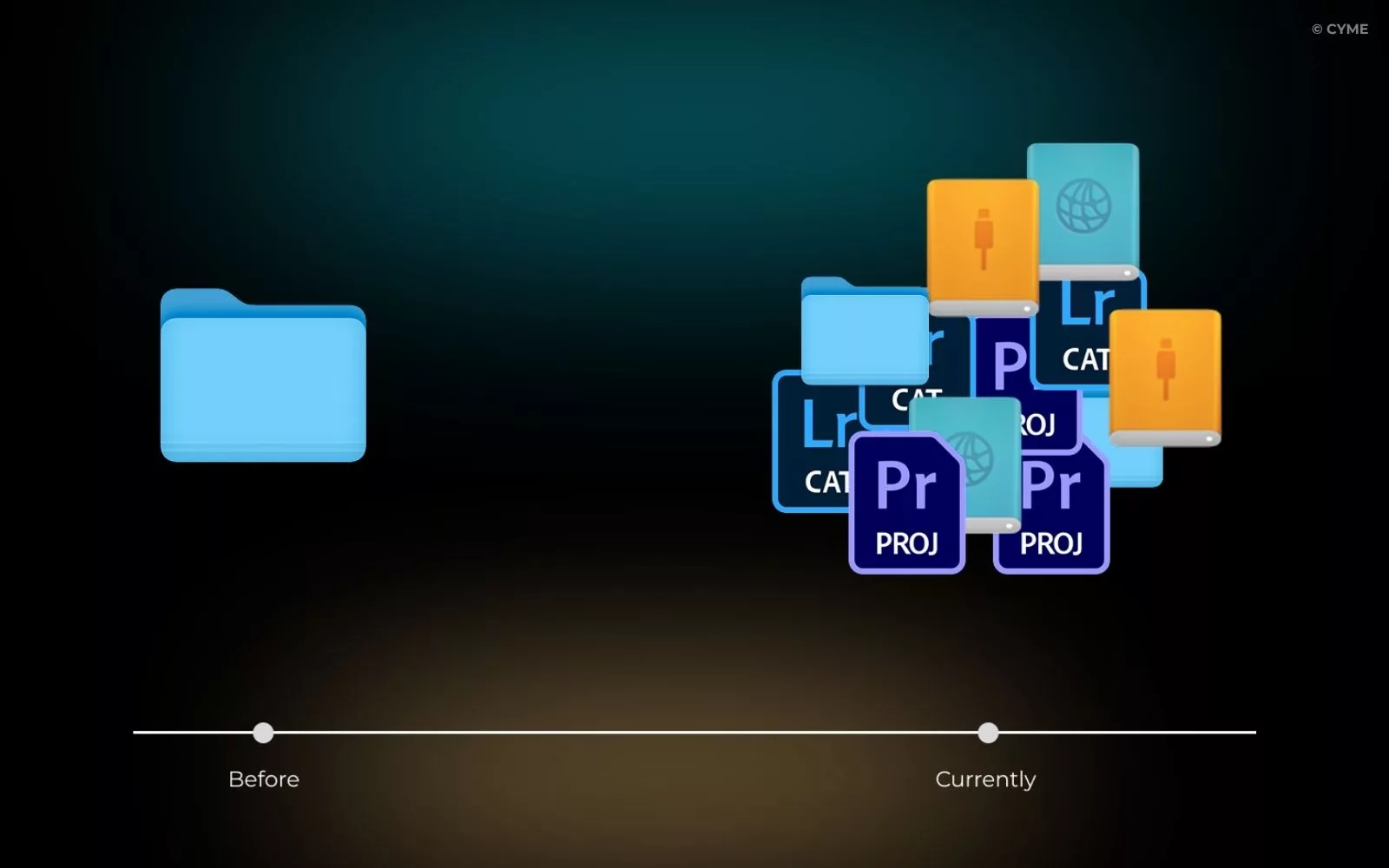
The first benefit of a DAM is time saved. Instead of searching through folders, asking teammates where a file is, or recreating an asset that already exists, teams can find what they need faster.
The second benefit is consistency. A DAM helps teams work from the right version of a logo, campaign visual, product photo, client export, or approved video. This matters for brand identity, but also for production speed.
The third benefit is reuse. Creative teams often sit on valuable archives without using them fully. Old shoots, unused B-roll, previous campaigns, client selections, and social edits can all become useful again if they are easy to find.
Finally, a DAM improves control. Teams can manage access, review, validation, and sharing without exposing the full archive or sending files through disconnected channels.
For CYME, this is the heart of the problem: modern creative teams do not only need storage. They need a faster way to see, search, organize, and reuse the media they already have.
DAM vs MAM: A Quick Difference
DAM and MAM are often used together, but they do not mean exactly the same thing.
A DAM manages a wide range of digital assets: images, videos, documents, brand files, design files, and marketing materials. A MAM, or Media Asset Management system, is usually more focused on video and broadcast workflows, with features such as proxies, transcoding, timecode-based metadata, and production-oriented integrations.
How DAM Works: The Core Workflow
A DAM workflow usually follows four main steps:
- Ingest and indexing
- Organization and metadata
- Search and retrieval
- Sharing and collaboration
Each step is important, but not every team needs a heavy enterprise DAM to get there.
1. Ingest and Indexing
Everything starts with making files visible to the system.
In a traditional cloud DAM, this often means uploading files into the platform. For smaller libraries, that can work. But for creative teams managing terabytes of photos and videos, moving everything to the cloud can become slow, expensive, and impractical.
A local-first DAM approach works differently. For teams working with network storage or distributed archives, it is worth understanding how to build a DAM workflow on a NAS before choosing a tool.
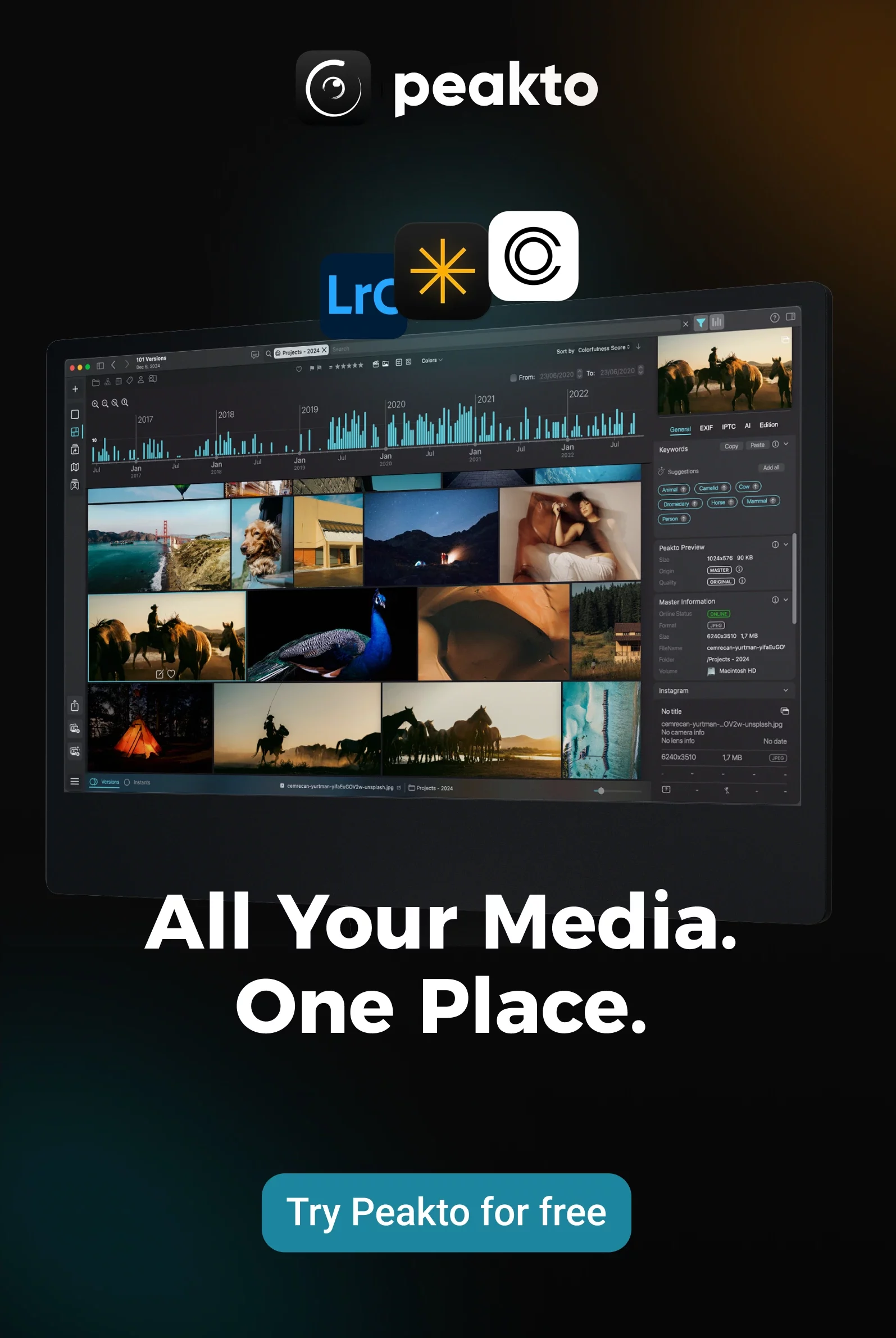
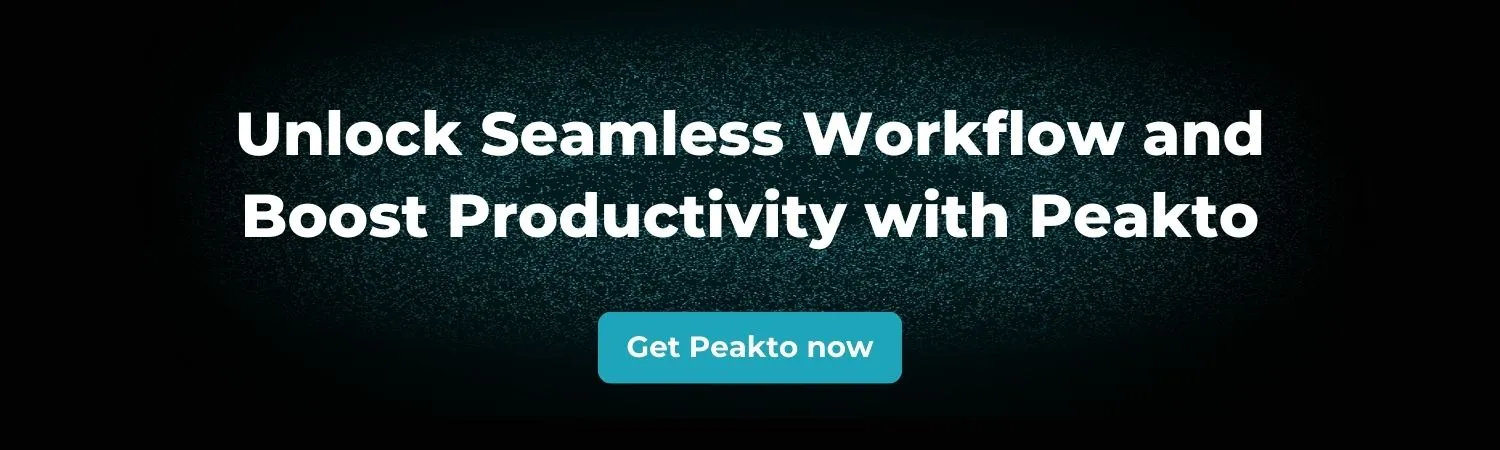
With Peakto, files can stay where they already are: on external drives, local folders, a NAS, existing photo catalogs, and multiple storage locations. Peakto indexes the media, generates previews, reads metadata, and builds a searchable catalog without requiring teams to reorganize their entire archive first.
This is especially useful for photographers, videographers, and studios who already have years of work spread across different drives and applications.
2. Metadata: EXIF, XMP, Keywords, Rights, and Versioning
Metadata is what makes a digital asset searchable.
It can include technical information such as camera model, lens, resolution, codec, duration, file size, and creation date. It can also include descriptive information such as keywords, captions, location, people, client, or project. In more advanced workflows, metadata can also cover rights, copyright, usage restrictions, validation status, ratings, selections, comments, and approval history.
Metadata can be entered manually, extracted automatically, or generated by AI.
Traditional DAM systems often rely heavily on manual tagging. But manual tagging is time-consuming, inconsistent, and rarely complete — especially when teams are dealing with large archives.
This is where AI changes the workflow.
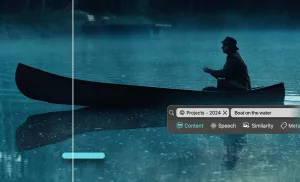
Peakto uses AI to help users search through media based on what is visible in the image or video, not only based on the tags someone remembered to add. This makes it possible to rediscover assets that were never properly keyworded.
For creative archives, that is a major shift: you no longer need to perfectly organize everything before you can start finding things.
3. Search and Retrieval
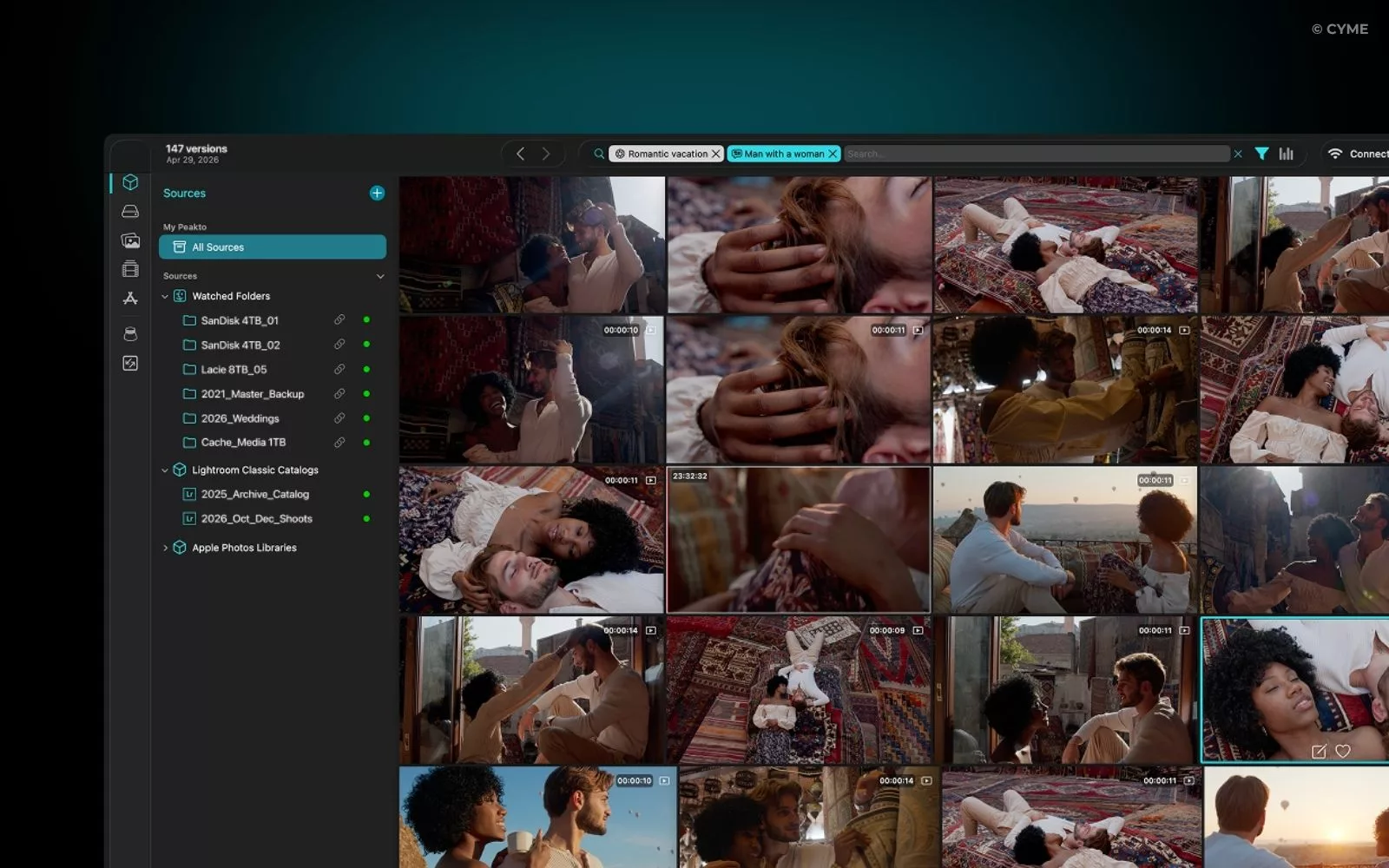
Search is the moment where a DAM proves its value.
A good DAM should help users answer practical questions: Where is the best portrait from that client shoot? Do we have a video clip of someone using the product outdoors? Which assets were approved for this campaign? Where is the latest version of this visual? Can I find all images that look similar to this one? Can I search inside my video footage by spoken words?
Modern DAM search can combine keyword search, metadata search, visual search, face recognition, similarity search, transcript search for video, and filters by file type, date, rating, or status.
Peakto is designed around this idea of fast media discovery. It helps users search across photos and videos using AI, metadata, ratings, and visual similarity — even when files are spread across multiple sources.
For video teams, transcript-based search and video browsing are especially valuable. A long interview, a product demo, or a documentary archive becomes easier to exploit when you can search for words, scenes, or moments instead of manually scrubbing through hours of footage.
4. Sharing, Review, and Collaboration
Finding the right file is only one part of the workflow. Teams also need to share assets, collect feedback, validate selections, and move projects forward.
In many organizations, review workflows are still fragmented. Files are sent by WeTransfer. Feedback comes by email. Comments are lost in Slack. Approved files are mixed with rejected ones. Clients ask for “the final version” without knowing which one it is.
A DAM can centralize this process with review links, collections, comments, statuses, and permissions.
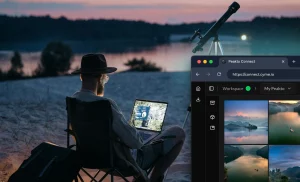
With Peakto Pro, teams can create shared spaces where selected assets are made available through a web interface. Collaborators can browse, search, comment, annotate, like, review, and validate media without needing to access the full archive or install the desktop app.
This makes Peakto useful not only as a media manager, but also as a bridge between the person managing the archive and the people who need to review or reuse its content.
Who Needs Digital Asset Management?
Photographers
Photographers often work across years of shoots, clients, catalogs, and external drives. Their problem is not only storage. It is rediscovery.
They need to find specific client shoots, the best image from a past session, similar photos across projects, images that match a theme, final edits and original RAW files, and content that can be reused for portfolios, books, websites, or social media.
For photographers, a local-first media manager can turn an archive into a searchable visual library without forcing them to abandon existing tools like Apple Photos, Lightroom Classic, Capture One, Luminar Neo, DxO PhotoLab, or folders. This is where Peakto can be useful: it connects scattered libraries through one searchable view.
Videographers and Video Teams
Video creates a different kind of problem: one file can contain hundreds of useful moments, but most of them are invisible from the file name alone.
A video archive needs more than folders. It needs previews, transcripts, markers, subclips, search, and fast browsing.
For videographers, the key is to surface useful moments inside long videos, prepare selections, create bins, and reconnect archive content to editing workflows.
Instead of asking “Where is that clip?”, the workflow becomes: search, find, select, and reuse.
Marketing Teams
Marketing teams produce and reuse assets constantly: campaign visuals, product photos, brand videos, press materials, social clips, event content, customer stories, and internal documents.
Their challenge is often collaboration.
They need to make sure the right people can access the right assets, without giving everyone full access to every drive or folder. They also need to reuse existing media faster, especially when campaigns require quick turnarounds.
A local-first DAM with web-based sharing is particularly relevant here: one person can manage the media library, while collaborators access only the selected content they need. Peakto Pro supports this kind of workflow without requiring the whole archive to be moved to a cloud DAM.
Agencies and Studios
Agencies and creative studios often manage multiple clients, campaigns, shoots, approvals, and deliverables at the same time.
They need client-specific selections, controlled access, review workflows, comments and validation, fast search across old projects, and simple ways to reuse archive material.
A local-first DAM approach gives agencies a way to keep sensitive media under their control while still making selected assets accessible to collaborators or clients.
Small Businesses
For smaller businesses, DAM often starts with a simple problem: files are everywhere. This is why managing digital assets for small business success often begins with visibility, not complexity.
The logo is in someone’s inbox. Product photos are on a laptop. Social videos are in a shared drive. Campaign assets are duplicated in five folders.
A DAM workflow helps create one searchable source of truth. For small teams, a local-first media manager can be a lighter alternative to enterprise platforms: powerful enough to search and organize large media libraries, but not built around complex deployment or cloud migration.
How to Choose the Right DAM Software
Choosing a DAM is not only about comparing feature lists. It is about choosing the right architecture for your workflow.
Before selecting a tool, look at your media volume, your storage reality, your collaboration needs, your existing creative tools, and your tolerance for cloud dependency. A DAM that works for a centralized brand team may not work for a video studio managing terabytes of footage on a NAS.
Search Power, Speed, and Format Support
A DAM is only useful if it helps people find the right asset quickly.
Search should cover metadata, keywords, ratings, file types, dates, folders, and project information. For creative archives, AI search adds another layer: users can search based on visual content, faces, similarity, scenes, or spoken words in video.
Speed matters too. A tool that feels responsive with 2,000 files may fail with 500,000. Photo and video teams should evaluate performance at real scale, especially if they manage RAW images, 4K or 8K video, multiple external drives, NAS storage, long-term archives, client libraries, event coverage, or social and campaign content.
Format support is equally important. A DAM for creative teams should understand photo formats, RAW files, video codecs, previews, and the practical realities of media production.
Storage Model: Local, NAS, Cloud, Security, and Privacy
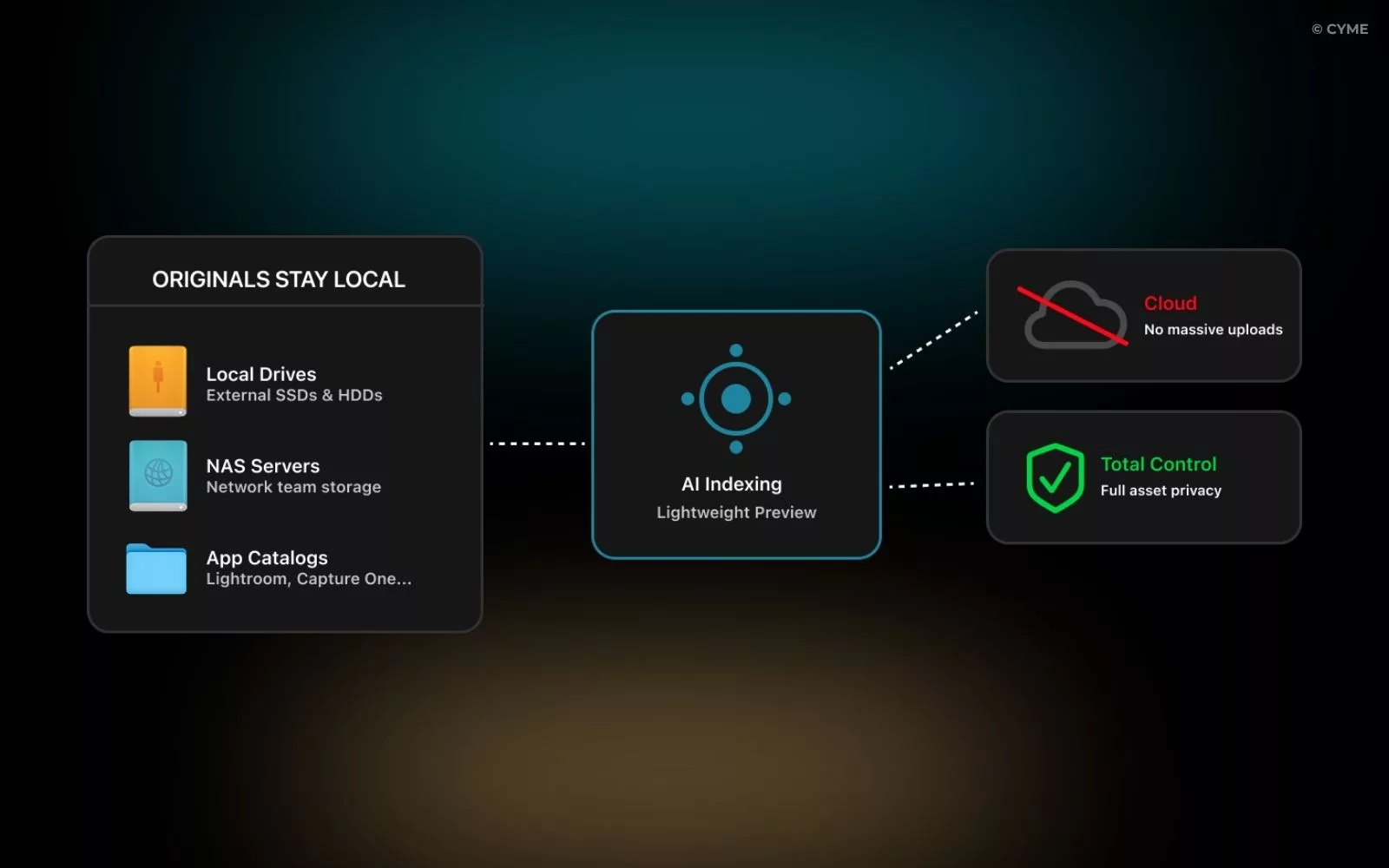
Storage architecture is one of the most important DAM decisions.
Cloud-first DAM platforms centralize files on the vendor’s servers. This can be convenient for distributed teams and brand portals, but it can also create upload time, storage cost, privacy, and bandwidth concerns.
A local or NAS-based workflow offers another model. Originals remain on user-controlled infrastructure, while the DAM indexes files, creates previews, and makes the archive searchable. For teams working with network storage or distributed archives, it is worth understanding how to build a DAM workflow on a NAS before choosing a tool.
Peakto follows this local-first model: it brings DAM-like capabilities — search, organization, review, collaboration, and remote access — to creative teams that want to keep control of their media.
This matters because the future of DAM does not have to mean uploading everything. For creative teams, the right system is often the one that respects how the archive already exists.
Integrations With Creative Tools
A DAM should fit into the tools your team already uses. For creative teams, that may include Adobe Lightroom Classic, Adobe Premiere Pro, Final Cut Pro, DaVinci Resolve, Capture One, Apple Photos, Luminar Neo, DxO PhotoLab, and shared storage systems.
Integrations matter because a DAM that sits outside the production workflow can quickly become another silo. The best system is not only the one that stores files, but the one that makes assets easy to find and reuse during real creative work.
Pricing and Scaling
DAM pricing varies widely. Enterprise DAM platforms may charge based on users, storage volume, advanced permissions, brand portal features, or integrations. Cloud storage can also become expensive as media libraries grow, especially for photo and video teams working with terabytes of content.
A local-first workflow can make scaling more predictable because originals remain on infrastructure the team already owns or controls. The cost question then becomes less about how much media you upload and more about how efficiently you can search, browse, share, and reuse it.
A simple DAM checklist should include five questions: Can the system search across your real archive? Does it support your formats? Does it match your storage model? Can collaborators access only what they need? And will the cost still make sense when your library doubles?
Best Digital Asset Management Software
The best digital asset management software depends on your workflow, your storage model, your team size, and the type of media you manage. There is no universal winner, only a better fit for a specific context.
For a full comparison, see this guide to the best digital asset management software. At a high level, most DAM tools fall into five categories.
Enterprise cloud DAM platforms are built for large organizations that need brand portals, advanced permissions, governance, and integrations with marketing systems. They are powerful, but often expensive and complex.
Creative-focused DAM and media managers are designed for photographers, videographers, studios, and creative teams working with large libraries of photos and videos. Their strengths are format support, visual browsing, AI search, and performance across large archives.
SMB-friendly DAM tools focus on simplicity. They help smaller teams centralize product photos, brand kits, campaign assets, and marketing materials without deploying a heavy enterprise system.
Open-source or self-hosted DAM platforms offer more control, but usually require more technical setup and maintenance. They can be useful for organizations with IT resources and strict infrastructure requirements.
Hybrid or local-first DAM workflows combine local storage, NAS infrastructure, searchable previews, and selected remote access. This category is especially relevant for media-heavy teams that want collaboration and AI search without uploading every original file to the cloud.
Peakto belongs to this last family: a local-first, AI-powered media manager for creative teams that want to organize, search, review, and share large photo and video libraries while keeping control of where their media lives.
| Criteria | Traditional cloud DAM | Local-first DAM workflow | Peakto approach |
|---|---|---|---|
| Storage model | Files are usually uploaded to the vendor’s cloud. | Originals remain on local drives, folders, or NAS storage. | Originals stay where they are; Peakto indexes them. |
| Best for | Large organizations with centralized brand governance. | Media-heavy teams with existing storage infrastructure. | Creators and teams managing large photo and video libraries. |
| Cloud upload required | Usually yes. | Not necessarily. | No full cloud migration required. |
| Search | Metadata, tags, filters, and sometimes AI search. | Metadata, previews, local indexing, and AI depending on the tool. | AI search, metadata search, visual browsing, and video discovery. |
| Collaboration | Strong, often through portals, permissions, and cloud access. | Depends on the system and sharing model. | ShareSpaces and web access for selected assets in Peakto Pro. |
| Cost structure | Often based on users, storage volume, and enterprise features. | Often more predictable for large local archives. | Designed to avoid turning every terabyte into a cloud storage cost. |
| Privacy and control | Files are hosted by a third-party provider. | Files remain under the team’s control. | Local-first architecture with media kept on user-controlled storage. |
FAQ: Digital Asset Management
What is digital asset management in simple terms?
Digital asset management, or DAM, is a way to organize, search, manage, and share digital files such as photos, videos, logos, design files, and brand documents. A DAM helps teams find and reuse assets faster instead of losing them across folders, drives, cloud platforms, and inboxes. For a deeper explanation, see this guide to what digital asset management is and how it works.
Is Peakto a digital asset management software?
Peakto can be used as a local-first digital asset management solution for creative teams working with large photo and video libraries. It is not a traditional enterprise cloud DAM. Instead, it indexes media where it already lives — on drives, folders, NAS systems, and creative catalogs — and makes it searchable with AI, metadata, previews, and visual browsing.