


As a professional photographer or photography enthusiast, you know that managing and organizing your ever-growing collection of images can be a daunting task. With the advent of advanced photo management software and AI-powered photo tools, this process has become more streamlined and efficient than ever before. In this comprehensive guide, we’ll explore how to leverage these cutting-edge technologies to revolutionize your photography workflow and take your image management to the next level.
Understanding Photo Characterization
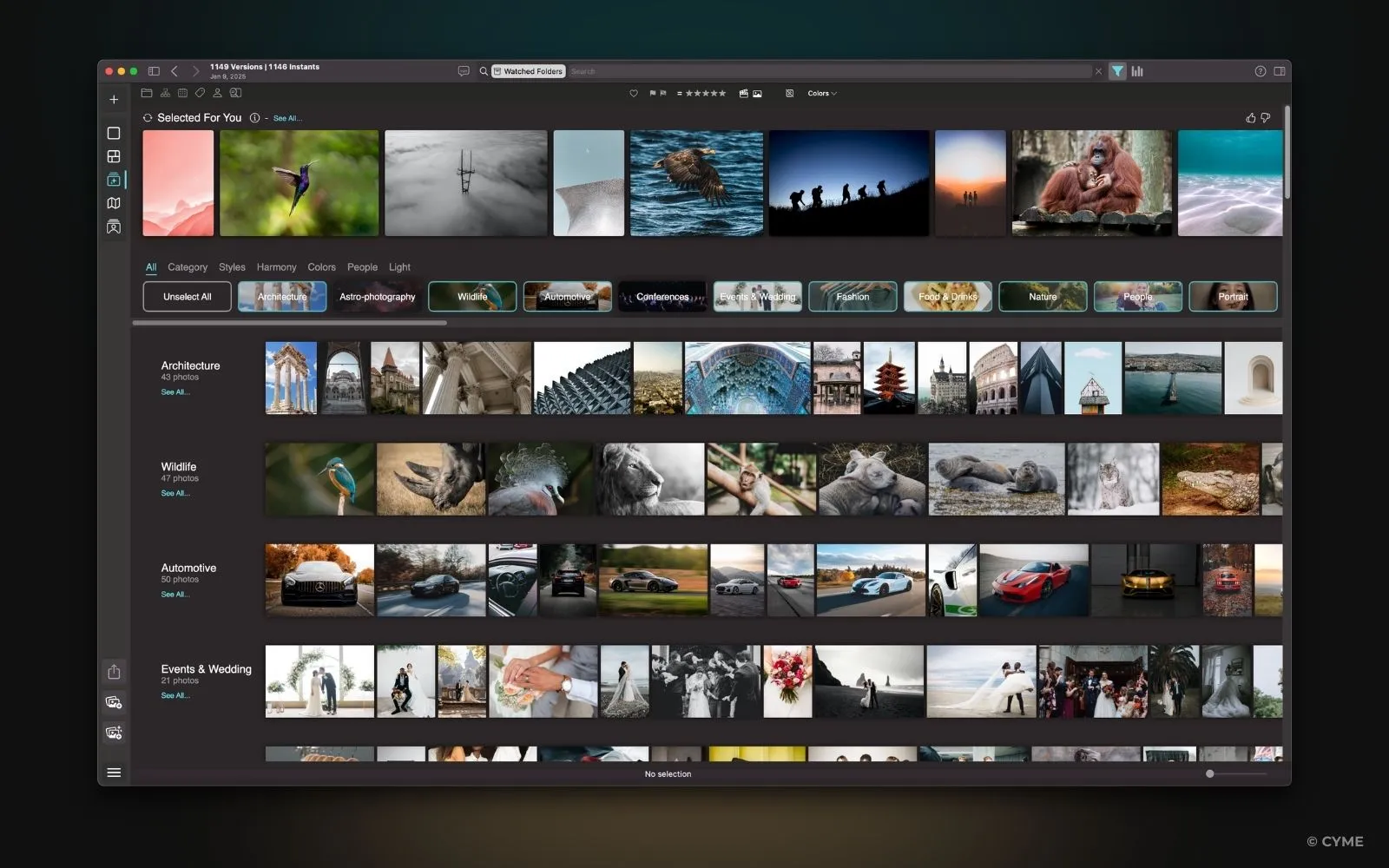
What Is Photo Characterization and Why It Matters
Imagine spending hours searching for that perfect sunset picture buried in a disorganized folder. Photo characterization eliminates this frustration by creating a comprehensive understanding of your visual library, making it easier to find specific photos in an instant.
Photo characterization involves analyzing and organizing visual content using metadata, tagging, and advanced software tools. It transforms a cluttered photo library into a well-organized collection, making it easier to find photographs when needed. Whether you’re a professional or a hobbyist, photo characterization helps you save time, simplify workflows, and enhance your creative potential.
How Photo Characterization Can Help You Tag Photos Better
Tagging photos manually can be time-consuming and prone to errors. With the help of advanced image analysis software, you can leverage features like automated photo tagging and face recognition. These tools use machine learning for photos to detect objects, recognize faces, and analyze photo metadata, ensuring every image is accurately tagged. This enhances image search capabilities, allowing you to locate specific photographs quickly.
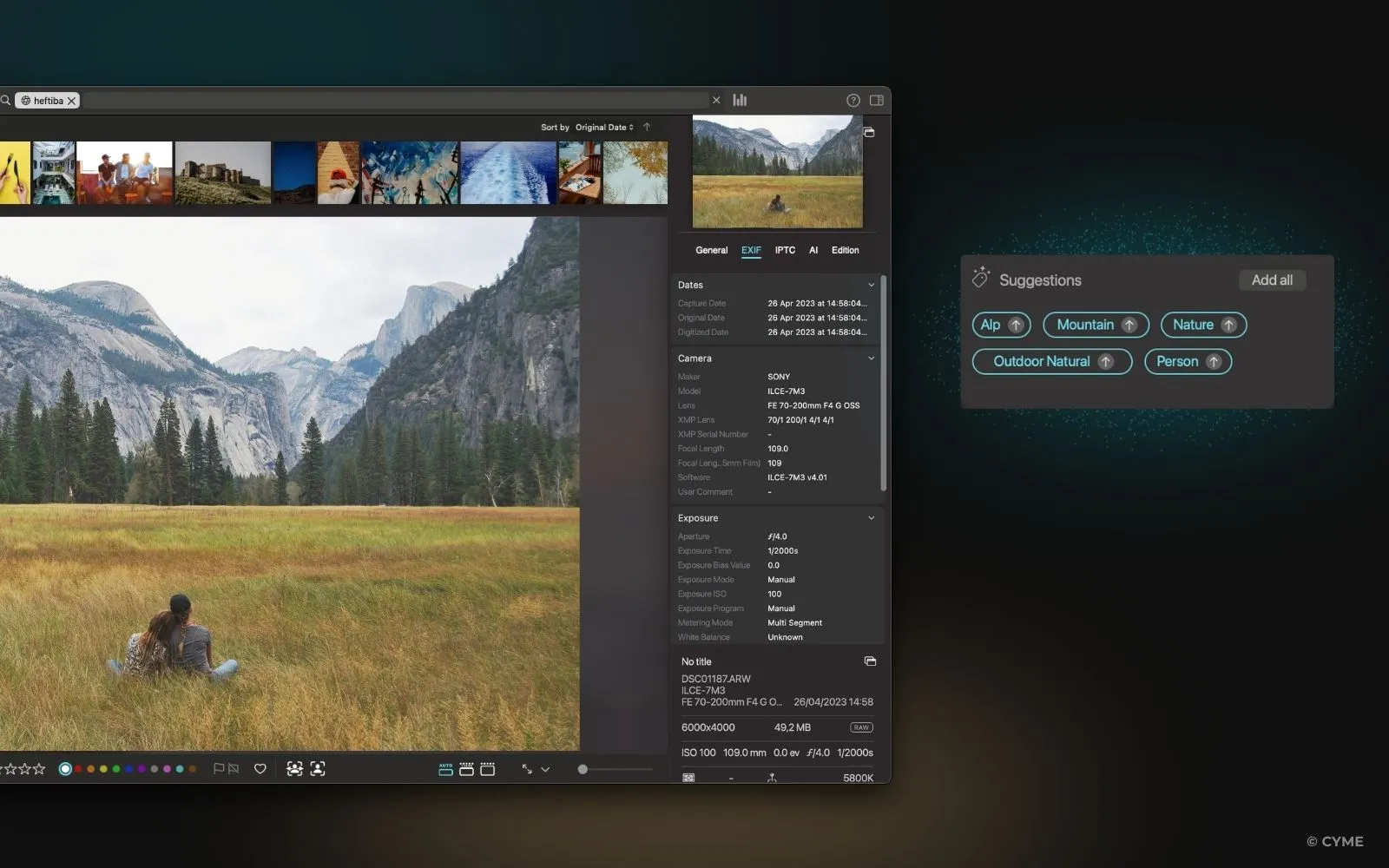
Why Categorizing and Tagging Your Photos Is Essential
Properly categorizing and tagging your photos is a fundamental step in managing your photo collection efficiently and creatively. Here’s why it matters:
1. Improved Organization
2. Enhanced Searchability
3. Streamlined Workflow
4. Boosted Creativity
5. Preserving Memories
Looking for Software Recommendations?
For a comprehensive comparison of the best photo management software available, including detailed pros and cons, see our guide to the best photo organizers.
Leveraging Image Analysis for Effective Photo Characterization
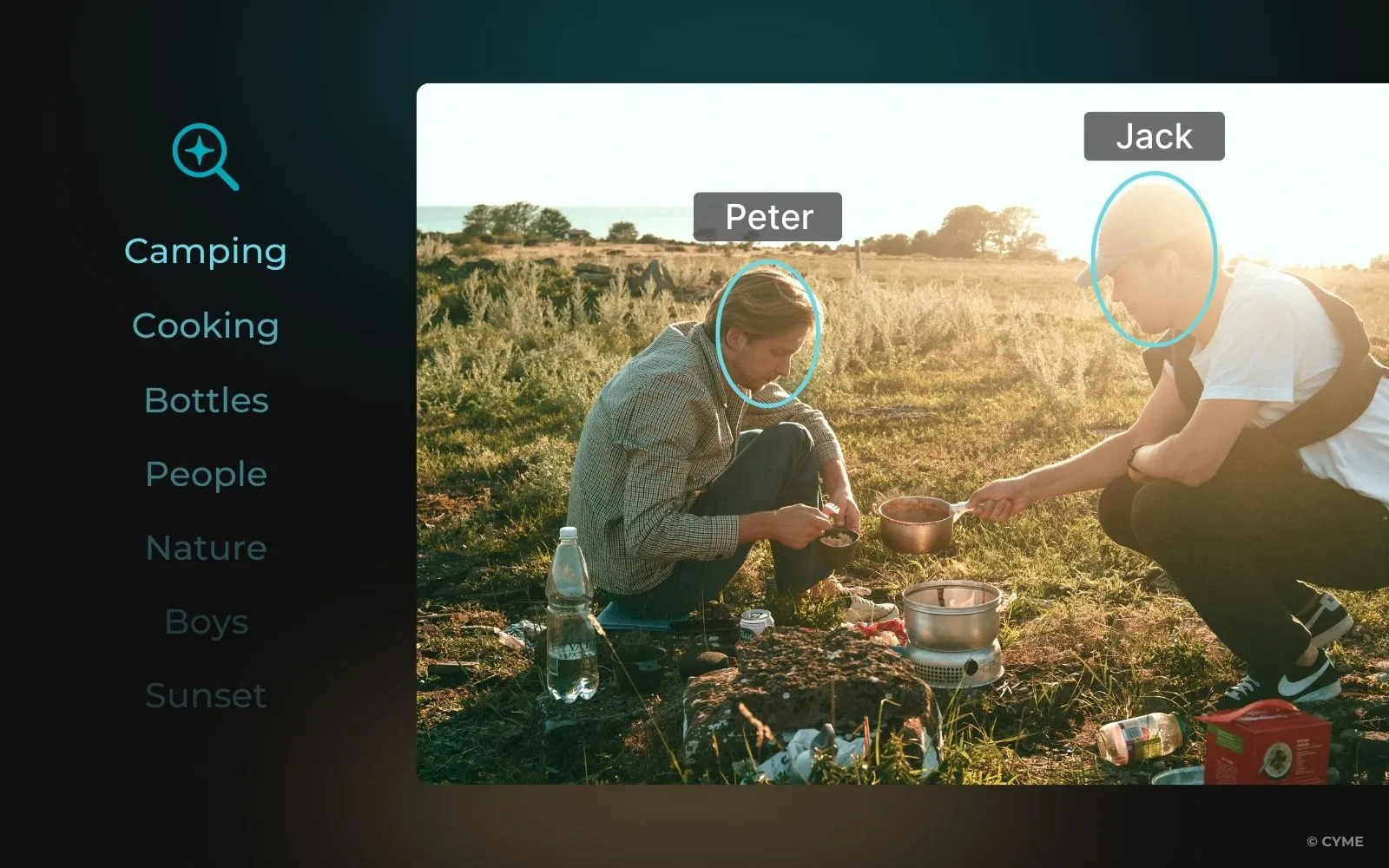
Key Applications of Image Analysis in Digital Photography
1. Automated Photo Organization
2. Enhanced Image Searchability
3. Advanced Photo Editing and Enhancement
4. Object and Scene Recognition
5. Creative Insights and Portfolio Optimization
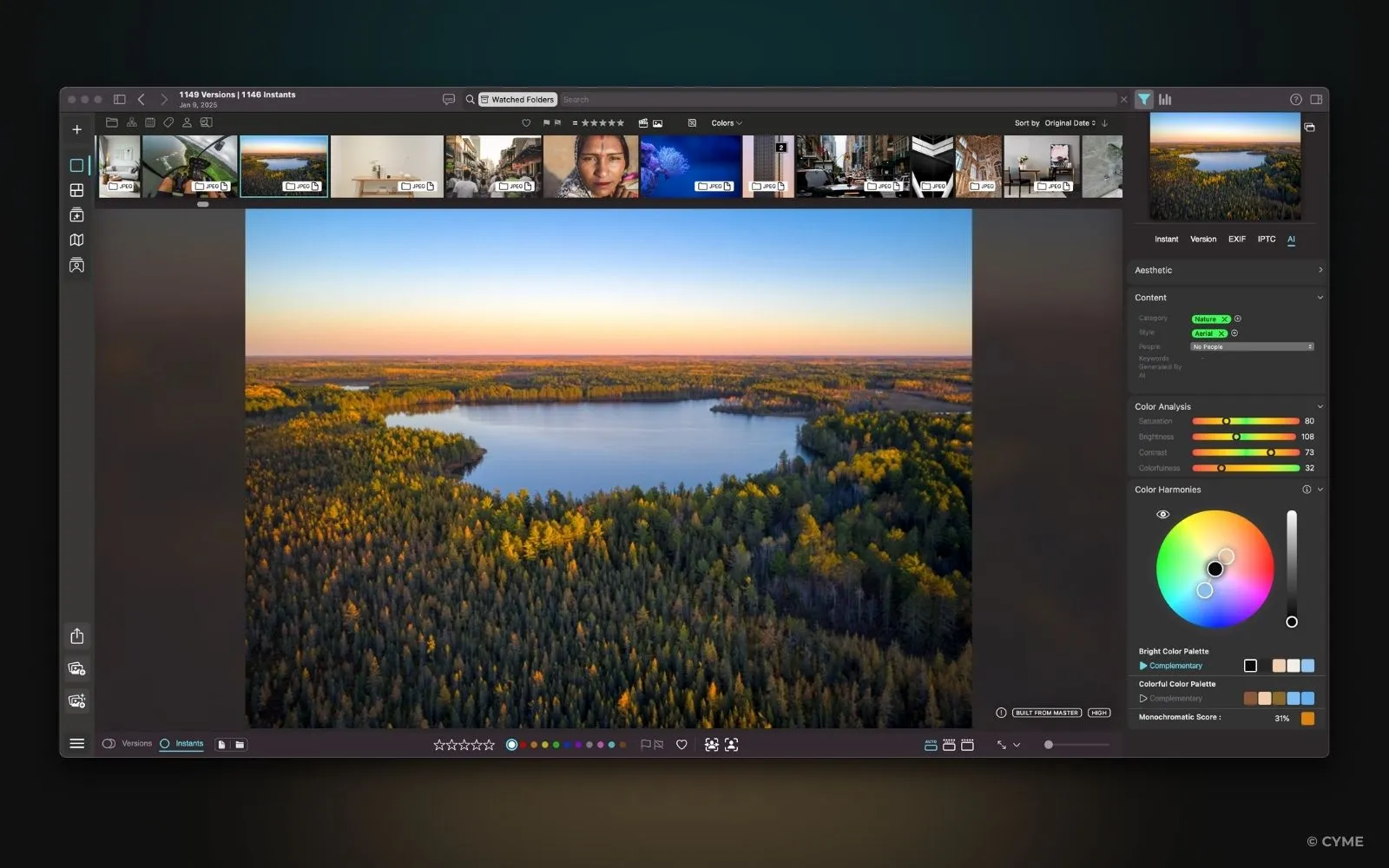
Exploring Image Analysis Techniques: OCR, Object Detection, and Facial Recognition
Image analysis employs various techniques to understand your photos, making it easier to organize, search, and retrieve images based on their content. These technologies help photographers and content creators save time and effort in managing their media libraries.
Optical Character Recognition (OCR): Extracts text from images, useful for cataloging photos containing signs or documents.
Object Detection: Identifies and locates specific objects within an image, enabling precise tagging and categorization.
Facial Recognition: Detects and identifies faces in photographs, allowing for easy organization of people-centric images.
Applications of Photo Characterization, Image Analysis, and Tagging Pictures
Organizing and Cataloging Photo Collections
Photo characterization software can transform the way you organize your photo collections. By automatically analyzing and tagging your images, these tools create a well-structured and easily navigable photo library. This organization makes it simple to locate specific images or groups of photos based on various criteria, such as date, location, or subject matter.
Free tips to Identify and Tag photos for Easy Retrieval
- Use consistent naming conventions for your files and folders.
- Leverage AI-powered tools to tag images with relevant keywords.
- Create a hierarchical folder structure that aligns with your workflow.
- Utilize metadata to store additional information about each image.
Maximizing Photo Search Capabilities

Automated tagging significantly enhances your ability to search and find specific photos within your collection. By using machine learning for photos, these systems can recognize and tag a wide range of elements, from broad categories like “landscape” or “portrait” to specific objects or landmarks.
Building on the capabilities of automated tagging, conversational search takes photo retrieval to the next level with a more intuitive and interactive approach. This innovative feature allows users to find images by typing or speaking natural language queries, such as “Show me all sunset photos from last summer” or “Find pictures with blue skies and mountains.“
Powered by AI solutions for photographers and natural language processing (NLP), conversational search understands context, intent, and keywords to retrieve relevant images instantly. By combining image recognition tools with advanced machine learning for photos, it delivers a seamless, intuitive experience, eliminating the need for complex keyword tagging or manual filtering. This technology not only saves time but also makes exploring large photo libraries effortless and efficient.
Streamlining Your Photo Editing Workflow
Photo analysis software integrates with editing tools to optimize workflows. Features such as batch processing and AI for photo management reduce manual effort, allowing you to focus on enhancing your images.
Managing Photos with Facial Recognition
Face recognition technology is invaluable for photographers managing portraits or events. It simplifies tagging and sorting, making it easier to find and enhance specific photos. Some advanced systems can even recognize emotions, helping you find photos with particular expressions or moods.
Choosing the Right Software for Photo Characterization

Must-Have Features in Photo Characterization Software
- Automated tagging: The ability to automatically generate relevant tags for your images.
- AI-powered analysis: Advanced image recognition and machine learning capabilities.
- Facial recognition: Tools for identifying and organizing photos by people.
- Metadata management: The ability to view, edit, and add metadata to your images.
- Integration with editing software: Seamless workflow between organization and editing tools.
- Batch processing: The capability to analyze and tag multiple photos simultaneously.
Advanced AI Capabilities
For more advanced AI features like batch processing, intelligent culling, and content-based image analysis, see our guide on AI-powered photo management features.
Getting Started with Photo Characterization Software

Tips for Characterizing Your Photos Efficiently
1. Choosing the Best Software for Your Workflow
Select tools tailored to your needs. One which is compatibility with your existing tools and workflow. For example, Peakto offers advanced AI and tagging, perfect for professionals.
2. Organizing Your Photos for Seamless Tagging and Retrieval
3. Enhancing Your Photos with AI-powered Tools
4. Automating Repetitive Tasks to Save Time
With AI for photo management, automate repetitive tasks, use batch processing to apply tags and descriptions to multiple photos at once.

Advanced Techniques for Better Results
1. Custom Tagging and Object Recognition
Develop a personalized tagging system that aligns with your specific needs and workflow. Utilize advanced object recognition features to create detailed and accurate tags for your images.
2. Incorporating AI for Enhanced Analysis
Leverage machine learning algorithms to improve the accuracy of your photo characterization over time. Train the AI to recognize specific subjects or styles that are unique to your photography.
3. Batch Processing Large Photo Libraries
Use batch processing features to efficiently analyze and tag large collections of photos. This technique can save significant time when working with extensive photo libraries.
Future Trends in Photo Characterization and Image Analysis
The Role of AI in the Future of Photo Management
AI advancements will bring more accurate tagging, real-time suggestions, and photo classification techniques. Future developments may include more accurate object recognition, improved natural language processing for describing images, and enhanced ability to understand the context and emotions in photographs.
Integrating Augmented Reality and 3D Imaging with Photo Characterization
The integration of augmented reality (AR) and 3D imaging with photo characterization software opens up exciting possibilities. Photographers may soon be able to create immersive experiences from their 2D images or use AR to visualize how their photos would look in different settings.
Navigating Ethical Issues in Image Analysis and Facial Recognition
As face recognition and AI evolve, ethical considerations like data privacy will remain crucial. Photographers must be aware of privacy concerns and ensure they use these technologies responsibly, respecting individuals’ rights and obtaining necessary permissions.
FAQ — Photo Characterization
What's the difference between photo characterization and photo organization?
Photo characterization is adding metadata (tags, descriptions, ratings) to photos. Photo organization is structuring your entire library.
Can I characterize photos automatically?
Yes! Modern software uses AI to automatically characterize photos through facial recognition, auto-tagging, and metadata extraction.
Which photo management software has the best characterization features?
It depends on your needs. For a detailed comparison of photo management software and their characterization capabilities, see how to choose the photo management software for your needs.