


Most deduplication and culling tools only see a fraction of your photos—one folder, one catalog, or one drive at a time. Peakto changes the rules completely.
With its unique approach, Peakto analyzes your entire photo library without exception: local folders, external hard drives, NAS systems, and catalogs from multiple applications. Its AI compares all your images together, regardless of where they’re stored, to uncover hidden duplicates and help you select the best photos from a series with unmatched precision.
In this article, we’ll take a closer look at how these new deduplication and culling features work, as well as the other major improvements in Peakto 2.6—designed to make managing large media libraries faster, smoother, and more collaborative.
Unmatched Deduplication and Culling Power
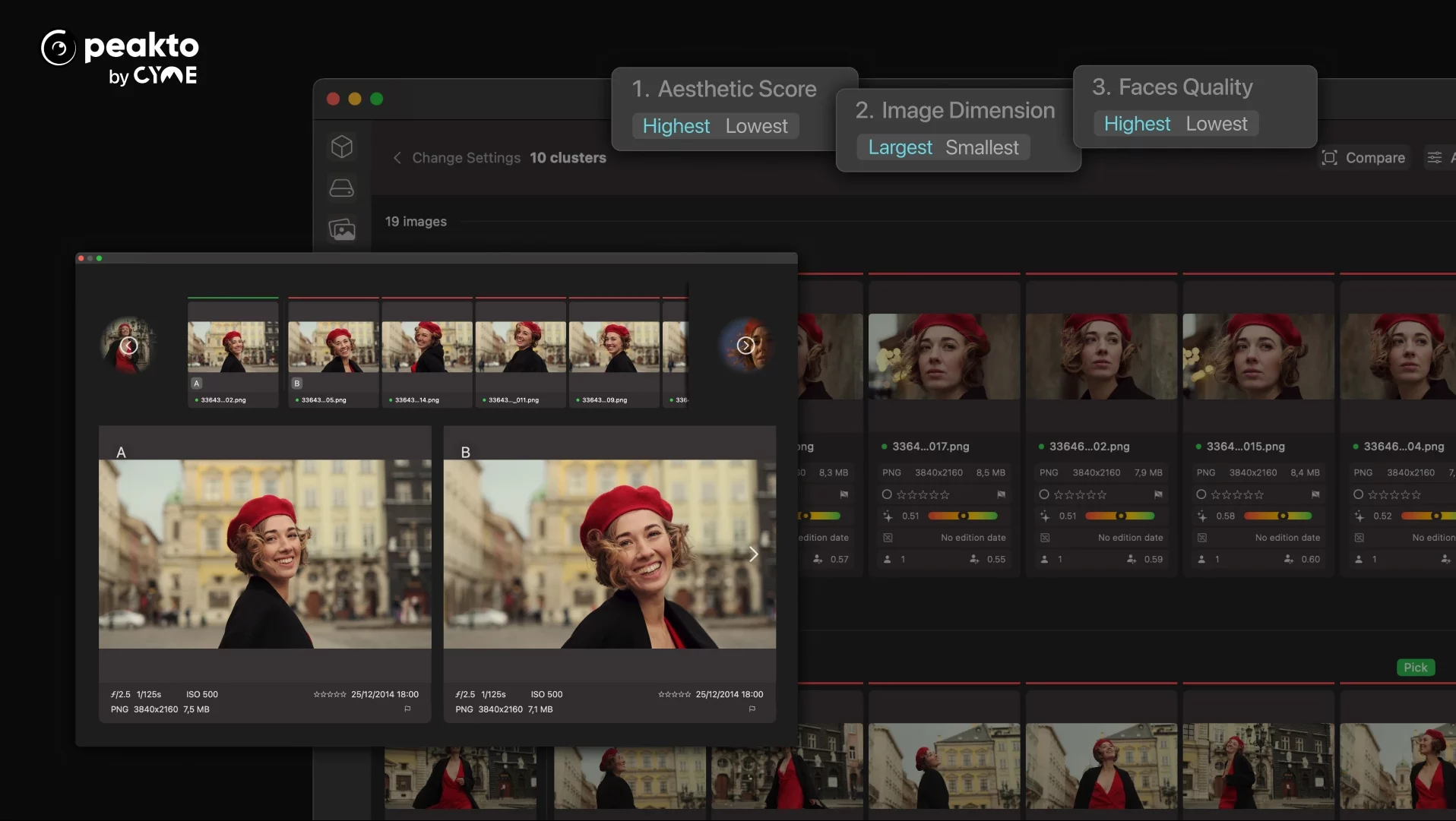
1. Deduplication
Peakto’s AI identifies identical and visually similar photos to deliver the most powerful deduplication experience available. Unlike other tools, Peakto gathers and compares ALL your images—whether they’re stored in different folders, on external hard drives, on a NAS, or across multiple software catalogs.
In just seconds, you can uncover forgotten duplicates and free up space across all your drives.
Thanks to a brand-new interface designed for fast comparison of two or more images, you can easily decide which photos to keep and which to delete to reclaim storage.
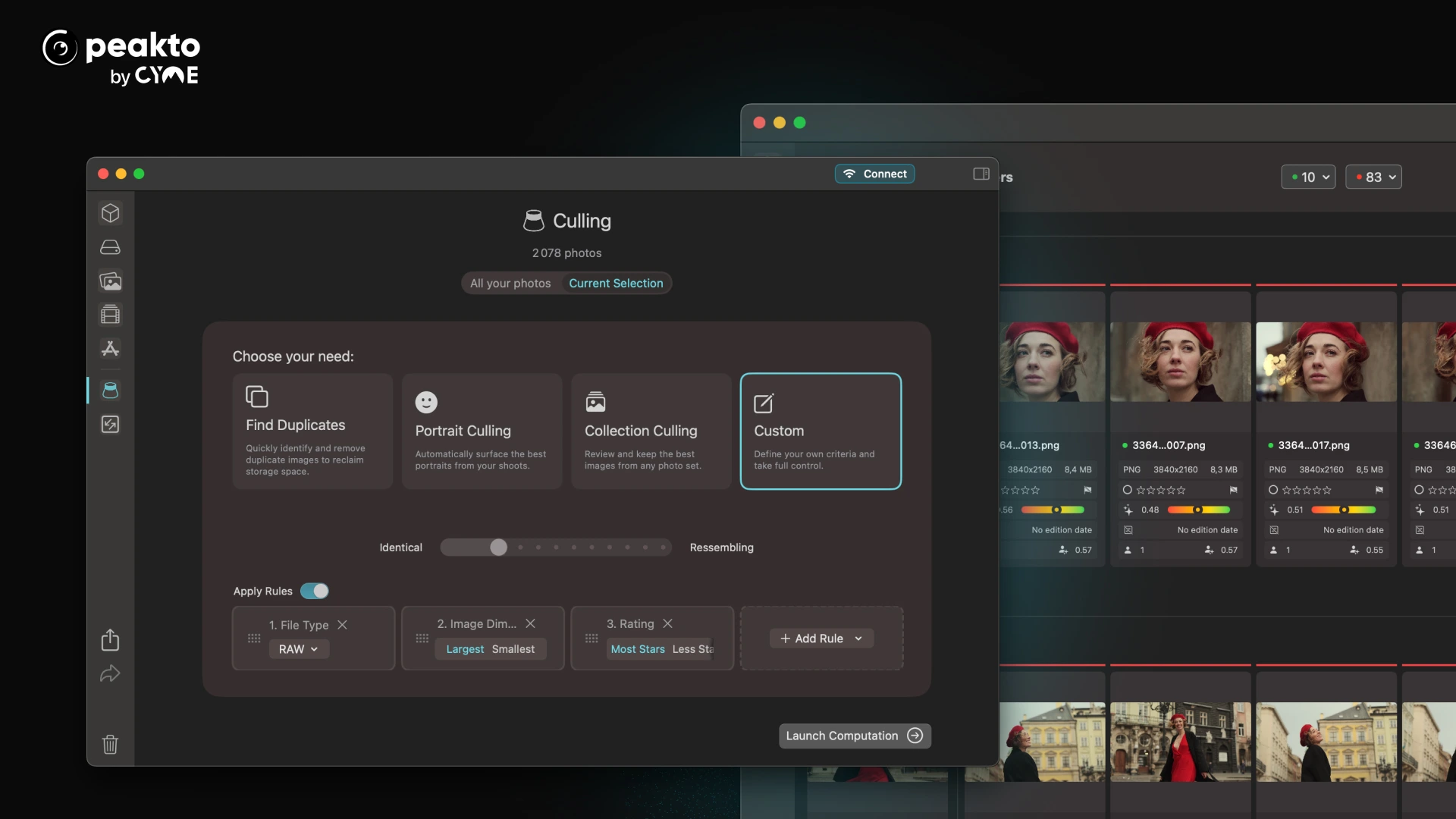
2. Culling
Peakto: An Even More Powerful Hub for All Your Photo and Video Files
Peakto brings together all your photo and video files—without creating duplicates—offering fast previews, smooth video playback, and instant access to your media.
Peakto syncs with your existing content. Nothing is moved, yet you can see everything from Peakto and filter, search, and annotate your files without altering your current organization.
Peakto continues to grow stronger, ingesting thousands of files quickly and accurately.
A Media Manager Built for Teamwork
Bringing all your media together is already a major advantage—but being able to share it takes things even further. Peakto works like a server, allowing you to share part or all of your media with colleagues or loved ones.
They can access your files through Peakto’s web version to view, search, and download the content you’ve shared with them.
These sharing features are continuously improved. In the latest version of Peakto, when you share a folder stored in Finder, all its subfolders are now visible as well. Shared folders are no longer named after your computer, but retain the names you assign to them—making navigation much clearer for your users.
What’s New in Peakto 2.6
Manage Photo Libraries at Any Scale
Peakto 2.6 marks a major step forward in how photographers manage large libraries. By applying AI-driven deduplication and culling across your entire photo collection, Peakto does what no other tool can: help you clean, select, and organize at the true scale of your work.
Combined with faster ingestion, improved performance, and more flexible sharing, Peakto continues to evolve as a central hub designed to keep your media accessible, manageable, and ready for what’s next.