
Fast culling and lasting organization are two different jobs. Here’s how to let each tool do the one it’s built for.
Most photographers don’t have one workflow problem. They have two, and they show up at opposite ends of a project.
The first is urgent. Three thousand frames come off the cards and someone has to decide which ones matter. The clock is running, the client is waiting, and the faster you get to a focused selection, the sooner you can actually start making pictures out of them.
The second one is quiet, and it arrives months later. A past client asks for a print. You need three images in the same light for a portfolio update. A venue wants to license something from a wedding you shot two summers ago. Nothing is urgent — but nothing is findable, either.
These two problems don’t respond to the same kind of tool. Culling software is built for speed and decisiveness on a single shoot. A photo organizer is built for memory across all of them. This is why we’re happy to write about Narrative on our own blog: Narrative Select is very good at the first job, Peakto is built for the second, and the handoff between them is cleaner than most photographers expect.
Two Different Clocks
It’s worth naming why the split exists, because it explains a lot of workflow frustration.
Culling operates on project time. It’s bounded. It starts when you import and it ends when you’ve got your selects. Every design decision in a good culling tool serves that: fast previews, face and eye detection, closed-eyes and blur filtering, comparison views, keyboard-driven passes. The tool’s job is to be excellent for a few hours and then get out of the way.
Cataloging operates on career time. It’s unbounded and it has no deadline, which is exactly why it gets neglected. The value doesn’t show up on delivery day. It shows up the fifth time you go looking for something and find it in twelve seconds instead of forty minutes.
What Narrative Handles: The First Pass
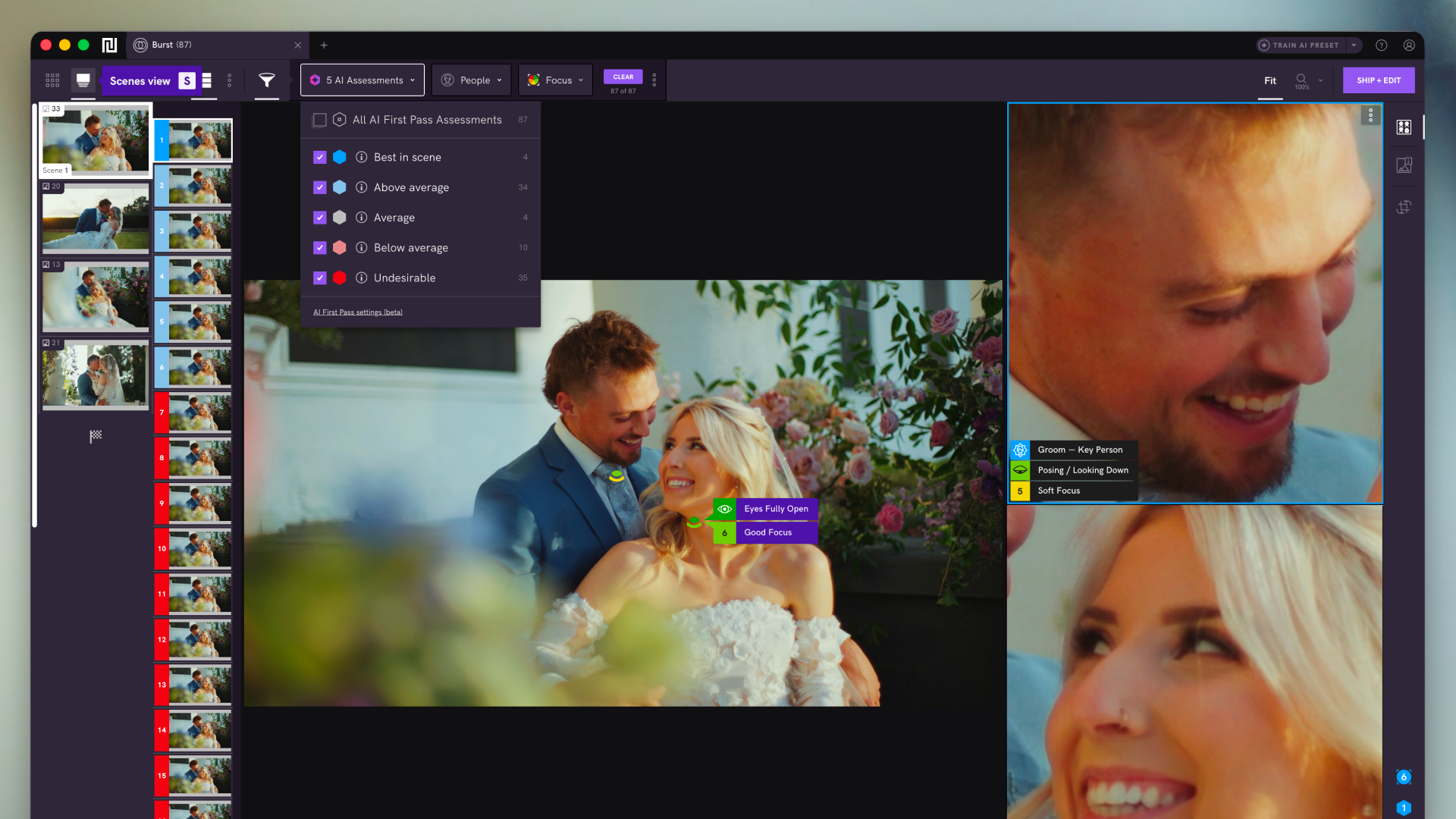
Narrative is designed around the moment a large shoot becomes a focused body of work. Its AI assistant handles the repetitive part of selection so you can spend your attention on the judgment calls that actually require a photographer.
That’s the front of the workflow, and it deserves a dedicated tool. A first pass done well doesn’t just save hours — it sets the direction for the edit. You come out of it knowing what the gallery is going to be.
Where Peakto Picks Up: Everything After
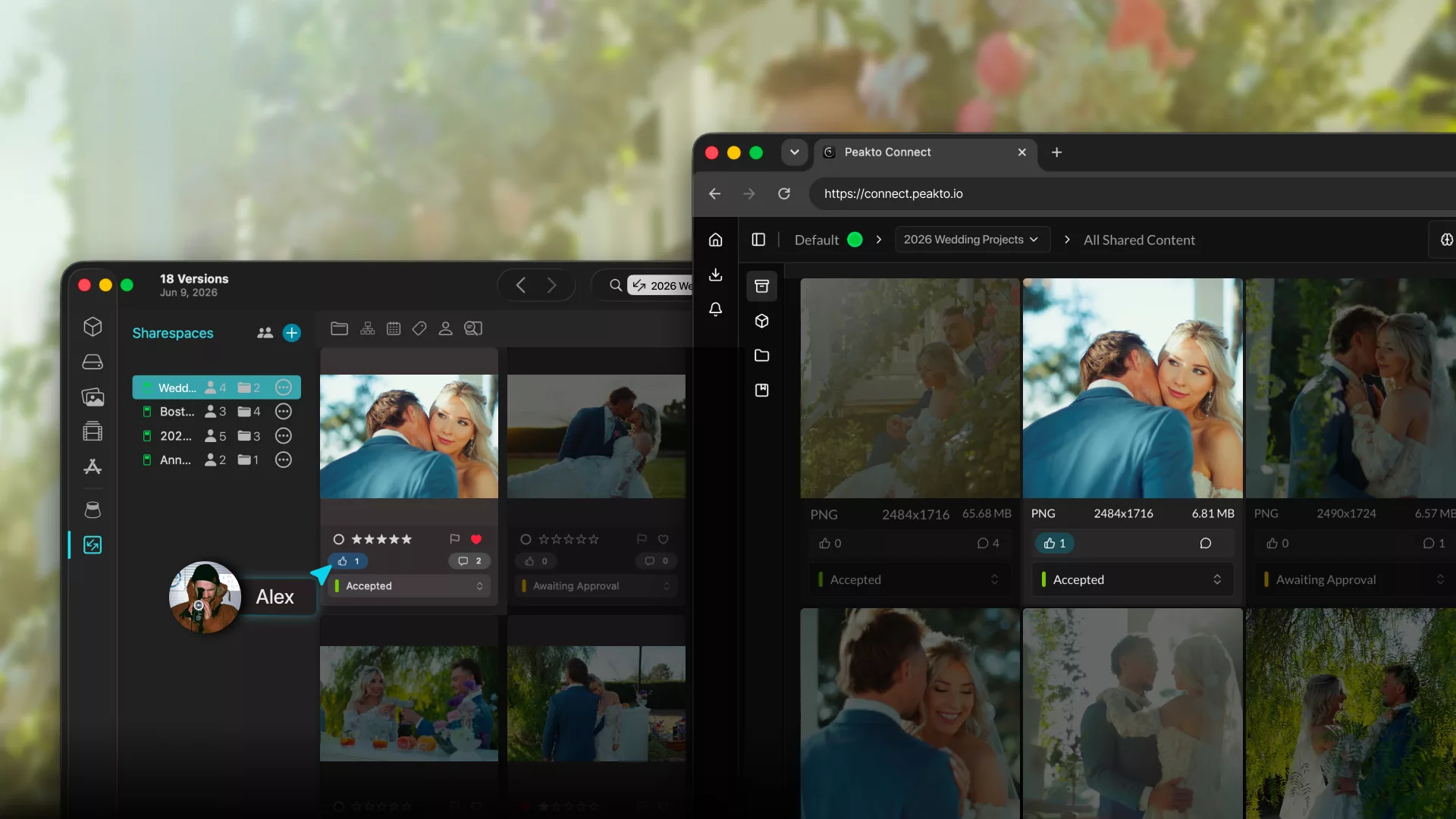
Once the selects exist, a different set of needs takes over: organizing the chosen work, sharing it for review, collecting feedback, validating before delivery, and — critically — keeping those images findable long after the project closes.
This is what Peakto is for. It indexes what you already have, wherever it already lives: Lightroom and Capture One catalogs, Apple Photos libraries, Finder folders, external drives, NAS. You don’t migrate anything and you don’t reorganize anything. Peakto reads across all of it and gives you one place to search, browse, and pull from — including video, which most photo tools quietly ignore.
The important part is what this changes six months out. Your best work stops being scattered across project folders named by date and becomes a library you can actually query.
The Workflow, End to End
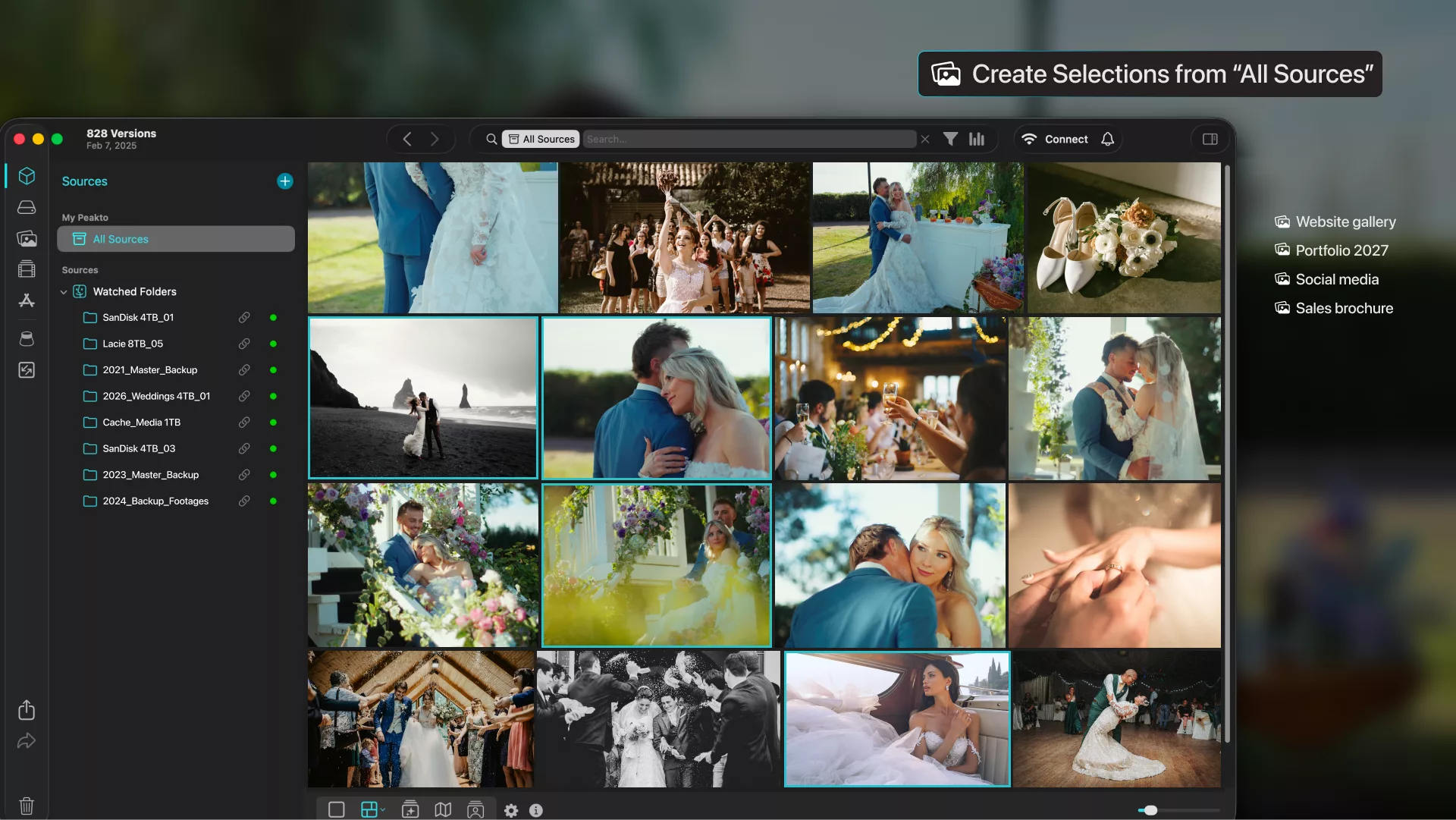
In practice it looks like this:
- Import and cull in Narrative. Get through the volume, surface the strongest frames, come out with a clear direction for the edit.
- Edit in Lightroom, Capture One, or whatever fits the job. Nothing about this step changes.
- Organize, review, and validate in Peakto. Group the selected work into collections, share it with clients or collaborators, gather feedback, and prepare final delivery.
- Deliver.
- Reuse. Six months later, Peakto is still indexing that project alongside everything else you’ve shot.
Cull → Edit → Review → Validate → Deliver → Reuse
Every tool keeps its own role.
Narrative makes the selection faster without taking creative control away from you. Lightroom or Capture One does the editing. Peakto holds the whole thing together over time and makes sure the work stays reachable.
What we like about this arrangement is how little it asks. Nobody has to abandon a tool they already know or rebuild a workflow from scratch. The stages simply stop being disconnected from each other.
Focus: Wedding Photographers and Content-Heavy Creators
Wedding photographers work project by project, and the pressure after a wedding is entirely one-directional: cull, select, edit, review, deliver the gallery, move on to the next one.
Nobody in that position wants to spend an afternoon on archive hygiene. And honestly, most wedding photographers don’t reopen old projects on a daily basis. But the delivered work keeps having value long after the gallery goes out. You need images again to refresh a portfolio, to post on Instagram, to cut a reel, to show a prospective couple what you did at that specific venue in that specific light, to build a blog post or a marketing campaign.
Photographers shooting hybrid photo and video have an even stronger case here. Past projects are full of b-roll, short clips, and behind-the-scenes footage that could be working for you on social or in client communication — if you could find it.
The need isn’t specific to weddings. Portrait, event, family, and commercial photographers all run the same pattern: work on a project, deliver it, move on, and then discover a year later that they need three specific frames out of it. The challenge is never that the images are gone. It’s that finding them costs more than the use is worth.
A better workflow here isn’t about becoming an “archivist.” It’s about not paying that tax every time.
From Selected Images to Reusable Media
A photography workflow doesn’t end at culling, and it doesn’t end at delivery either. Culling turns a shoot into a focused selection. Review and validation carry that selection to the client. And after that, your strongest work should keep earning — in your marketing, your client conversations, and your next creative project.
Narrative supports one of the most consequential decisions in the process: choosing the images that reflect your vision, quickly. Peakto carries that selection through everything after — organizing it, moving it toward delivery, and making it findable again when it can serve a new purpose.
For photographers handling more projects, more images, and more video every year, that division of labor is worth setting up deliberately.