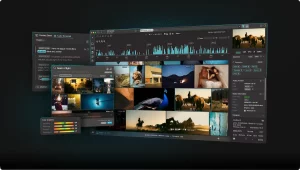


The real question is not whether you should publish more. It is whether you can find the best moments inside what you already have, then reuse them across search, social, email, and product pages.
This article gives you a practical, end-to-end method to leverage existing video with frame search, from audit to vectors to measurable SEO impact. To see what a production-grade video frame search workflow looks like, start there, then come back for the implementation blueprint.
The essentials in thirty seconds
Frame search turns every video into a searchable library of images, timestamps, and meaning.
You extract frames, generate vectors, and index them with metadata so teams can retrieve the exact moment they need.
Hybrid retrieval (dense + sparse) improves precision when queries mix visual intent, brand terms, and campaign language.
The win is operational: faster reuse, more SEO landing pages, and better creative consistency with fewer reshoots.
Now that the destination is clear, start by defining what “content leverage” means for your business and your search intent.
Set clear content leverage goals with video frame search
Tools and access you will need (and who owns them)
Content leverage fails when teams treat frame search as a “nice to have.” Make it a shared system with clear ownership. You need four capabilities: video ingestion, frame extraction, embedding generation, and retrieval with filters.
On the access side, align early with legal, brand, and product. Your frame index will surface moments that were never meant to travel outside their original context. The safest approach is to enforce “where can this appear” rules at retrieval time, not after publishing.
One practical pattern is to separate discovery from distribution. Discovery is broad: explore everything you own. Distribution is strict: only reusable frames can flow into public SEO assets, newsletters, and ads.
In the latest Wyzowl survey, lack of time is a reported barrier for nearly one fifth of marketers who do not use video. That is the operational argument for retrieval-based reuse. Wyzowl video marketing statistics
Estimated time and difficulty (what “good” looks like)
Expect an initial sprint measured in weeks, not days, because you are building a pipeline and a taxonomy. The machine work is repeatable, but the human decisions are not. You must decide what a “scene” is, what counts as a “brand-safe” moment, and what metadata will drive SEO reuse.
The difficulty is moderate for teams that already run a DAM and have basic data discipline. It becomes advanced when you want multimodal retrieval, multilingual search, and automated briefs driven by large language models.
Checklist before you index anything
- Media rights: confirm talent releases, stock licenses, music rights, and usage scope for each asset.
- Storage: separate originals, mezzanine exports, frames, and thumbnails with clear retention rules.
- Compute: decide whether you will run GPUs on demand or use a managed embedding service.
- DAM access: ensure API read access to titles, descriptions, tags, and campaign metadata.
- Governance: define who can approve public reuse and who can override retrieval filters.
Define a taxonomy for scenes, brands, and search intent
Your index is only as useful as the vocabulary wrapped around it. Create a taxonomy that enables connecting frames to products, offers, and user intent. The fastest approach is a two-layer model.
Layer one is visual: scene type, setting, objects, logo presence, text on screen, and motion patterns. Layer two is marketing: funnel stage, claim type, target persona, and distribution channel.
If you need a naming convention, pick a simple internal code name. Some teams use “Adelean” as the label for the shared taxonomy version, so everyone knows which rules were applied during indexing. Adelean also makes audits easier when you update tags later.
Choose baseline KPIs before you touch the library
Content leverage is not “more posts.” It is better output per hour and per asset. Set your baseline with a small KPI pack, then track deltas after reuse goes live.
| KPI | Baseline you capture | What improves with frame search |
|---|---|---|
| Time to find a usable visual | Average time in creative requests | Faster retrieval with filters and timestamps |
| Content output per asset | How many pages or posts each video generates | More derivatives without reshoots |
| SEO sessions from reused assets | Traffic by landing page template | New long-tail pages powered by specific moments |
| Conversion contribution | Assisted conversions by content type | Better creative-message match, higher intent alignment |
Define distribution rules before you index, not after you publish.
Treat taxonomy and metadata as product work, with ownership and a version.
Pick a small KPI set that measures speed, output, and SEO impact.
Once goals and constraints are set, the next step is to understand what you already have and what is worth indexing first.
Audit existing video assets so you only index what matters
Build an inventory across YouTube, webinars, ads, and UGC
Start with a single spreadsheet or database table. List every source: official channels, paid campaign exports, webinar recordings, customer stories, conference talks, and UGC you have usage rights for.
Do not skip internal sources. Sales enablement libraries often contain the highest-density product visuals. Customer support recordings can also be gold for “how-to” moments, especially when they show UI states that documentation never captured.
Scale reality check: Americans streamed “twenty-one million years’ worth” of video in a single year, and streaming grew strongly year-over-year, which explains why users expect visual answers. Nielsen streaming viewership insight
Prioritize by SEO and business potential (not by recency)
Recency is useful, but it is not the main driver of reuse. You prioritize by reusability and intent coverage. Ask three questions per asset.
First: does it contain “evergreen frames” such as product close-ups, before/after, step-by-step visuals, or brand-safe b-roll? Second: does it map to high-intent topics that already convert? Third: can you extract multiple angles for different audiences?
This is where “this blog” can be honest: most libraries are uneven. A few videos contain most of the reusable moments. Your job is to find them fast, then expand coverage with what you learn.
Clean metadata: titles, dates, campaigns, products, and claims
Frame search is only as accurate as its filters. Clean and normalize the metadata you already own. Standardize campaign naming, product names, and any claim categories you use in SEO and ads.
Also normalize the content lifecycle. A webinar may have multiple edits. A paid ad may have regional versions. Your index needs a parent-child relationship so retrieval can offer the best version for reuse.
Use a strict “claim policy” tag. Frames that show regulated claims should be searchable internally, but blocked from public distribution unless approved.
Segment into scenes, shots, sequences, and key moments
Do not treat a video as a single embedding. You need shot-level or scene-level indexing, because SEO reuse rarely wants “the whole thing.” It wants a moment: a logo reveal, a feature screen, a reaction shot, a product in hand.
Define segmentation rules you can repeat. A simple approach is to segment by scene change detection, then refine with a minimum duration threshold so you do not flood your index with near-duplicates.
Snippet: audit grid for “potential per video”
| Video | Rights status | Evergreen frames | SEO intent match | Business value | Index priority |
|---|---|---|---|---|---|
| Webinar: product walkthrough | Verified | High | High | High | Now |
| Paid ad: seasonal offer | Verified | Medium | Medium | High | Soon |
| UGC montage | Unclear | Medium | Low | Medium | Later |
Indexing everything is expensive; prioritize assets with evergreen frames and clear rights.
Clean metadata first, or you will pay for it later in bad retrieval and SEO duplication.
Segment into moments so you can reuse visuals without rebuilding the whole edit.
After you know what to index, you can move from “videos” to “searchable evidence”: frames, transcripts, and vectors.
Extract frames and embeddings without wasting compute
Frame sampling strategies: per second versus per scene
Sampling is your biggest cost lever. Per-second sampling is simple, but it explodes volume and creates duplicates. Scene-based sampling reduces redundancy and improves the distinctiveness of vectors.
A practical pattern is two-stage sampling. Stage one is coarse: pick representative frames per scene. Stage two is intent-driven: densify sampling in segments that contain product demos, text overlays, or UI changes.
For SEO reuse, you want frames that “stand alone.” If a frame needs surrounding context to be understood, it is a weak candidate for thumbnails, carousels, or standalone images in an article.
Model choices: vision encoders, multimodal embeddings, and captions
You can extract vectors from images alone, or create multimodal vectors that blend visuals with text. The second approach is usually better for search teams, because it supports queries like “pricing screen with annual plan” or “speaker holding the product at a conference.”
Large language models also help by generating short captions and tags for each frame. Those captions become sparse-friendly text, which you can combine with dense vectors to improve recall.
Keep your pipeline modular. You want to be able to swap the embedding model without reprocessing every raw frame. That is why you store a version label for embeddings and captions.
Normalization: dimension discipline, distance metrics, and quality checks
Vectors only work at scale when you standardize. Fix the image resolution you embed, normalize color space, and decide whether you will crop, letterbox, or pad. This avoids retrieval drifting because the model “sees” inconsistent framing.
Also set rules for vector dimension and distance metrics. Even when the model changes, your index should enforce consistency within a given version. That makes evaluation meaningful and rollback possible.
This is one of the foundational concepts behind production search: you are building an index that must remain stable while models evolve.
Storage: frames, thumbnails, timestamps, transcripts
Store three visual artifacts: the raw extracted frame, a lightweight thumbnail, and an optional “preview strip” for quick scanning. Always store timestamps, plus a pointer back to the source video and edit version.
Store transcripts and OCR text separately, but link them to the same scene or time window. That enables connecting text queries to visual results, even when the query is not explicitly visual.
Ericsson reports that a small share of subscribers can generate a large share of traffic in a sampled network, which is a reminder that heavy media usage drives scale constraints. You should design for spikes and batch work. Ericsson Mobility Report extract (PDF)
Flow: video files \uc0\u8594 scene detection \u8594 frame sampling \u8594 captions/OCR/transcripts \u8594 vectors \u8594 vector index \u8594 search with filters \u8594 reusable SEO outputs
Use scene-based sampling first, then densify only where reuse value is high.
Store timestamps and text signals next to vectors so retrieval can explain results.
Treat embedding configuration as a versioned contract, not an experiment.
With frames and vectors ready, the next step is to make them searchable at the speed your teams need.
Index frames in a vector database so retrieval becomes a habit
Pick an engine based on volume, latency, and operational fit
You have two broad options: a dedicated vector database, or a search engine with vector support. The right choice depends on who will operate it and where you need results to appear.
If your SEO and content teams already depend on a search platform, embedding vectors inside that ecosystem can reduce friction. If your product team needs a high-throughput similarity layer, a dedicated engine may fit better.
Do not treat this as a vendor decision only. It is a workflow decision. The best index is the one people use daily.
Schema design: frames, text, audio, entities, and products
Your schema should answer three questions quickly: what is the frame, where did it come from, and can it be reused. Store fields for source, timestamps, campaign, language, product, rights status, and “distribution allowed” flags.
Also store extracted entities: brand names on screen, product model names, locations, and speaker identifiers when permitted. This improves retrieval when users search for specific items, not just similar visuals.
A good overview mindset is to treat every frame as a “document” with multimodal fields. You are indexing them so they can be discovered, filtered, and reused without manual hunting.
Hybrid retrieval: dense vectors plus sparse text for precision
Dense vectors capture meaning. Sparse signals capture exact terms and domain language. In real workflows, queries mix both: “landing page hero shot” plus a product name, plus a campaign tag.
But what does sparse add when dense vectors already work? It protects you when the query depends on exact tokens, such as SKUs, legal phrases, or branded terms. It also improves explainability for stakeholders who want to see why a result matched.
The OpenSearch team reports that dense k-NN retrieval can increase RAM costs at search time, while neural sparse approaches can avoid that increase and produce much smaller index footprints. OpenSearch neural sparse search blog
That matters for frame search, because your corpus can grow quickly. Hybrid design is often a cost decision as much as a relevance decision.
Reranking and filters: language, date, campaign, and safety
Retrieval should be two-stage. First, pull candidates fast with dense and sparse signals. Second, rerank with a stronger model or rule-based scoring that uses metadata.
Filters are not optional. Make “rights verified,” “public allowed,” “brand-safe,” “language,” and “product line” first-class filters. This prevents accidental reuse and reduces review time.
Use negative filters too. You want to block competitor logos, deprecated UI, or discontinued packaging from appearing in results for current SEO pages.
Snippet: a top-k query with metadata constraints
\{
  "query": \{
    "hybrid": \{
      "must": [
        \{ "text": \{ "caption": "pricing screen annual plan" \} \},
        \{ "knn": \{ "frame_vector": \{ "vector": "", "k": "K" \} \} \}
      ],
      "filter": [
        \{ "term": \{ "rights_status": "verified" \} \},
        \{ "term": \{ "public_reuse": "allowed" \} \},
        \{ "term": \{ "language": "en-US" \} \}
      ]
    \}
  \}
\}Schema and filters determine whether frame search is safe enough for daily use.
Hybrid retrieval improves precision when queries combine semantic intent and exact brand language.
Reranking turns “similar” into “usable,” which is the metric that matters for content leverage.
Once people can retrieve the right moments, you can finally turn discovery into scalable publishing.
Reuse frames into SEO content that earns clicks and trust
What to publish: landing pages, carousels, shorts, newsletters
Frame search unlocks micro-assets. A single webinar can produce a library of visuals for multiple formats: a product feature page hero, a step-by-step carousel, a short clip with a clear proof point, and an email banner that matches the same story.
Think in clusters. Each cluster targets one intent: comparison, setup, troubleshooting, use cases, or social proof. Your frames become the visual backbone of a cluster, and your text becomes the explanation.
This is where this article becomes practical: you reduce creative resets. Instead of asking “what do we post,” you ask “what do we already have that proves the point.”
Reduce paid and social creative costs without lowering quality
Teams often rebuild the same shots for ads because they cannot find them. Frame search fixes that by making prior campaigns searchable by what appears on screen, not by someone’s memory.
Wyzowl reports that most video marketers see video as an important part of their strategy, which supports the business case for investing in reuse workflows. Wyzowl video marketing statistics
Use frame search to maintain creative consistency. When you can retrieve the same visual motif across campaigns, your brand becomes easier to recognize, and your landing pages feel aligned with ads.
Optimize captions, alt text, titles, and structured data
Frames reused on the web need SEO packaging. Write captions that explain what the user sees and why it matters. Keep alt text descriptive and specific, especially for UI states and product details.
Use consistent naming. If the taxonomy says “setup,” do not publish a page titled “getting started” without mapping terms. That is how you create unintentional cannibalization later.
When you publish image-heavy pages, add structured data where it makes sense for the content type. The goal is clarity for both users and retrieval systems, including augmented search experiences.
Auto-briefs from detected themes and intent
Once you have captions, OCR, and transcripts, you can generate briefs automatically. Large language models can summarize what a scene shows, list claims, identify objections, and suggest page outlines.
Do not publish these outputs directly. Use them to accelerate human decisions: what page to create, what query to target, and what evidence frames to include. A brief is a starting point, not the final article.
Guardrails: duplication, quality thresholds, and internal E-E-A-T
Frame reuse can create shallow content if you chase volume. Set minimum standards: each page must add new explanation, unique examples, and clear next steps. This blog should be remembered for depth, not for templates.
Run duplication checks across titles, intents, and frames. If two pages share too many frames, merge or differentiate them. “More pages” is not the goal. Better coverage is.
Publish in intent clusters, using frames as evidence, not decoration.
Use auto-briefs to speed up planning, then let humans finalize claims and structure.
Prevent cannibalization by mapping taxonomy terms to page strategy from day one.
Want to apply this method this week? Start by running a small pilot on one webinar and one product page template.
Publishing is only half the work. To keep content leverage credible, you need measurement that ties reuse back to business outcomes.
Measure impact and optimize iterations like a product team
ROI per reused asset and cost per published output
Measure reuse at the asset level. For each original video, track how many derived outputs it generated and how much time it saved. This is the core content leverage loop.
Use a simple model: (time saved + production avoided) versus (compute + storage + review time). Even if you cannot quantify everything, directional tracking is enough to prioritize what to index next.
Wyzowl reports that some marketers remain unclear on video ROI, which is exactly why you should instrument reuse with clear attribution. Wyzowl video marketing statistics
Attribution: SEO sessions, leads, and assisted sales
Attribute at two layers. Layer one is page performance: impressions, clicks, and engagement for SEO pages that reuse frames. Layer two is assisted outcomes: leads touched by those pages and revenue influence when available.
Use consistent UTM logic for newsletters and social derivatives. When the same frame appears across channels, track which context drove the result. That helps you choose where to deploy certain visual patterns.
A/B tests: snippets, visuals, formats, and internal linking
Test what users actually see: hero frames, titles, and snippet copy. Frame search gives you options. Use it to test fast, not to publish more guesswork.
Keep tests narrow. Change one variable at a time. If you change the frame, the title, and the offer together, you learn nothing.
Detect cannibalization between pages and media
Cannibalization is common when you generate many pages from one library. Track overlapping queries, overlapping frames, and overlapping internal anchor themes. When overlap rises, consolidate.
Also watch SERP intent shifts. A query that used to reward a blog article may shift to product pages or video results. Your frame-backed pages should adapt to that reality.
Close the loop: improve tags, rules, and retrieval quality
Every search session is training data. Capture which frames were clicked, which were reused, and which were rejected. Then update taxonomy, filters, and sampling rules.
This is how you keep the index aligned with what humans want, not just what vectors retrieve.
Measure reuse at the original-asset level, not just at the page level.
A/B test frames like you test headlines: with discipline and a single variable.
Use rejection signals to refine taxonomy and retrieval rules over time.
When measurement is in place, you can define “done” with observable quality and operational thresholds.
Validate success with quality controls, cost checks, and real outcomes
Success criteria: coverage, precision, and time to find
Success is not “we built an index.” It is “people use it instead of asking around.” Define three success criteria: coverage of your most valuable assets, precision on common queries, and time to retrieve a usable frame.
Coverage means your priority videos are indexed end-to-end. Precision means top results are actually reusable, not just similar. Time to find means the workflow beats manual browsing.
Quality controls: missing frames, broken timestamps, bad thumbnails
Run automated QC daily. Check for missing frame files, mismatched timestamps, and transcript alignment errors. A small break in the pipeline destroys trust quickly.
Add a “frame integrity” score. If a video’s frame extraction is incomplete, flag it in search results so users do not waste time.
Monitor latency, compute cost, and model drift
Track query latency separately from embedding inference. Retrieval can be fast while embedding generation becomes a bottleneck. If you run scheduled re-embeddings, track queue time and throughput.
The OpenSearch team reports measurable efficiency gains from sparse techniques and a two-stage approach, which is a reminder that architecture decisions directly affect cost and speed. OpenSearch neural sparse search blog
Model drift is the hidden risk. When a new embedding model changes similarity behavior, your old relevance tests may fail. Keep a stable evaluation set of queries and expected frames.
Matrix: common problems and priority fixes
| Problem | What it looks like | Most likely cause | Priority fix |
|---|---|---|---|
| Near-duplicate results | Many frames look almost the same | Sampling too dense, weak dedup | Scene sampling + perceptual hashing |
| Good matches, wrong rights | Results cannot be used publicly | Missing governance metadata | Hard filters + rights audit |
| Search misses brand terms | Exact product names do not rank | Dense-only retrieval | Hybrid retrieval combining semantic and lexical signals |
| SEO pages feel thin | High bounce, low trust | Reuse without new explanation | Editorial standards + expert review |
Decision thresholds: reindex, resample, retrain
Set explicit triggers so teams do not argue every time quality drops. Reindex when schema changes or filters evolve. Resample when duplicates rise or key moments are missed. Retrain or replace models when relevance tests fail consistently.
Document these rules in a short runbook. Make it easy for people taking part in operations to follow the same playbook.
Define success as behavior: “people find usable frames fast,” not “we built an index.”
Use QC automation to protect trust in the system.
Make reindexing, resampling, and model updates rule-driven, not emotional.
With quality under control, you can answer the recurring questions stakeholders ask before they commit budget and time.
FAQ themes: how teams actually value assets with frame search
Sampling choices depend on your SEO goal
If your goal is “visual evidence for articles,” you want distinct, explainable frames. If your goal is “creative variants for ads,” you may need more temporal coverage. Start with scene sampling, then add targeted densification for product demos and text overlays.
This overview is simple: retrieve fewer, better frames, then let humans curate. Do not aim for completeness on day one.
Hybrid versus dense: when exact language matters
Dense vectors win on meaning. Sparse signals win on exact terms. Hybrid wins when the query is mixed. That is most marketing work. It includes brand terms, product codes, and campaign phrases.
If you are wondering “does sparse matter,” test it on brand-heavy queries. That is where sparse usually earns its keep.
Rights management is a retrieval feature, not a legal footnote
Rights metadata must travel with frames. Store it, index it, and enforce it as a filter. Do not rely on humans to remember which conference footage allowed what usage.
Wyzowl also highlights “too expensive” as a top reason some marketers avoid video, which is why rights mistakes are so costly: they destroy reuse momentum. Wyzowl video marketing statistics
What to produce versus what to generate with AI
Use AI to provide drafts, captions, and clustering, then use humans for claims and narrative. AI can support discovery and summarization. It should not be the final authority on what your product does or what you promise.
That is the line that keeps internal E-E-A-T intact.
Sampling and hybrid retrieval are not academic choices; they decide cost and usability.
Rights must be enforced at search time through metadata filters.
AI supports discovery and briefs, while humans own claims, tone, and final publish decisions.
From here, you can turn the method into a short roadmap and build next quarter’s output on top of what you already own.
Next actions for twenty twenty-six: a thirty–sixty–ninety day roadmap
First thirty days: pilot and prove value
Pick one content cluster with clear intent, such as onboarding, product comparison, or troubleshooting. Index a small set of high-value videos. Build a retrieval UI that lets users filter by rights and product.
Define acceptance criteria: a marketer can find and export a usable frame in minutes, with a timestamp and a source link back to the video.
Use the pilot to refine the Adelean taxonomy version and confirm what metadata your teams actually use.
Next sixty days: scale indexing and production workflows
Expand ingestion to the rest of your prioritized library. Add captioning, OCR, and transcript alignment so searches can combine semantic and textual signals. This is where combining semantic matching with exact-term recall becomes real.
Build templates for the outputs you want: SEO pages, newsletters, and sales collateral. Add review steps for claims and rights.
Next ninety days: governance, GEO readiness, and automation
In answer engines, results need evidence. Frame-backed pages are an advantage because they can show and explain. Add traceability so every reused frame can be tracked to its origin and approval path.
Wyzowl reports that a large share of marketers who do not use video plan to start, which suggests competition will intensify and speed will matter. Wyzowl video marketing statistics
Use this phase to automate briefs and clustering with large language models, and to harden “public reuse allowed” filters. That enables connecting your library to SEO execution without constant manual triage.
Extensions: audio, OCR, logos, objects, multimodal search
Once core retrieval works, add richer signals. Audio events can mark applause, emphasis, or product names. OCR can extract on-screen UI and slides. Logo detection can support brand policing. Object tags can unlock queries like “hands holding the product.”
Keep listing some extension ideas in your backlog, but only ship what improves retrieval quality for real users.
Pilot fast, then scale what users actually adopt.
Treat traceability and governance as first-class features for GEO and SEO trust.
Add multimodal signals only when they improve retrieval and reduce human effort.
FAQ: video asset leverage with frame search
How do I choose a frame sampling rate for SEO goals?
Start with scene-based sampling so results are distinct and explainable. Then densify only in high-value segments like UI demos, text overlays, and product close-ups. If your goal is SEO pages, distinct frames beat dense coverage. If your goal is social shorts, you can sample more frequently in action-heavy scenes to capture better transitions.
Why use hybrid retrieval instead of dense vectors only?
Because marketing queries are mixed. Dense vectors capture meaning, but sparse text signals capture exact brand terms, SKUs, and regulated phrases. Hybrid retrieval improves precision when a user searches with both “what it looks like” and “what it is called.” It also makes results easier to explain in reviews and approvals.
How much effort should I plan for the first rollout?
Plan for a pilot that indexes a small, high-value subset of videos and produces a few real SEO outputs from retrieved frames. The heavy work is taxonomy, metadata cleaning, and rights rules. Compute is usually the easy part. If you can get marketers to use search daily, you have already won the hardest battle.
What is the biggest risk when reusing frames from old videos?
Rights and context. A frame may include a person, a logo, a claim, or a UI state that is no longer approved. The fix is to store rights and “public reuse” flags as indexed metadata and enforce them as filters. Then add a lightweight approval workflow for frames that are borderline.
AI-generated content: what should I produce versus generate?
Generate briefs, captions, tags, and clustering suggestions. Produce the final narrative, claims, and page structure with human review. AI is excellent at speed and coverage, but brand trust depends on accuracy and clarity. Use AI to reduce blank-page time, not to publish unchecked statements.
How do I avoid SEO duplication and cannibalization when scaling reuse?
Map every new page to a unique intent and a clear promise. Track overlap in queries, titles, and reused frames. If two pages share too many frames, merge them or differentiate by audience, funnel stage, or use case. A strict taxonomy and consistent naming prevent accidental duplicates as output scales.
Frame search turns your video backlog into a searchable, reusable library that supports SEO with real visual evidence. The practical win is speed: faster discovery, faster publishing, and fewer reshoots. Start small, enforce rights and metadata filters, then scale with hybrid retrieval and versioned vectors. If you treat the index as a product, not a project, content leverage becomes a repeatable system your teams rely on.