Webinar

Live on May 28: The Perfect Workflow for Photographers with Peakto and Luminar Neo

Table of Content
Share:

Choosing AI-Powered Search Tools: Practical Buyer’s Guide

McKinsey reported that over a quarter of a typical knowledge worker’s time can be spent searching for information.

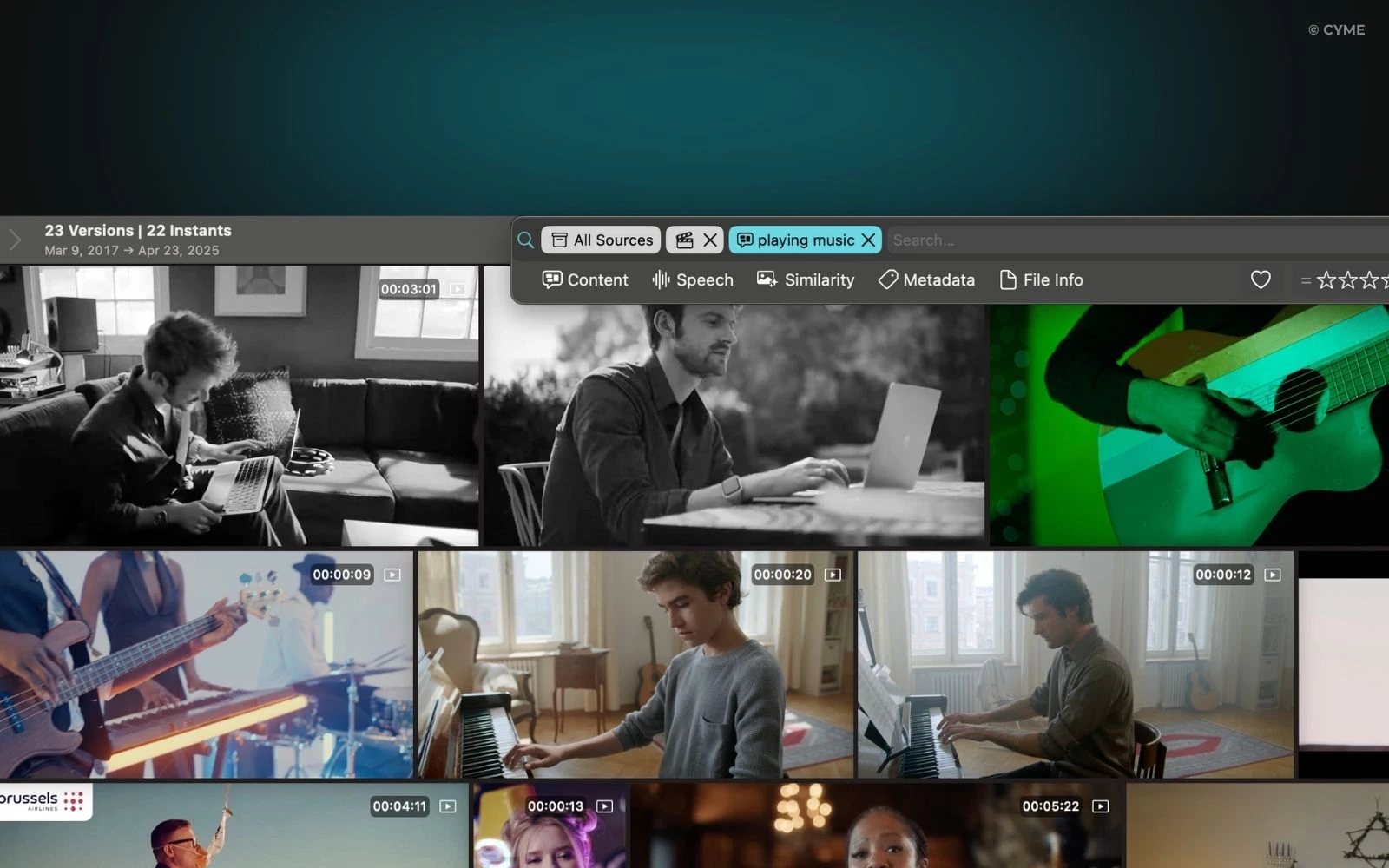
If your team ships campaigns, demos, support recordings, or product walkthroughs, the bottleneck is often the same: finding the exact moment in the right asset, fast, with proof. This guide shows you how to choose AI-powered search tools that stay readable under pressure, work with your data, and still provide traceable outputs. If video is your pain point, start with video frame search as the baseline capability.

The essentials in thirty seconds
Pick tools by decision goal first (speed, proof, or internal coverage), not by brand.
Demand traceability: citations, file paths, and “show me where” workflows beat summaries alone.
Treat integrations and permissions as first-class requirements, or your rollout will stall.
Standardize a quick benchmark so every team tests the same research tasks.

Once you know what “good search” means in your context, the rest becomes a controlled trade-off.

Key criteria that actually predict success

Decision goals and business constraints

Start by naming the decision you need to make: “Which clip proves the claim?”, “Which competitor feature is real?”, “Which incident matches this symptom?”, or “Which customer segment is shifting?” Each goal implies a different tolerance for latency, ambiguity, and cost. For commercial teams, the cost of delay is higher than the cost of a slightly imperfect draft. For regulated teams, the reverse is true.

A practical rule: if the output will be forwarded externally or used in a branded asset, require a “source trail” every time. If it stays internal, optimize for iteration speed and suggestions without over-rotating on citations.

Concrete reality check: when search already eats a large slice of time, marginal gains compound quickly; that “quarter of time spent searching” estimate from McKinsey is why you should treat search like a budget line, not a convenience.

Answer quality and traceability

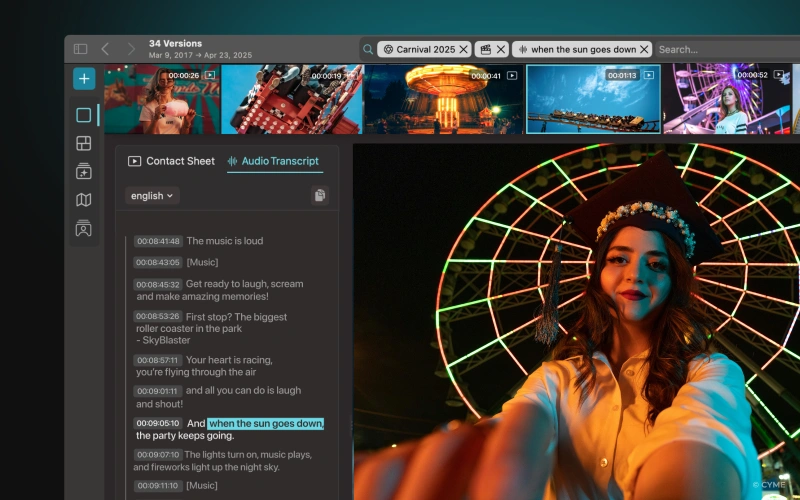
Quality is not “sounds right.” Quality is: consistent reasoning, minimal omissions, and the ability to audit. For web research, you want citations that link back to primary sources. For internal research, you want file paths, timestamps, or record identifiers. For AI-powered video search, you want frame-level retrieval so reviewers can verify context in seconds.

Build a “failure drill” into evaluation: ask for the same answer twice, then ask it to show its work. If something went wrong, you want the tool to fail loudly (missing sources) rather than confidently.

Coverage across the web, apps, and internal bases

The fastest demo is useless if it cannot see the repositories where truth lives: cloud drives, tickets, wikis, meeting transcripts, and media libraries. Prioritize integrations that match how your teams already operate, including identity controls and data residency constraints. Also check whether it can search across a shared inbox, support guides, and customer messaging archives, because commercial insights often hide there.

Total cost, licensing, and usage limits

Compare total cost of ownership, not just seat price. Include admin time, training, evaluation cycles, and the friction of switching between search engines and internal search. Also confirm whether exports, API access, or enterprise controls require higher tiers. If your workflow depends on reliable retrieval, usage caps become a hidden tax.

Flow: define decision goal uc0u8594 map data sources (web, apps, internal, video) u8594 score A/B/C on traceability, coverage, and governance u8594 run a standardized benchmark u8594 shortlist and pilot with real work.
Key takeaways
Choose by decision outcome, then match the tool’s traceability and data coverage.
Treat integrations as a gate, not a bonus.
Auditability beats eloquence for anything that leaves your company.

With criteria in place, you can map needs by team without turning selection into politics.

Match AI-powered search tools to team workflows

What each team really needs

Marketing needs fast market research, competitive positioning, and content discovery. Product needs benchmarks, user pain synthesis, and quick discovery across feedback and docs. Sales needs account qualification, objection handling, and scripts that sound human, not templated. Tech needs incident lookups, runbook search, and “similar ticket” retrieval. Customer-facing groups need to pull facts from a shared inbox, call transcripts, and texting threads, then route issues to the right owner with support-ready context.

A useful adoption signal: enterprise AI usage is expanding; the Stanford AI Index report summarizes survey results showing AI use in at least one business function rising to eighty-eight percent in twenty twenty-five, and regular generative AI use to seventy-nine percent.

Team Common tasks Best-fit search pattern
Marketing Trend research, messaging, content gaps, webinars recap Web-first with strong citations and fast iteration
Product Competitor scans, roadmap discovery, user insights synthesis Mixed: web + internal docs + feedback repositories
Sales Account research, call prep, follow-ups, shared inbox triage CRM-aware search plus reusable, branded snippets
Tech Docs search, incidents, tickets, postmortems Internal-first with permissions, logs, and audit trails
Media teams Find a scene, confirm a claim, reuse b-roll AI-powered video search with frame-level retrieval
Key takeaways
Different teams optimize different things: speed, proof, or internal coverage.
If video is involved, “find the moment” beats “summarize the file.”

Now you can evaluate the major options with the same lens.

ChatGPT for flexible, multi-use research

Where it shines and where it breaks

ChatGPT works best when you need synthesis, reasoning, and fast iteration across ambiguous questions. It is strong for research planning, turning messy notes into a brief, and generating compare-and-contrast frameworks. It is also practical when you need a readable answer that can be refined through follow-ups.

The trade-off is variability in sources and the risk of confident errors. In commercial workflows, that is manageable if you enforce a “show sources or don’t ship” rule. Use it to draft, not to declare facts. For video-heavy work, pair it with dedicated retrieval so you can point to the exact frame rather than a plausible narrative.

Anchor your rollout in adoption reality: consumer adoption of generative AI reached fifty-three percent within three years in the Stanford AI Index takeaways, so users will expect conversational search; your job is to add governance and proof.

Key takeaways
Great for iterative research and drafting; require traceability for outbound work.
Pair with a retrieval system when proof matters.

When your organization already lives inside Google’s stack, a different strength shows up.

Google Gemini for Google-native queries and context

Best fit: teams already standardized on Google

Gemini is compelling when your daily work happens in Google services and your research is anchored in that ecosystem. The benefit is speed and context across the places people already search. The risk is uneven performance when the workflow spans non-Google repositories, niche tools, or heavily permissioned internal systems.

Use it for: drafting and refining docs, summarizing analytics narratives, and accelerating discovery when you can validate quickly. For video, treat it as a companion: let Gemini generate the outline and messaging, then validate the “proof moments” through a video retrieval layer.

As a sanity check on scale, the Stanford AI Index report highlights that regular generative AI use in at least one function is now reported by large majorities, which increases pressure for seamless workflow integrations.

Key takeaways
Strong when your data already sits in Google workflows.
Validate key claims with traceable sources, especially outside the ecosystem.

For enterprises, the main decision often becomes: how deep can you go into files, mail, and meetings without losing control?

Microsoft Copilot for structured, enterprise-wide search

Best fit: governed environments with Microsoft standards

Copilot is built for enterprise productivity: it can connect work artifacts and produce structured outputs that align with business workflows. Its biggest advantage is operational: permissions, tenant context, and workflows can be managed centrally, which helps compliance and change management.

The trade-offs are setup and cost complexity. You need clear RBAC, data labeling, and a decision on what can be indexed. Without that, results are inconsistent and trust drops quickly.

For a concrete benchmark, Microsoft reported that users retrieved information across files, emails, and calendars six minutes faster with Copilot versus without in its research summarized on Microsoft WorkLab.

Key takeaways
Best when governance is non-negotiable and Microsoft is the system of record.
Permissions and indexing strategy decide success more than prompts.

When your primary goal is fast web exploration with transparency, an interactive search-first experience often wins.

Perplexity for fast, interactive web research

Best fit: analysts, growth teams, consultants

Perplexity is designed for iterative web research: you ask, it answers, you drill down, and you keep a clean thread. That is valuable for rapid discovery and for producing actionable insights with less tab switching. The downside is that paywalls and export limitations can slow teams that need full-text evidence archives.

Prompt test you can run in one sitting

Comparative test prompt: “Compare three vendors for AI-powered video search for marketing teams. Output: key differentiators, integrations, risks, and a shortlist recommendation. Include citations for every factual claim. Then restate the recommendation for a shared inbox workflow and for texting-based lead capture. Also explain why ‘airdial airdial awards awards’ could appear in messy brand research and how to clean it.”

To ground expectations, remember that the Stanford AI Index takeaways describe broad consumer adoption; web research tools will feel easy, but enterprise-proof still requires validation.

Key takeaways
Excellent for fast exploration with citations, weaker for controlled internal knowledge bases.
Use standardized prompts to compare vendors consistently.

If your work is long-form, nuanced, or document-heavy, prioritize tools that keep coherence over long contexts.

Claude for long analyses and high-quality writing

Best fit: research, legal, communications

Claude is often chosen for long documents, careful tone control, and coherent reasoning across complex narratives. That makes it useful for executive notes, policy drafts, and detailed argumentation. Constraints vary by plan and environment, and web access can be inconsistent depending on setup, so treat it as a writing-and-analysis layer more than a guaranteed web search engine.

Use it to turn raw research into a readable memo, a customer-facing FAQ, or a set of support guides that reduce ticket volume. If your organization needs sentiment analysis from large qualitative corpora, test for consistency, not just fluency.

Adoption is broad, but depth differs; the Stanford AI Index report notes expanding organizational usage, which increases the need for writing quality and governance together.

Key takeaways
Pick it for long-form clarity and nuance.
Pair with a retrieval layer when you must prove what you claim.

Tool choice fails most often on governance, not capability.

Security, privacy, compliance, and governance

Operational controls that prevent the predictable failure modes

Define what is sensitive and what may be entered into prompts. Then translate that into training and enforcement. Your policy should cover: customer identifiers, unreleased financials, contract clauses, incident details, and any media that could expose private information. Also define what “public web” means for your business.

Contracting matters: ask for a DPA, retention rules, and clear statements on how prompts and outputs are stored. On the controls side, prioritize SSO, logs, RBAC, and audit trails. Without them, you cannot investigate misuse, prove compliance, or offer meaningful support when teams ask for help.

Why the urgency: the Stanford AI Index report highlights how common organizational AI usage has become, which increases governance risk surface area even if your official rollout is “small.”

Internal usage policy snippet

  • Only paste content you are allowed to share with a third-party service with your role’s permissions.
  • For outbound deliverables, require citations or internal references for every factual statement.
  • Use approved integrations for internal repositories; do not copy sensitive content into prompts.
  • If a result cannot be traced, treat it as a draft, not evidence.
  • Use the shared inbox workflow for customer contact escalation, not ad hoc forwarding.
Common risk What it looks like Operational guardrail
Data leakage Users paste customer or contract data into prompts Prompt rules + DLP + approved integrations only
Untraceable claims Confident answers without citations “No proof, no publish” review checklist
Permission drift Results expose content beyond role RBAC audits, logging, and periodic access reviews
Workflow fragmentation Teams jump between search engines and chat tools Define one research toolkit and shared support guides
Key takeaways
Governance is a product feature: identity, logs, and RBAC decide trust.
Write the rules in operational language, then enforce through workflow.

With governance covered, you can shortlist quickly and compare fairly.

A practical shortlist: compare, benchmark, decide

Comparison matrix you can reuse

Tool Best for Watch-outs Must-have capability for video teams
ChatGPT Iterative research, briefs, comparisons Source variability; requires validation Pair with video retrieval for proof moments
Gemini Google-native workflows, fast drafts Uneven outside ecosystem Use alongside frame-level search
Copilot Enterprise search across files and meetings Setup, tenant dependence, governance workload Indexing strategy plus media search layer
Tool Best for Watch-outs When to pick instead
Perplexity Fast web research with citations Paywalls, export constraints If you need governed internal search, choose Copilot
Claude Long analysis, writing quality Web access may vary If you need fast web browsing threads, choose Perplexity
Alternatives (Grok, DeepSeek, You.com, Andi, Komo) Varies by product focus Coverage, policies, and controls differ Use the same benchmark before committing

Standardized benchmark queries

  • Find and compare: “Summarize the top competitors and provide citations for each claim.”
  • Internal retrieval: “Locate the policy, the owner, and the last update for this process.”
  • Video proof: “Find the clip where the feature is shown and specify the exact moment.”
  • Commercial enablement: “Draft a branded email and a call script based on this account context.”
  • Support workflow: “Classify this issue, propose next steps, and route it to the right contact.”
Flow: if you need governed internal search - prioritize Copilot; if you need fastest web exploration - prioritize Perplexity; if you need long-form reasoning and writing - prioritize Claude; if you need broad generalist iteration - prioritize ChatGPT; then add dedicated AI-powered video search for frame-level proof.
Key takeaways
Benchmark with the same tasks across teams to avoid “demo bias.”
For video, proof beats summaries: require frame-level retrieval.

Once the shortlist is clear, your rollout should match your profile and constraints.

Recommendations by profile, plus a rollout plan

Verdict by profile

  • Solo: choose a generalist assistant for speed, and add video retrieval if you handle lots of media.
  • SMB: keep the stack minimal; prioritize integrations, then standardize prompts and review checklists.
  • Enterprise: lead with governance, permissions, and auditability; treat search as an IT-managed capability.
  • Agency: separate client data, keep reusable templates, and formalize review before anything is sent.

Thirty-day rollout plan (simple and realistic)

  • Week one: align on success criteria and the benchmark tasks.
  • Week two: pilot with real research work, not contrived prompts.
  • Week three: lock governance (SSO, RBAC, logging) and publish support guides.
  • Week four: train, measure time saved, and define ongoing support ownership.

For expectations on productivity measurement, Microsoft describes an “eleven-by-eleven” time-savings tipping point in its analysis on Microsoft WorkLab, which is a useful framing for when you should evaluate outcomes.

Key takeaways
Pick one primary assistant, one web research path, and one video proof path.
Measure outcomes after habits form, not on day one.

FAQ: AI search engines and assistants

What is the difference between an AI search engine and an AI assistant?

An AI search engine is optimized to retrieve and cite sources quickly, so you can verify. An AI assistant is optimized to reason, draft, and iterate. In practice, you need both behaviors: retrieval for proof and drafting for execution. For AI-powered video search, the “search engine” behavior is frame-level retrieval that points you to the exact moment, not just a description.

How do you avoid bias and outdated information in AI-powered research?

Start with a verification workflow: require citations for factual claims, prefer primary sources, and cross-check across at least two independent references. Ask for uncertainty and for what would falsify the answer. For internal content, require file paths and last-update context. Bias is reduced by traceability, not by asking for neutrality.

How much should you expect to spend, overall?

Expect the larger cost to be change management: training, governance, and support ownership. Licensing matters, but the hidden costs are time spent on admin, weak integrations, and duplicated workflows across teams. Budget for a pilot, a governance pass, and a standard benchmark. If the tool cannot connect to your real repositories, the spend becomes pure friction.

What is the biggest risk when rolling out AI search at work?

The biggest risk is untraceable information making its way into customer-facing output. That damages trust and creates compliance exposure. Mitigate with a “no proof, no publish” rule, clear data entry restrictions, and logs for audit. If you cannot explain how an answer was produced, treat it as a draft, not evidence.

Which tool is best for comparing SaaS products and vendors?

Use a web-first research tool that includes citations for vendor claims, then use a generalist assistant to synthesize trade-offs into a decision memo. Run the same benchmark prompt across candidates to compare consistency. If you need to confirm features shown in demos or tutorials, add AI-powered video search so you can reference the exact on-screen proof.

When should you prioritize internal search over the public web?

Prioritize internal search when decisions depend on current policies, customer history, contracts, or incident patterns. The public web is useful for market research, competitor discovery, and general background, but internal systems hold the truth you are accountable for. If your work uses a shared inbox and texting records, internal retrieval is often the fastest path to resolution-quality support.

The best AI-powered search setup is the one that makes your team faster while staying provable. Use one evaluation rubric, run one benchmark, and insist on traceability for anything that leaves your company. If video drives decisions, do not settle for summaries alone: require the ability to locate the exact scene so reviewers can validate instantly. Choose the tool mix that matches your data, then lock governance early so adoption grows without breaking trust.

You may also like...

Explore Peakto in video

Watch our demo video, then sign up for a live FAQ session to connect with our team.
How to Organize Your Photos Using Keywords 01
Hey, wait...
Inspiration, Tips, and Secret Deals — No Spam, Just the Good Stuff