

Every year, I have the same little filmmaker ritual: I reopen old projects, dive back into my footage, sort, trim… and pull out my best shots to build the showreel that will follow me into the next year.
If you’re like me — a freelance videographer, director, content creator, or agency editor — you know how powerful a well-crafted showreel can be. It speaks for you before you even say a word.
The good news is that today, putting together a showreel has never been easier — or faster. If you’re juggling multiple projects, stacks of hard drives, a half-full NAS, and different editing software like I do, you’ll understand why I needed a better system. That’s exactly why I use Peakto, a media manager built for videographers who live in this beautiful, messy chaos.
In this article, I’ll walk you through, step by step, how I use Peakto to build a truly impactful showreel from my best shots. We’ll go through it together — like a derushing session over coffee.
What Is a Showreel?
For me, a showreel isn’t just a “best-of” edit. It’s a little concentrate of who I am when I shoot and when I edit. You’ll find:
- my strongest shots,
- my way of framing,
- how I move the camera,
- the rhythm I like,
- the sound vibe I create.
In 30 to 90 seconds, the goal is that a client, producer, or recruiter can instantly think: “Okay, I get what this person can do — and whether it fits my project.” A showreel isn’t just a technical demo. It’s a small doorway into your creative world. It tells a story — even a short one.
In short: it’s your showcase, your pitch, and your professional identity compressed into a single clip.
Why Create a Showreel as a Videographer?
Honestly, I’ve rarely seen a CV make as strong an impression as a good showreel. Most of the time, people click on the video before they even read your email. A showreel helps you:
- attract clients in image-driven fields (advertising, events, corporate, music videos, documentary, etc.);
- clarify your style — your focal lengths, movement, lighting, atmosphere;
- showcase specific skills: motion design, interviews, drone work, color grading, fast-paced editing, storytelling…;
- instantly look more professional — a clean showreel inspires confidence;
- save time by sending one link instead of ten different videos.
The problem, as you probably know, is that digging through old projects, reconnecting drives, trying to remember where that one perfect shot is buried… that takes time. Way too much time. And that’s exactly where Peakto changed everything for me.
Prepping Your Showreel with Peakto
I think of Peakto as my external brain for video files. It helps me:
- find my shots,
- filter what matters,
- organize a selection,
- and prep everything for editing.
And what matters most to me is that it works even if my files are scattered: across multiple drives, archived projects, and different editing apps.
No need to reopen every project, reindex archives, or spend hours reconnecting media. Peakto scans your drives, generates previews (that you can view even when the drive is offline), and shows everything in one single place.
As a result, I can revisit months — or even years — of footage, see what I truly have, isolate my best material, and gather everything into one collection ready to go into my NLE.
In short: less searching, more editing.
1. Gather All Your Projects in One Place
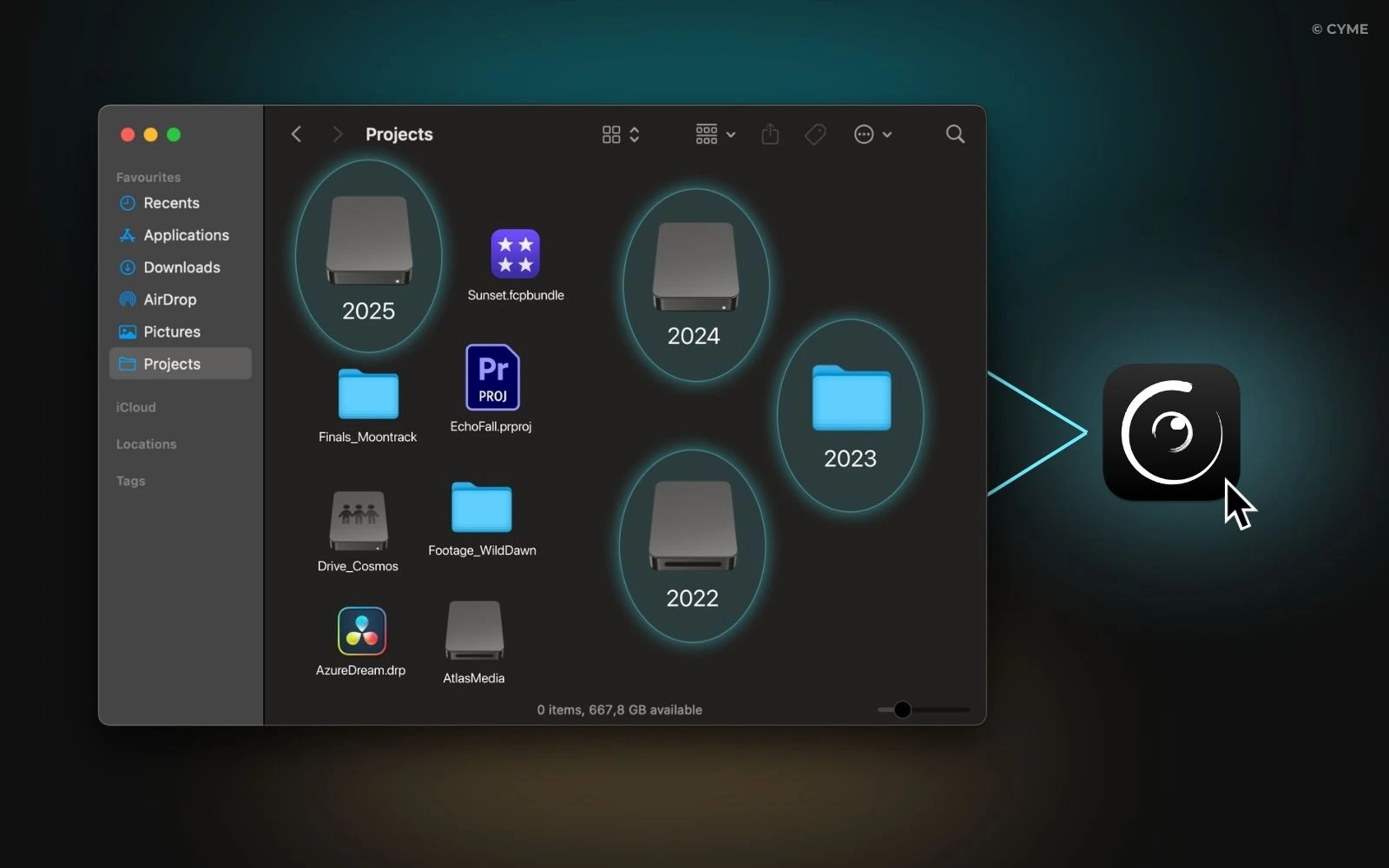
Honestly, this used to be the step I dreaded the most: trying to remember “which drive was that shoot on again?”, reopening old projects, waiting for things to load, reconnecting media… With Peakto, this has become almost relaxing. I simply tell it once where everything lives:
- my hard drives, SSDs, and NAS,
- the folders where I store my footage,
- my Premiere Pro, Final Cut Pro, or DaVinci Resolve libraries,
- even my exports and archived projects.
Peakto doesn’t duplicate anything or create yet another library. It just builds a unified view of everything I have. And because it generates previews, I can still browse my shots even when some drives aren’t plugged in. Which means I finally have a clear overview of my work: I find shots I had totally forgotten about, I spend less time reopening old projects… and I can finally focus on thinking showreel instead of file management.
2. Use Filters or Search to Find Your Best Shots
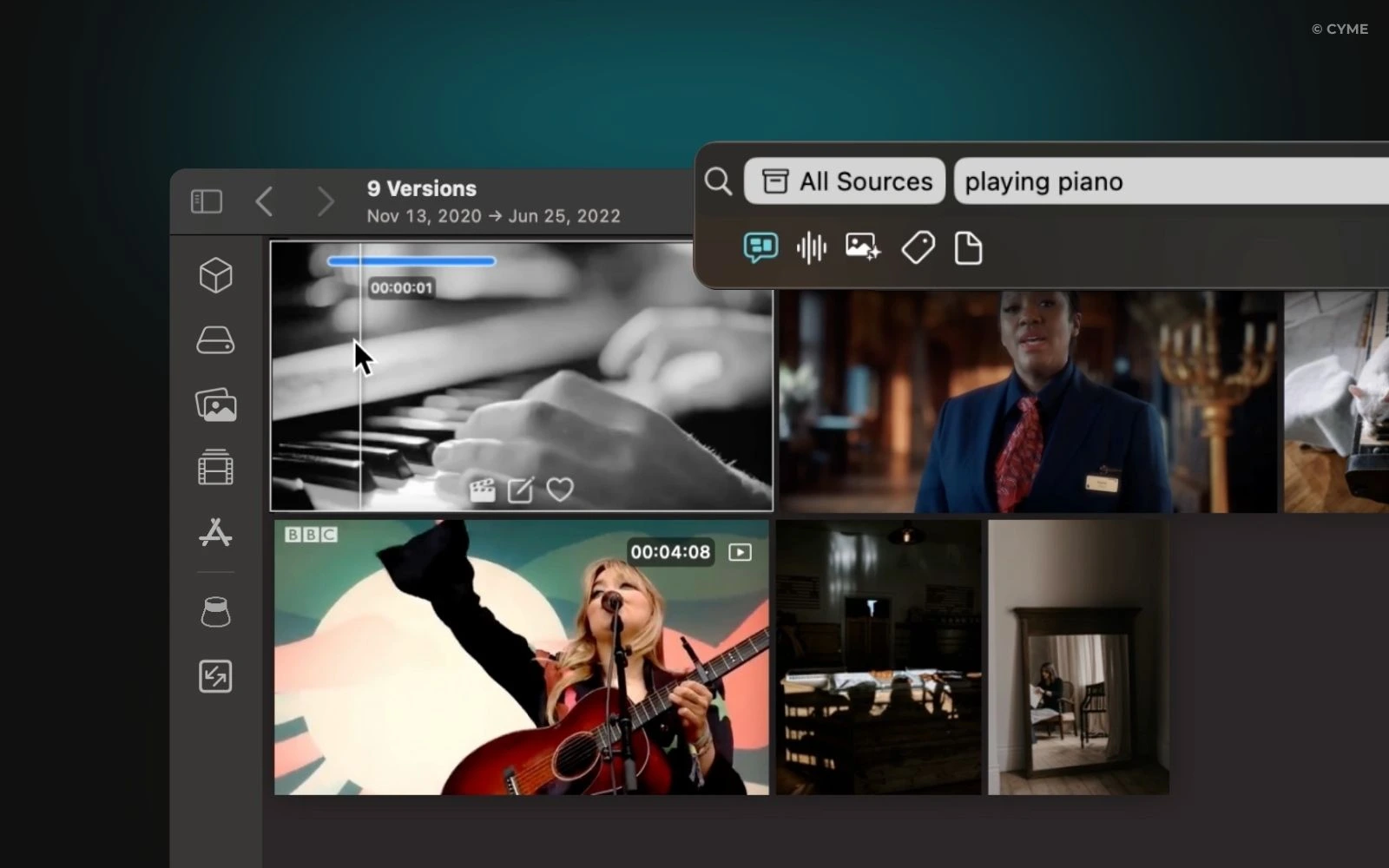
You know that shot you were super proud of two years ago — but buried in some random subfolder?
I had tons of footage like that, basically “lost” in my archives. With Peakto, I recovered so many things I would’ve honestly given up on. I usually work with two kinds of searches:
2.1 Natural-Language Search with AI
I type things like:
- “sunset drone shot”
- “slow motion running”
- “moody interview”
- “smiling woman”
And Peakto pulls up videos matching that description. Since the AI runs locally, everything stays on my machine.
2.2 Technical Search When I Know What I Want
I filter by:
- camera,
- resolution,
- format (RAW, ProRes, H.264…),
- date,
- location,
- aspect ratio,
- etc.
Within seconds, I get a selection of shots that really feel “showreel material.” And honestly, I often rediscover footage I had completely forgotten — and it ends up becoming a highlight of the reel.
3. Build Your “Showreel Bin” Directly in Peakto
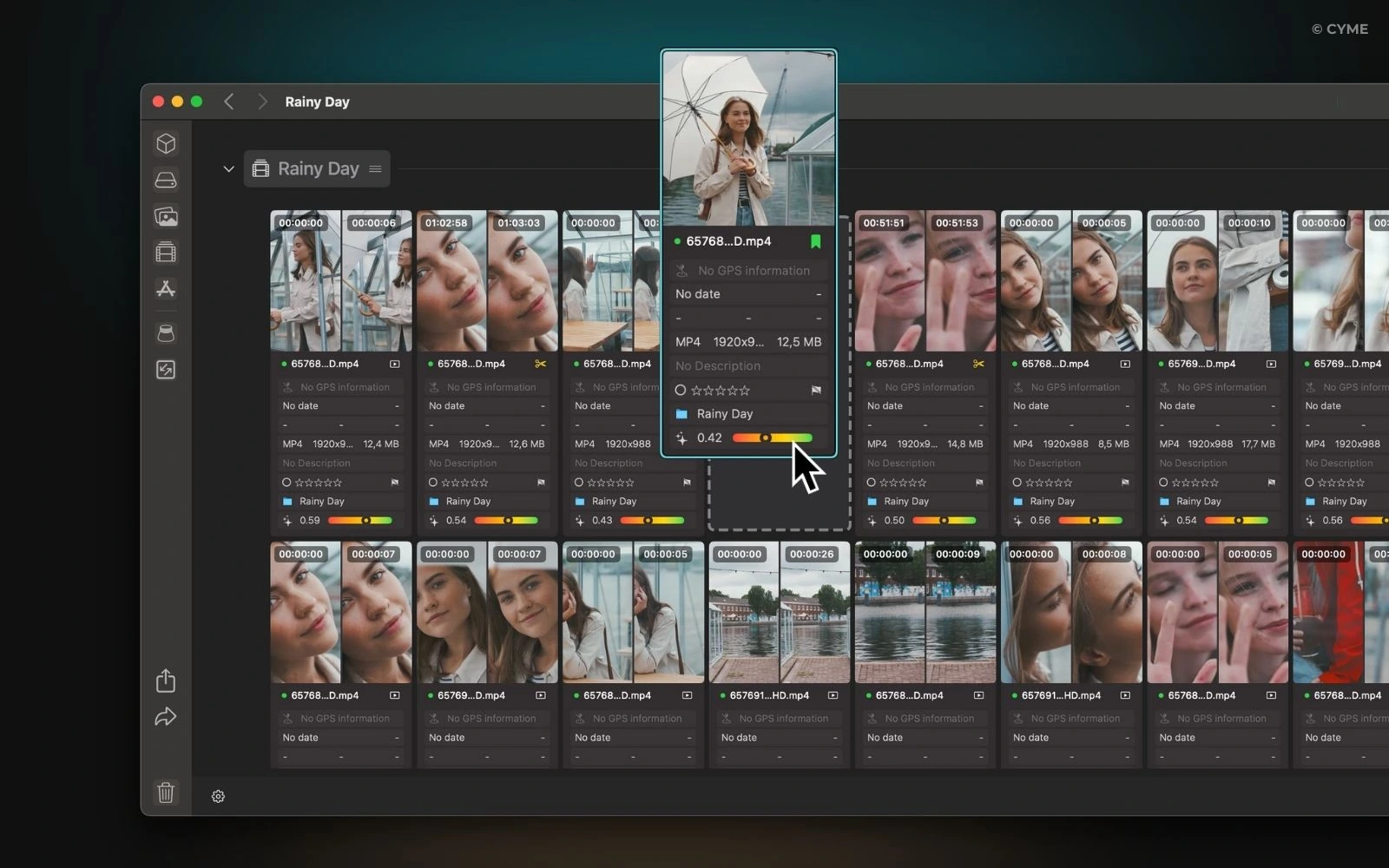
Once I’ve found shots that speak to me, I start assembling my showreel — but I don’t jump into Premiere or Resolve right away. I like to lay everything out in Peakto first. What I actually do:
- create a dedicated collection (“showreel bin”),
- drop in the shots I want to keep,
- compare different takes quickly,
- refine the selection step by step.
The great thing is that footage can come from anywhere: client shoots, personal projects, clips, documentaries… It all blends in the same space without me having to remember where it originally lived.
And since I can preview everything right in Peakto, I don’t have to open my NLE just to check what’s inside a file. In the end, Peakto becomes my giant derush table — everything laid out, clean and frictionless.
4. Export Your Bin into Your Editing Software
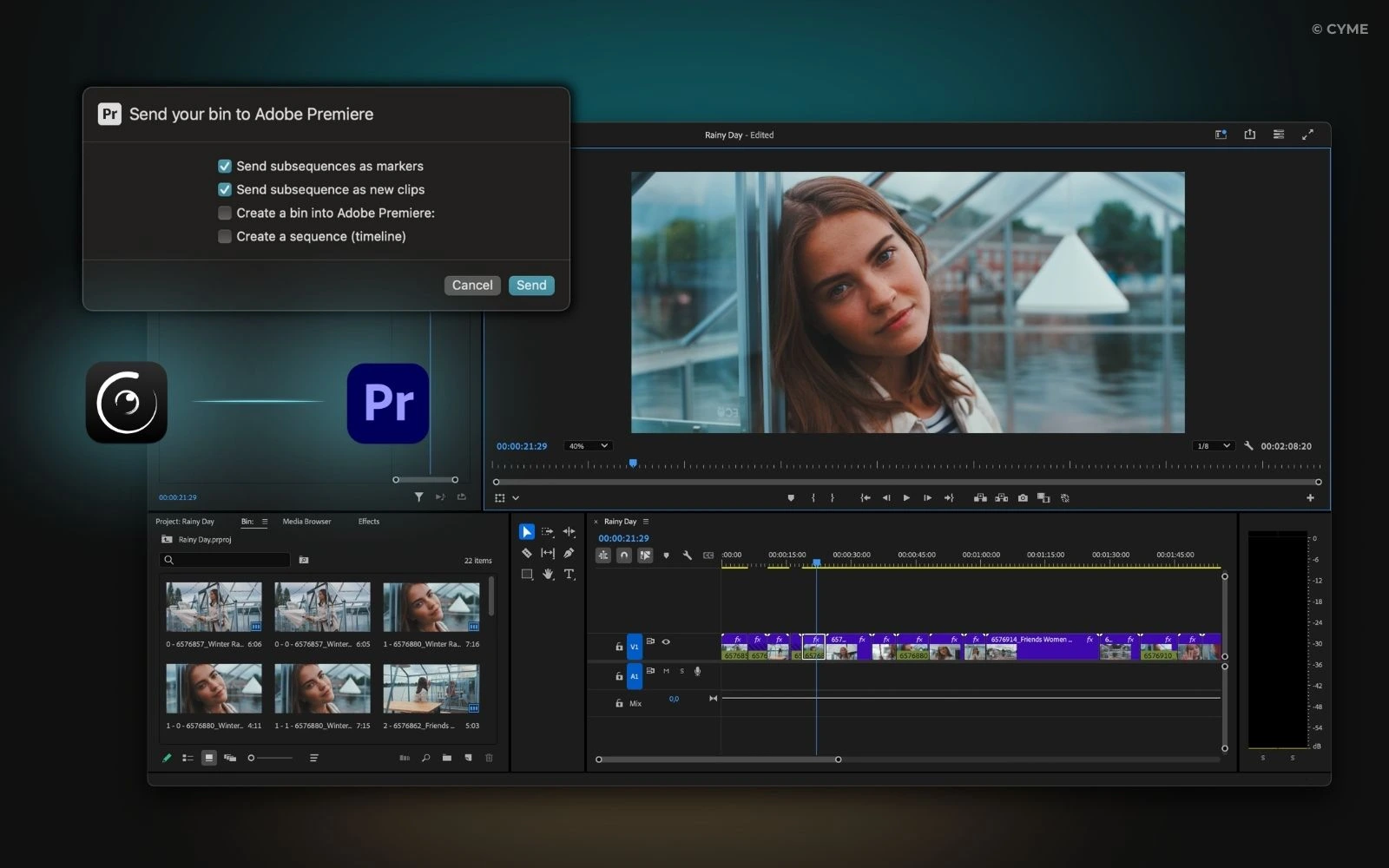
When the selection feels solid, then I move to editing. From Peakto, I simply export the collection to:
- Premiere Pro,
- DaVinci Resolve, or
- Final Cut Pro.
What I get on the other end:
- media ready to edit,
- my organization preserved,
- and even a pre-built timeline based on my selection.
When I open the project, I’m no longer in “file archaeology mode.” I’m in editing mode: rhythm, music, transitions, color. It’s a much more enjoyable moment because the hardest part — hunting for shots — is already done.
Make a Showreel That Looks Like You
For me, a showreel shouldn’t be a once-a-year nightmare. It should be a pretty fun exercise: looking back at what you’ve made, seeing your progress, enjoying your own work a little.
Peakto just removes the “treasure hunt across 15 hard drives” part. I find my footage faster, select better, and start editing in much better conditions. With this method, I can create a showreel that’s:
- faster to assemble,
- more coherent,
- cleaner,
- and most importantly, more faithful to what I actually do today.
If you’ve been putting off making your showreel because “your footage is too messy,” trust me — I get it. I used to be exactly the same. But with a tool like Peakto at the center of your workflow, the whole process becomes much more manageable… and almost enjoyable.
Ready to dive back into your own showreel?