

If you can find word in video through a video finder, you can find value in your archive.
Peakto turns spoken audio in your videos into searchable text, so you can jump to the exact moment a topic is mentioned — then repurpose it into blog posts, YouTube chapters, and Shorts without the usual time sink.
In this article, I’ll show you how Peakto transcripts turn your footage into searchable text, so you can jump straight to the exact timecode and reuse your content faster.
How the Peakto Transcript Works
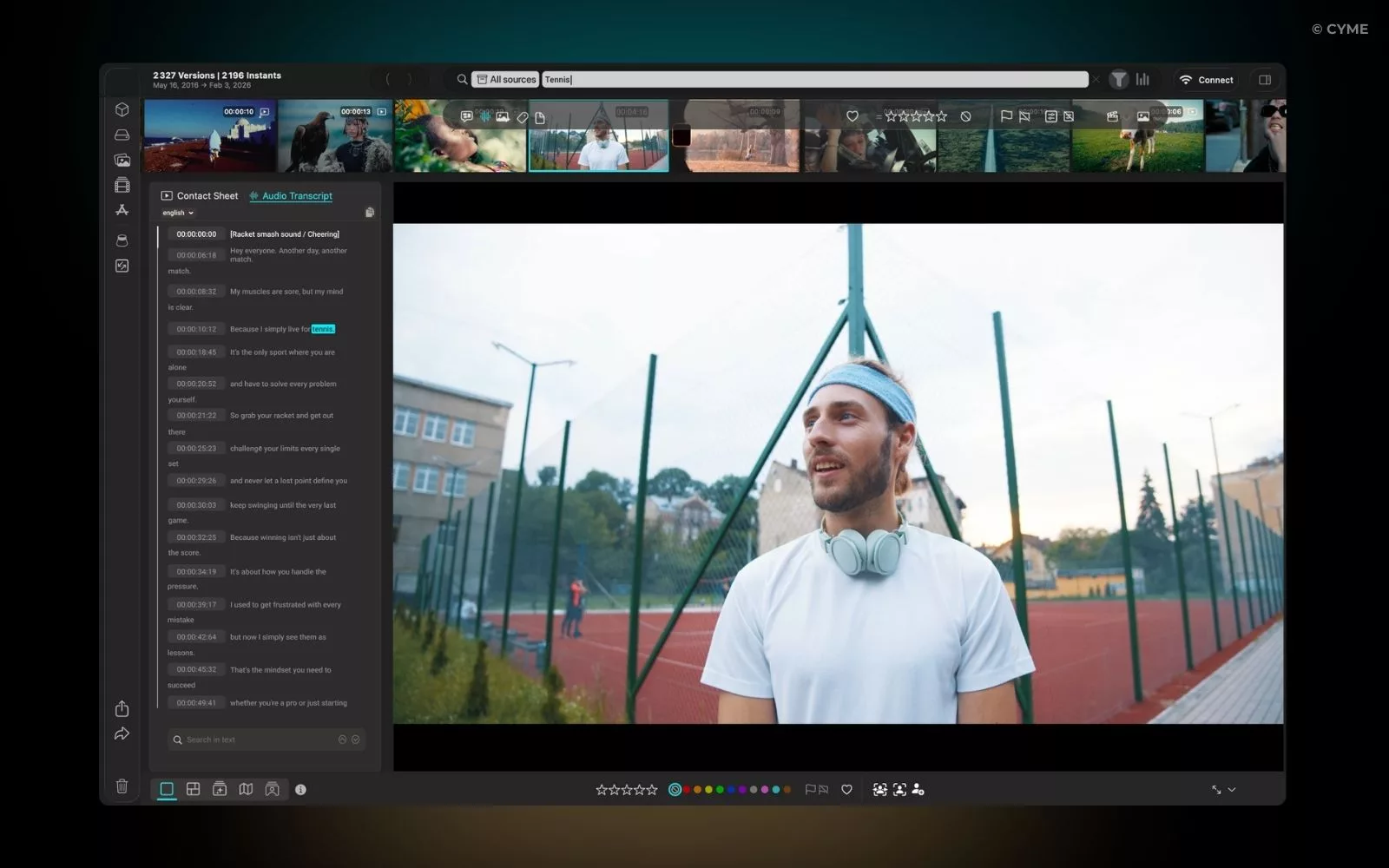
Peakto automatically analyzes the audio of your videos and turns speech into text using local AI.
No cloud upload.
No manual tagging.
No prep work.
You just open Peakto and search what was said.
That’s also the point of searching video with no tags: you shouldn’t need a naming convention or a tagging discipline to find what matters.
Type a phrase → Peakto finds it → opens the video at the right timecode.
And the powerful part:
it searches across drives, archives, Premiere, Final Cut or DaVinci projects — even offline media.
So instead of remembering filenames, folders, or dates…
you remember meaning.
You can also copy the transcript, combine it with filters (people, date, location…), and reuse it anywhere.
When available, those filters also cover classic workflows like finding videos by metadata (date, duration, format, camera info).
Now let’s look at what this enables in real life.
1. Turn Videos Into SEO Articles (in minutes)
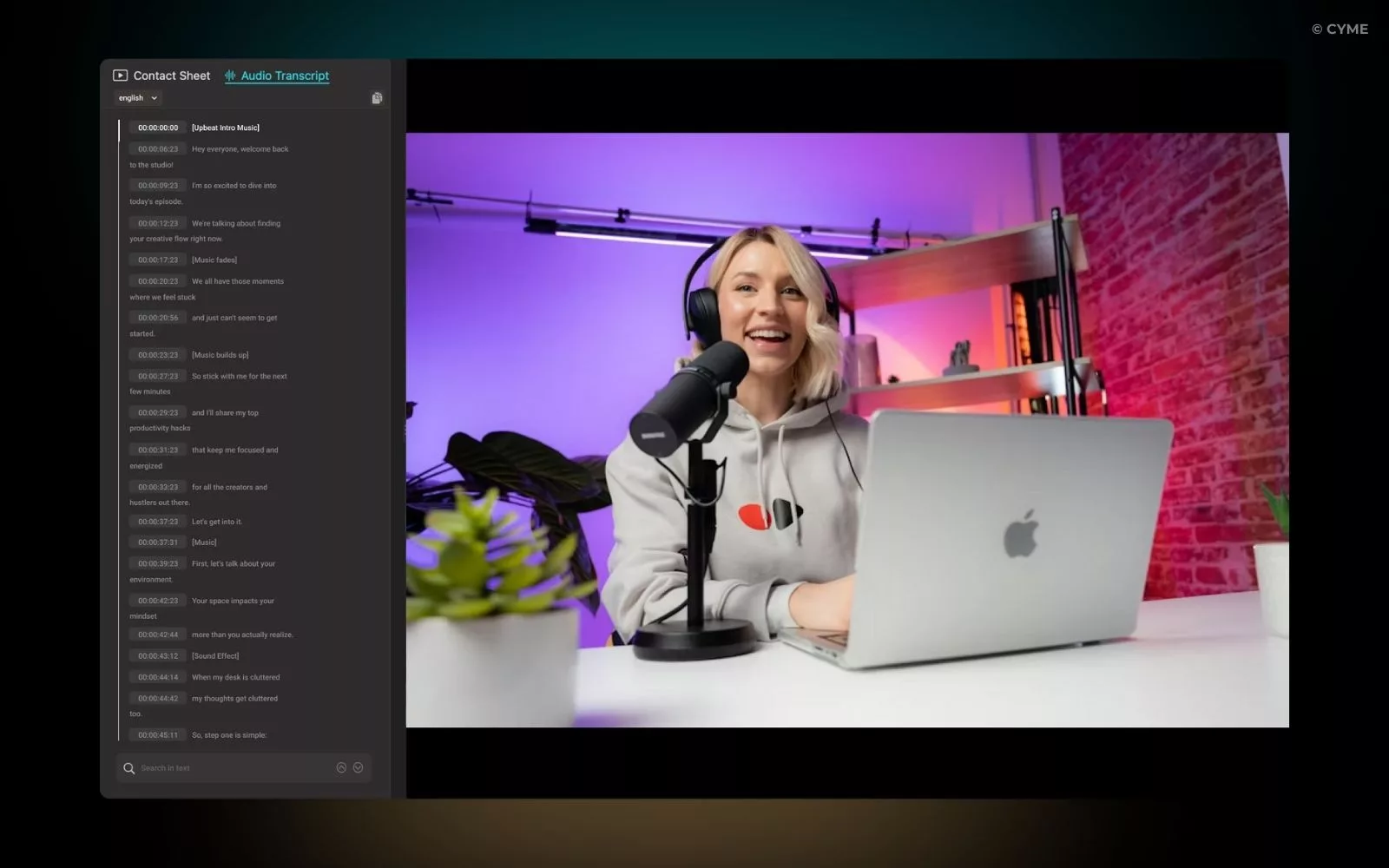
Google can’t watch your videos.
But it can read text.
That’s why the best-ranking websites don’t just publish videos — they publish articles based on those videos.
Normally this takes hours: watch → pause → type → format → rewrite
With Peakto:
- Open the video
- Download the transcript
- Clean it with ChatGPT (or another AI)
- Publish
You just created a full article in minutes.
You gain:
- more indexed pages
- more long-tail traffic
- more visibility from existing content
Your video stops being a single asset.
It becomes an SEO machine.
2. Generate YouTube Chapters Easily
- viewer retention
- satisfaction signals
- recommendations
- grab the transcript
- paste into an AI
- ask for chapter timestamps
3. Find Clips To Create Shorts & Social Posts
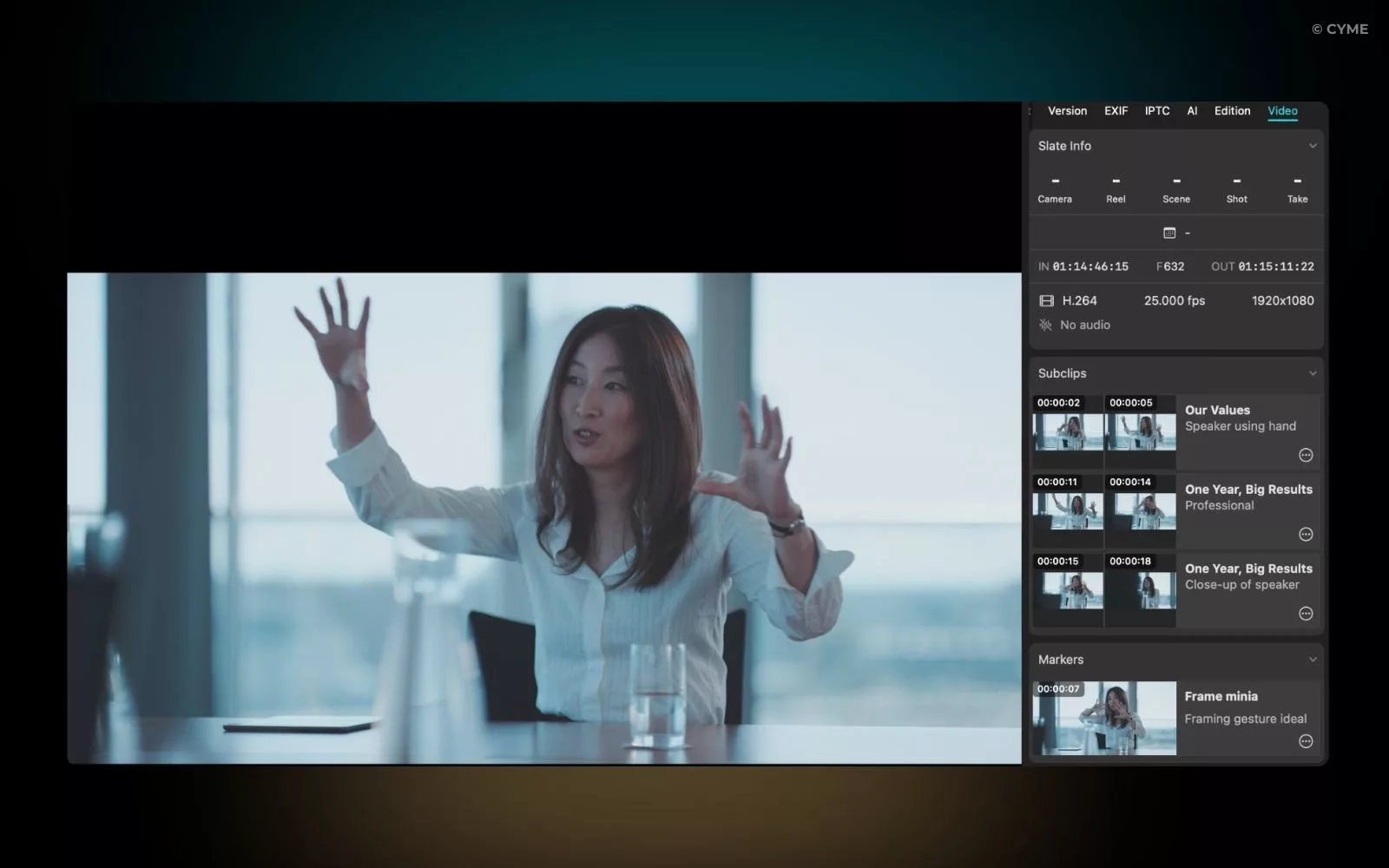
Most long videos contain 10–20 smaller pieces of content.
The problem isn’t filming them.
It’s finding them again.
When your archive grows, the fastest workflow flips: you don’t browse videos—you query them. That shift is what reverse video search is all about.
Instead of scrubbing timelines, just search the topic:
“pricing”
“mistake”
“best tip”
“client story”
Peakto jumps to the exact moment.
And when you don’t remember the words—only the look of the scene—use the frame-first method. That’s how to find video from images: start from a still frame and retrieve matching moments across your library.
And you don’t even need to open your editor yet.
You can cut the exact portion directly inside Peakto and export only what you need.
Open the clip → set the In point where the segment starts → set the Out point where it ends → Create Subclip.
Peakto saves that moment as its own clip.
You can rename it, adjust the trim, and export a clean file ready for editing.
Then send it to Premiere Pro or DaVinci for finishing.
Two big advantages:
- You can mine your archives for new posts
- Non-editors (marketing team) can prepare selects
One long video becomes weeks of content.
The Big Shift
Most people think transcripts are about accessibility.
They’re not.
They’re about turning video into searchable, reusable knowledge.
Instead of asking:
“Where is that file?”
You ask:
“Where did we talk about this?”
And Peakto answers instantly.
Once your library works like that…
you stop managing media.
You start leveraging it.
FAQ — Find Word in Video
How can I search for specific spoken words across multiple video files at once?
Is there a way to automate YouTube chapters and social media snippets?
Yes. Modern workflows use the transcript-to-chapters method. By analyzing the natural pauses and topic shifts in a transcript, AI can suggest logical “entry points” for chapters. This is essential for:
SEO: Google indexes these chapters as “Key Moments,” increasing your search real estate.
Repurposing: These chapters serve as the blueprint for “Shorts” or “Reels,” allowing you to export high-value segments without re-editing the whole clip.
How do I turn a video transcript into a high-ranking SEO article?
A raw transcript is rarely SEO-friendly because spoken language is often repetitive. The most effective “real-world” workflow involves:
Extracting the Core Data: Using the transcript to capture the facts.
Structuring for Skimmability: Converting video chapters into H2 and H3 headers.
AI Synthesis: Feeding the transcript into a model to rewrite it for a reading audience while maintaining your unique “voice.” This allows one video to rank twice: once on YouTube and once as a long-form blog post.