

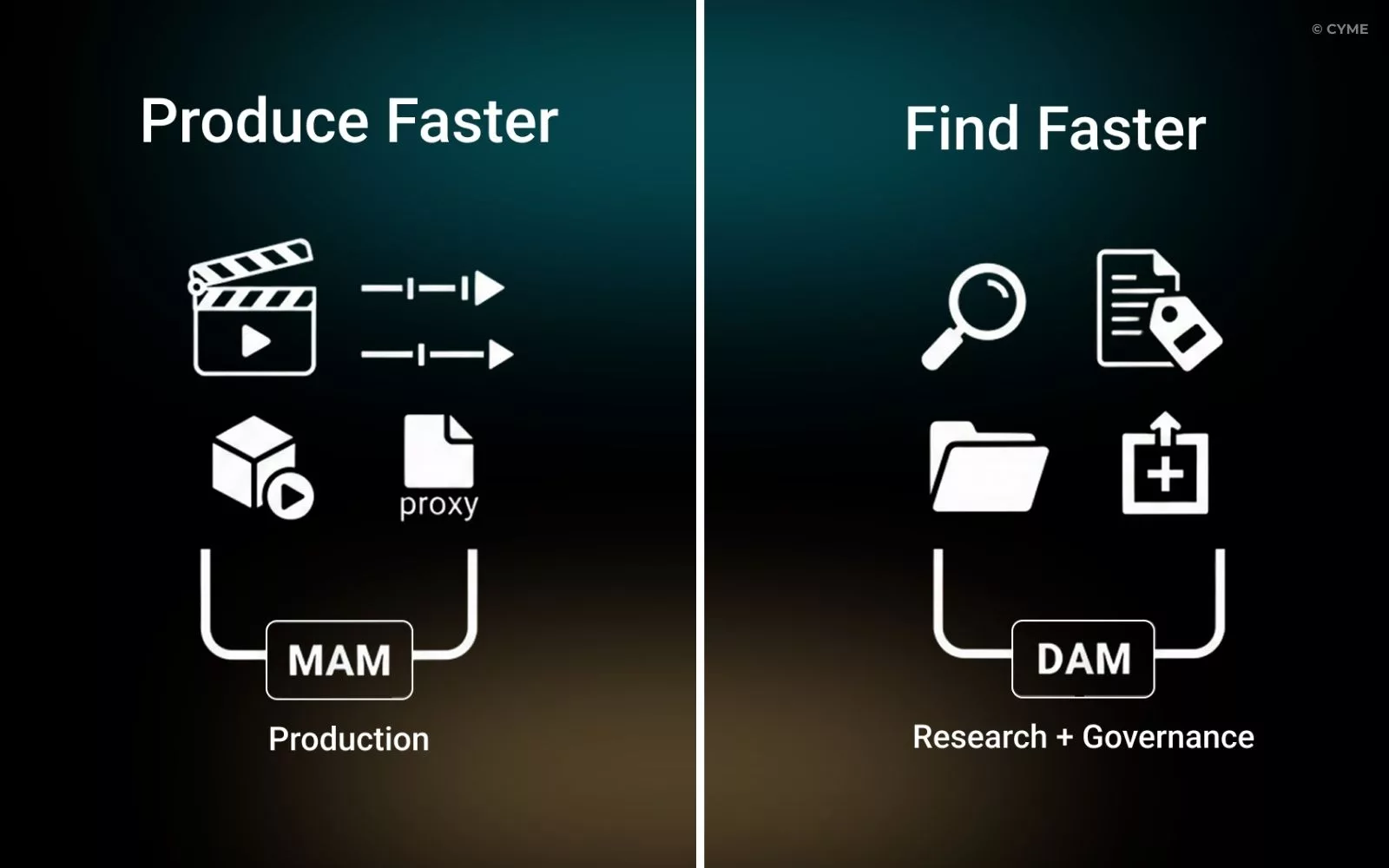
DAM vs MAM: two acronyms, a thousand definitions—and in the end, only one question really matters: do you want to produce faster… or find faster?
Because these terms don’t describe the same moment in the workflow:
- DAM (Digital Asset Management) is mainly about organizing, finding, governing, and distributing digital assets (images, documents, brand files, approved content).
- MAM (Media Asset Management) is mainly about managing media production (video/audio) with technical constraints (rushes, proxies, deliverables).
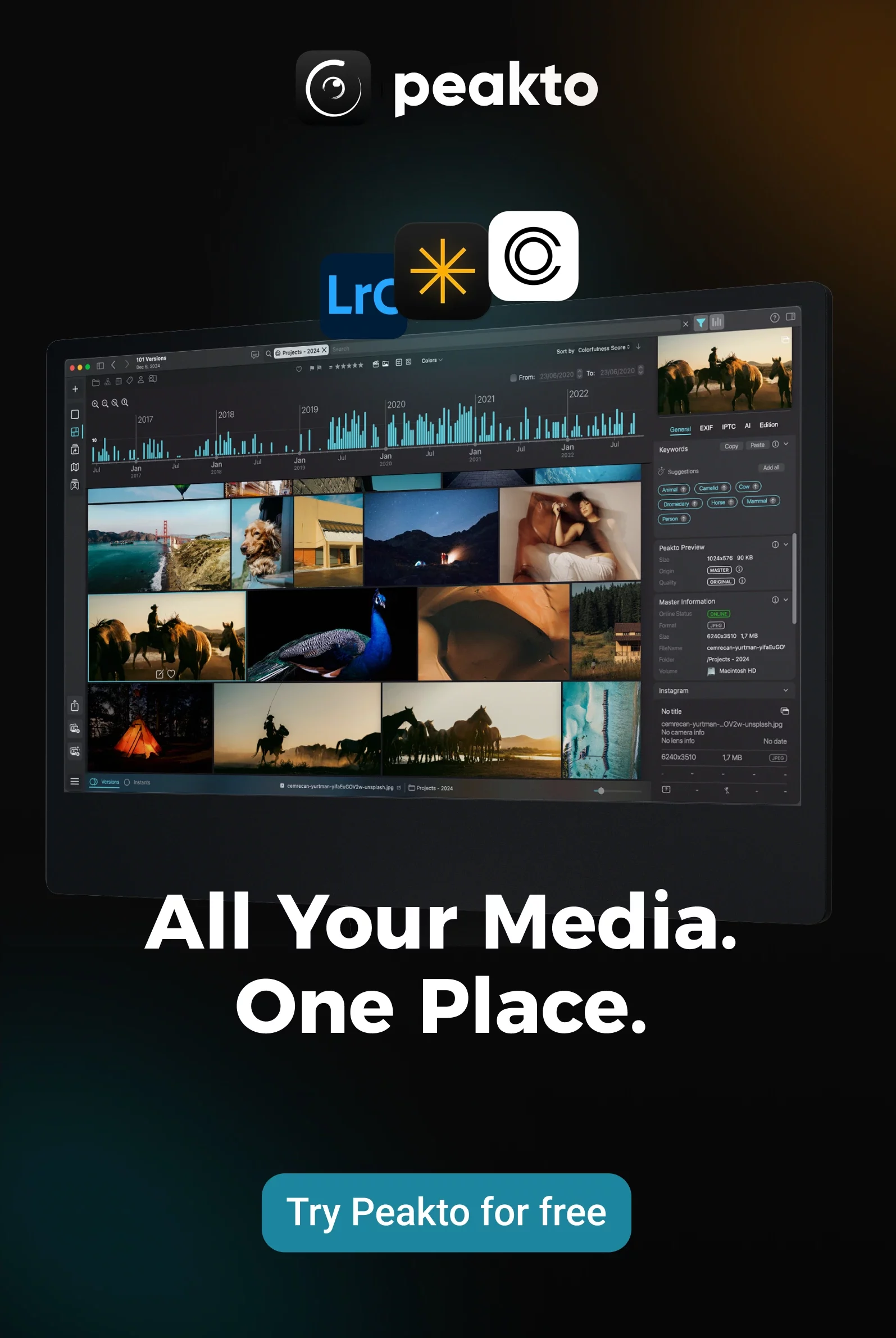
And if you’re somewhere in the middle—NAS, external drives, catalogs, projects named “final_v3”—you’ll quickly realize you can have plenty of video… without needing a full broadcast MAM, using Peakto, which is the best of both MAM and DAM as it allows you to enjoy both own qualities.
What is a DAM (really)?
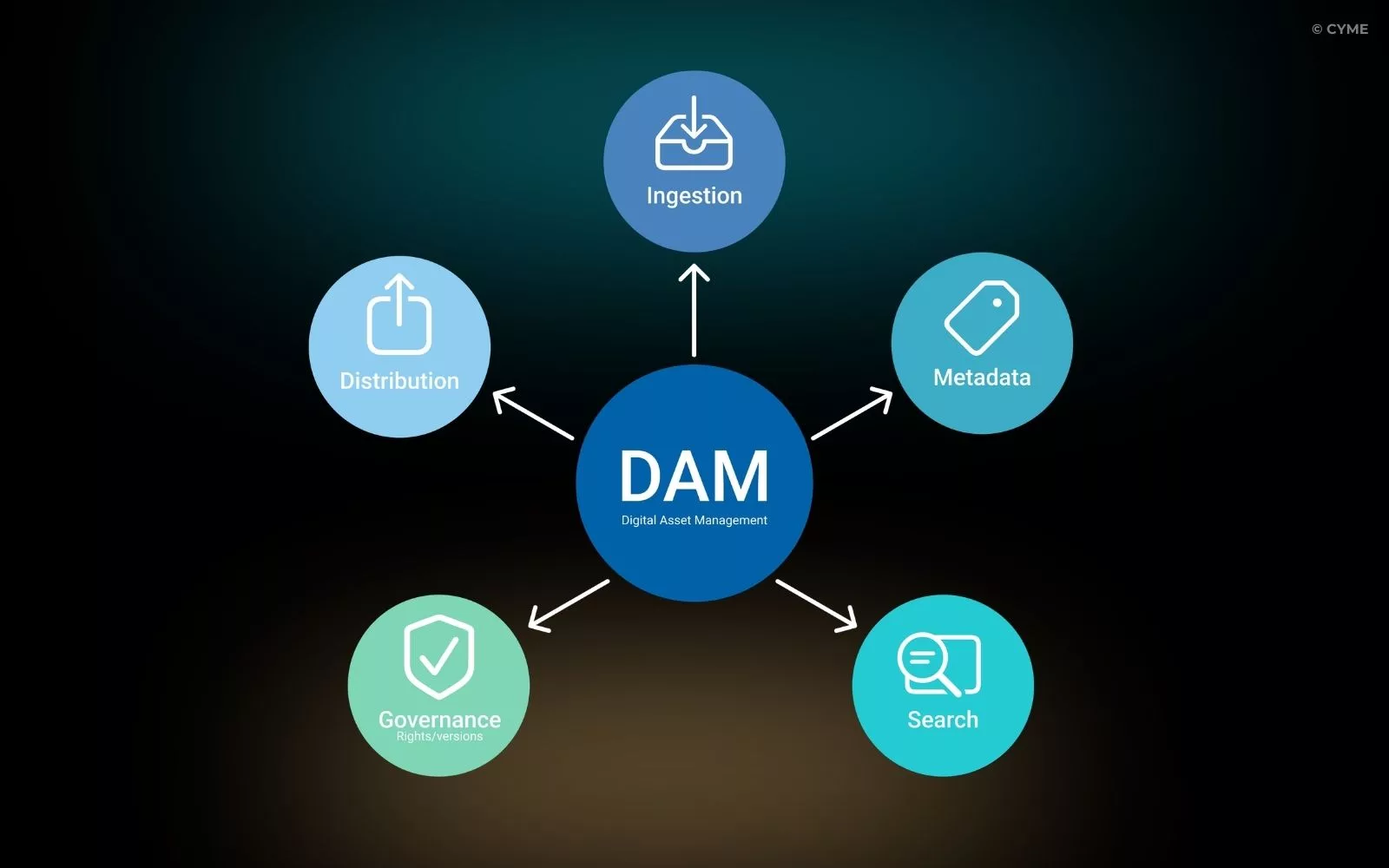
A DAM system is a method + platform to centralize, organize, search, control, and distribute digital assets. The keyword here is control: the right asset, the right version, the right permissions, the right usage rights—available to the right people.
In practical terms, a DAM is strong at:
- Structure: taxonomy, categories, consistent naming rules
- Metadata management: keywords, copyright/usage rights, custom fields
- Search and retrieval: filters, facets, quick access to the “single source of truth”
- Governance: permissions, approvals, “approved vs draft” versions
- Distribution: sharing internally/externally and (depending on the tool) integrations
Most teams start understanding DAM differently once they see how digital asset management works end-to-end—especially how metadata, indexing, and governance actually reduce rework.
What is a MAM (and why it’s not “just a DAM for video”)?
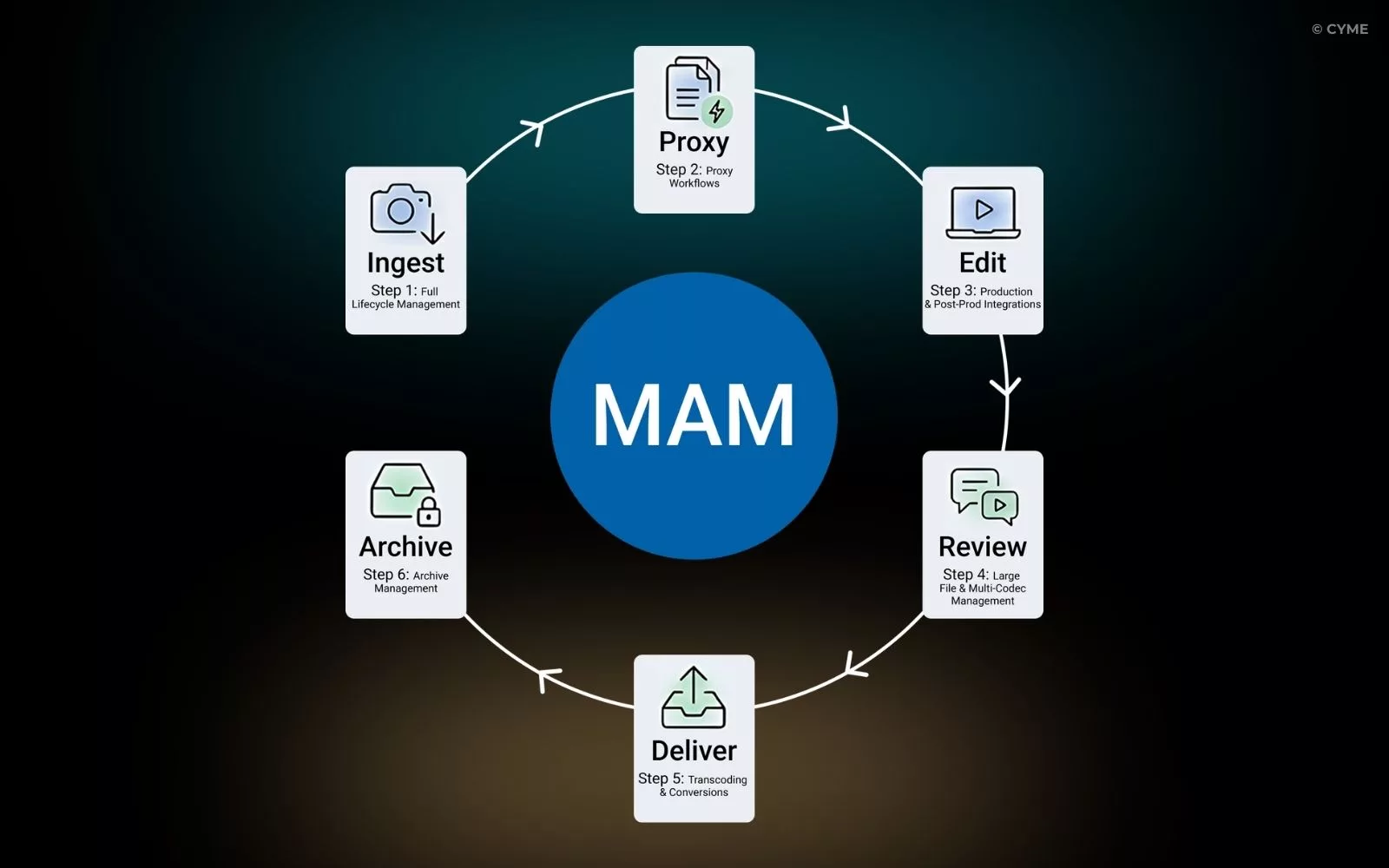
A MAM (Media Asset Management) is designed for organizations whose bottleneck is video/audio production and post-production.
A MAM usually focuses on:
- handling large volumes of time-based media
- dealing with codecs / formats / deliverables
- proxy workflows (work fast without moving heavy originals)
- technical processes like transcoding and packaging
- production lifecycle logic: ingest → edit → review → deliver → archive
deep integrations with production environments (depending on the solution)
One vocabulary trap: MAM can also mean Mobile Application Management in IT. In this article, MAM = Media Asset Management (video/audio), not device/app management.
DAM vs MAM: the Differences that Actually Matter
DAM
DAM
Primary goal
Where it lives in the workflow
Core asset types
Technical operations
Main users
Why you buy it
If you’re building content operations, mapping the DAM workflow steps (ingestion → metadata → storage → search → distribution → archiving) is often the fastest way to see whether you’re in DAM territory—or already in MAM territory.
The Right Choice Depends on Your Bottleneck
You Need a DAM if…
You recognize this reality:
- assets get recreated because “we can’t find them”
- nobody knows which version is the approved one
- rights and usage are unclear (“Can we legally use this photo?”)
- you need a consistent system that keeps working when the library grows
This is especially true when you’re trying to manage digital assets for small business success without ending up with a heavyweight enterprise platform.
You Need a MAM if…
You recognize this one instead:
- lots of video, lots of versions, lots of deliverables
- frequent approvals and time pressure
- a real need for proxies/transcoding/delivery
- production and post-production are the core of the business
That’s when a MAM workflow is the priority—because the pain isn’t “where is the file?” but “how do we move faster from footage to deliverable?”
Why Peakto is the Best of Both Worlds
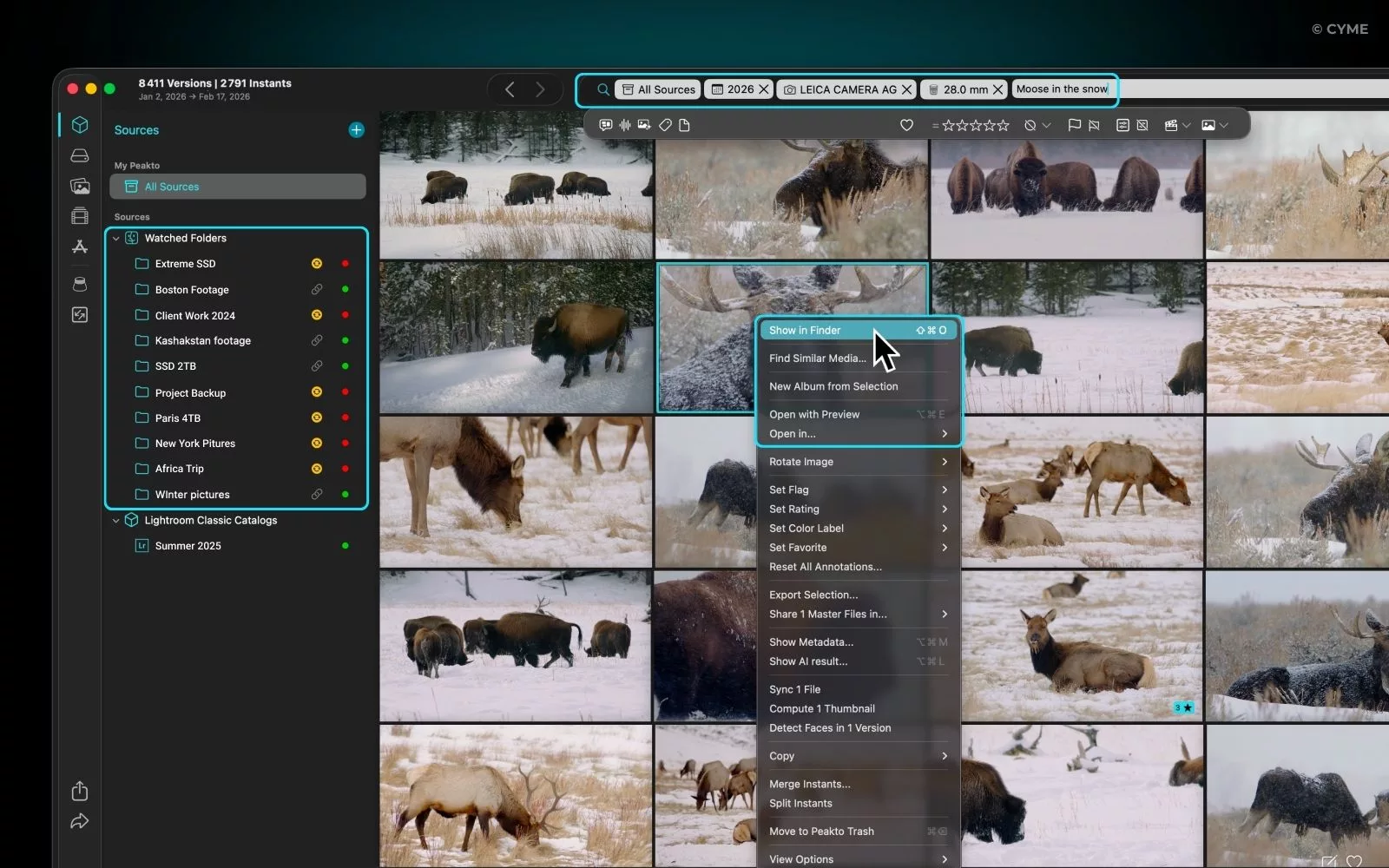
Peakto is “DAM-like” Because it Helps You Regain Control of a Media Library
For creators and small teams, the goal isn’t “publish a global campaign.” It’s:
- see everything in one place (without chaos)
- find the right photo/clip quickly
- reuse footage instead of reshooting
- keep editing in your dedicated tools (Peakto complements editing, it doesn’t replace it)
Peakto is “MAM-like” on Video Discovery, Without Being a Production MAM
Peakto is strong when you need a search-first approach to video and photo archives—especially when things aren’t perfectly tagged. Instead of relying only on folders and manual keywords, you can lean on:
- visual similarity
- face recognition (when relevant)
- filtering by technical properties (duration, resolution, etc.)
- and a library view that still makes sense even when some storage is offline/archived (depending on your setup)
This matters a lot in real life: most people don’t “clean up later.” They need to find now.
If you’re building a software shortlist, it’s helpful to keep Peakto in mind when you later write “Best Digital Asset Management Software ”—specifically in the “best DAM for photographers and video creators” category, not the enterprise marketing DAM category.
No More Traps
Now you know that you need Peakto if:
- you’re a creator or a small team
- you run a NAS + multiple drives + archives
- you need content discovery (similarity, faces, “search-first” workflows) without spending your life tagging
- your main pain is finding and reusing quickly
If you remember only one thing:
- DAM = find + govern + distribute
- MAM = produce + industrialize video workflows
Once you pick based on your bottleneck—not the acronym—the choice gets dramatically clearer.
FAQ - DAM vs MAM
1. Digital asset management vs media asset management—are they the same?
They share building blocks (storage, metadata, search, security), but the core is different: governance/distribution for DAM vs production pipeline for MAM.
2. Can a DAM replace a MAM?
3. Is Peakto a DAM or a MAM?
The clearest positioning is creative DAM / media manager: strong for searching, exploring, and reusing photo+video libraries across NAS and drives—without claiming to be a broadcast production MAM.