Organizing a video library has become one of the biggest challenges for creators, editors, and marketing teams. Files pile up across external drives, NAS devices, photo catalogs, editing projects, and cloud platforms — until finding the right clip takes longer than editing it.
In recent years, the best video management system does more than simply sort files: it analyzes content, indexes metadata, makes archives searchable offline, and helps you find a scene, a person, or a sequence in seconds. Here is a comparison of the best tools depending on your workflow.
Quick Answer
The real problem isn’t storage. It’s finding the right clip in under 30 seconds. Here’s the fastest answer by use case:
| Use Case | Best Tool |
|---|---|
| Mac professionals, multi-catalog AI search | Peakto |
| Adobe-based workflows (free) | Adobe Bridge |
| Built-in organizer for video editors | DaVinci Resolve Media Pool |
| Offline archives and disconnected drives (Mac) | NeoFinder |
| Creative assets and video references | Eagle |
| Windows video cataloging | Fast Video Cataloger |
| Cloud video library for teams | Vimeo |
Why Use Dedicated Video Organizer Software?
Folders break down fast. Once you’re managing interviews, event coverage, client projects, or branded content across multiple drives, the problems compound quickly.
- File names are meaningless. DSC_4827.MOV or Final_Final_v3.mp4 tell you nothing about what’s inside.
- Duplicates multiply silently. Originals, exports, cloud syncs, and backup copies stack up: you end up with 4 copies of the same clip and no idea which is the right one.
- Media is scattered. One project can span an SD card, a NAS, a Lightroom catalog, a Final Cut library, and a Premiere Pro project folder.
- Search becomes impossible. You remember the scene, the face, the sentence: not the filename or the folder path.
The solution is a dedicated video library organizer that indexes your footage, extracts metadata, and gives you a fast, reliable way to find what you need. A good tool also helps you clean up your video library before the chaos becomes unmanageable.
How to Find Your Videos Fast
1. Search Without Tags
The biggest challenge in any large video library: footage that was never tagged. Most creators don’t have time to keyword every clip on ingest.
Modern video management software solves this with AI. Instead of relying on file names or manual tags, the software analyzes the visual content of each clip: objects, faces, colors, scenes: and makes it searchable by description.
Peakto, for example, lets you type “sunset interview, handheld, 2023” and surface matching clips across all your catalogs simultaneously. No prior tagging required.
Learn how to properly catalog and store video footage to set up a system that scales.
2. Search by Metadata or Date
For editors working under deadline, metadata search is essential. You might need:
- All clips shot with a specific camera body
- 4K footage at 120fps for slow-motion sequences
- Everything filmed on a specific shoot date
Good video organizer software indexes all of this at ingest: codec, bitrate, duration, GPS data, camera model: so you can filter by any combination instantly. Read our smart tips for sorting video files for a practical setup guide.
3. Browse by Date or Type
Not every search is a keyword search. Sometimes you want to browse by project, by month, or by footage type (B-roll vs. interviews vs. cutaways).
The best tools give you multiple views: timeline, folder tree, smart bins, and custom collections. This flexibility matters when you’re working with a library that spans years. See our guide on the best management method for videos for a full breakdown.
Best Video Organizer Software in 2026
1. Peakto: Best for Professional Video Libraries (Mac)
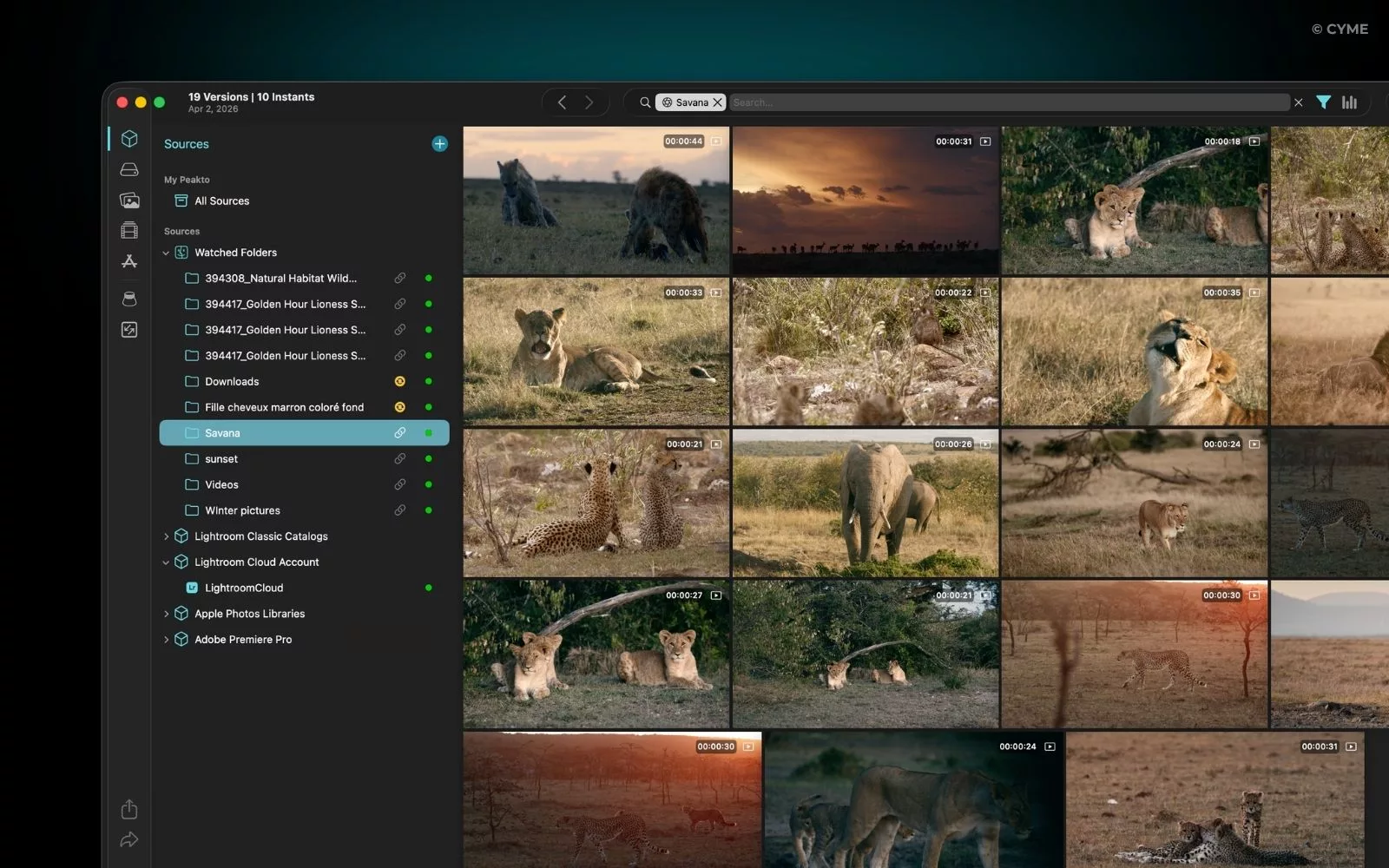
Best for: Professionals managing large footage archives across catalogs, drives, and NAS
Platform: Mac (macOS 12+, Apple Silicon optimized)
Price: From $10/month (annual) · $270 perpetual license · 7-day free trial
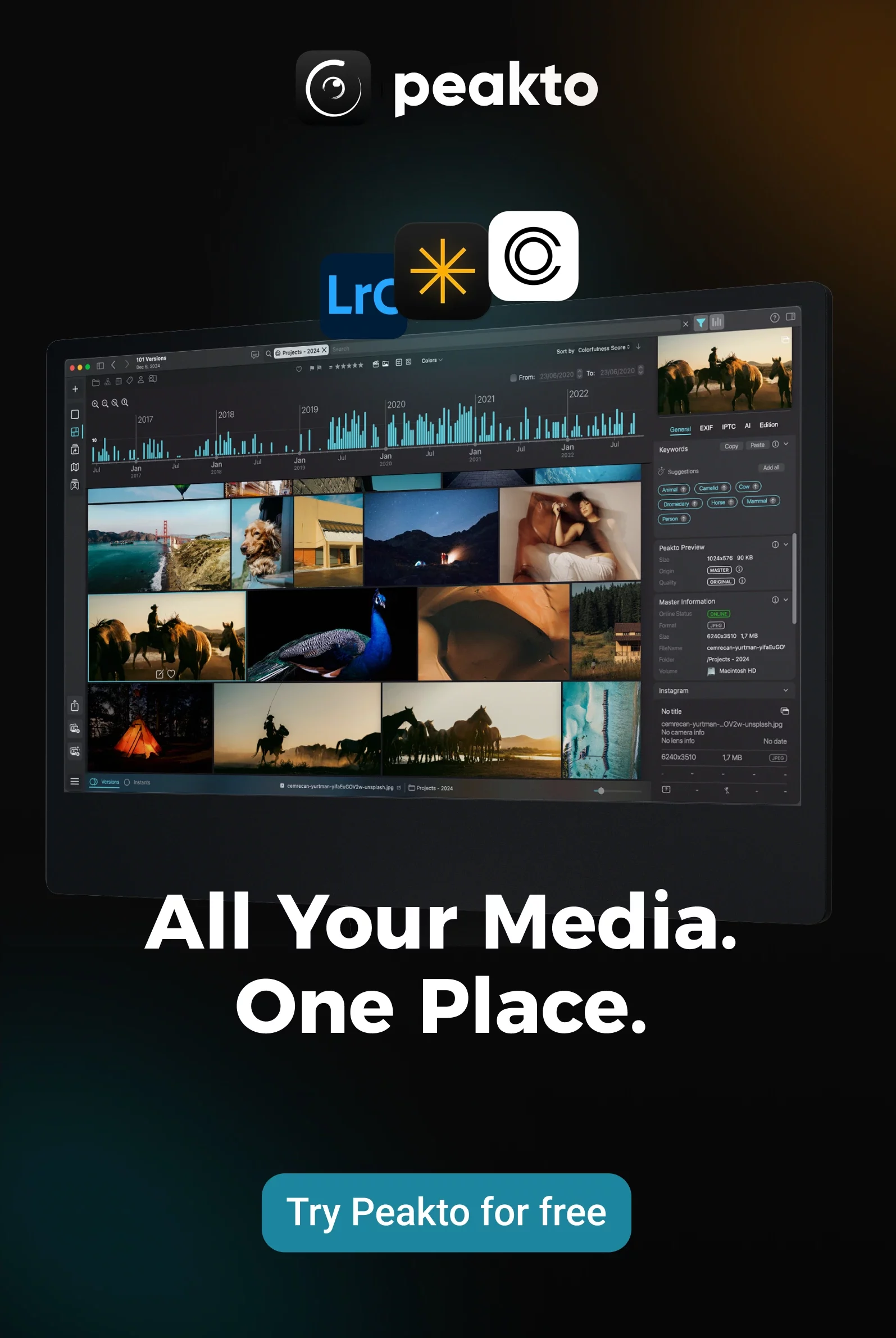
Peakto sits on top of your existing catalogs: Lightroom, Capture One, Final Cut Pro, Premiere Pro, DaVinci Resolve: and lets you search across all of them simultaneously. Natural language, face recognition, dialogue search, color search. Everything runs locally on your Mac: no cloud upload, no remote server, no file duplication.
The Pro tier ($25/month per user) adds a video Panel for creating sub-clips and markers, organizing footage into exportable bins, and pre-editing prep directly from the library. It also includes a Premiere Pro plugin and multi-user web access.
Key strengths:
- AI natural language search across all catalogs and drives at once: type a description, get results
- Fully local processing: footage never leaves your machine, all AI runs on-device
- References files in place on NAS and disconnected drives without importing or duplicating
- Video Bins for pre-editing: create sub-clips, add markers, export directly to Premiere Pro
- Awarded Product of the Year at NAB Show 2025 and Jury’s Favorite at SATIS 2024
Peakto is also the most complete video tagging software for content creators on Mac: combining auto-tagging, face recognition, and dialogue search in one local tool.
Limitations: Mac only. Not a video editor: it’s a pre-editing and organization layer.
2. Adobe Bridge: Best for Adobe-Based Workflows
Best for: Adobe users who need a free, fast asset browser connected to their creative apps
Platform: Mac, Windows
Price: Free (no Creative Cloud subscription required)
Adobe Bridge gives you a unified view of all your creative assets: video, photos, PSDs, Illustrator files: and connects directly to Premiere Pro, After Effects, and Media Encoder with one click. It handles batch renaming, metadata editing, color labels, and keyword tagging out of the box.
Key strengths:
- Completely free, even without a Creative Cloud subscription
- Direct send to Premiere Pro, After Effects, and Media Encoder
- Batch rename, label, and metadata edit across hundreds of files at once
Limitations:
- No cross-catalog search. Doesn’t index NAS or disconnected drives.
- AI features are basic compared to dedicated tools.
3. DaVinci Resolve Media Pool: Best Built-In Organizer for Editors
Best for: Video editors already cutting in DaVinci Resolve who need a DAM at no extra cost.
Platform: Mac, Windows, Linux
Price: Free (Resolve) · $295 one-time (Resolve Studio)
If you edit in DaVinci Resolve, you already have one of the most capable video organizers available. The Media Pool lets you create Smart Bins that auto-sort footage by metadata rules, Power Bins that persist across projects, and: since Resolve 21 (NAB 2026): AI IntelliSearch to find clips by object, dialogue keyword, or detected face.
Key strengths:
- AI IntelliSearch (Resolve 21): search footage by object, dialogue, and face
- Smart Bins auto-organize clips by metadata rules without manual sorting
- Power Bins persist across all projects: reuse assets without re-importing
Limitations: Only useful if you’re already editing in Resolve. Not a standalone video library organizer.
4. NeoFinder: Best for Offline Video Archives and Drive Cataloging
Best for: Archivists and studios managing large libraries of offline drives, NAS, and LTO.
Platform: Mac (macOS 10.15+) · iOS companion app
Price: $39.99 one-time (personal) · $149 business (2 users)
NeoFinder catalogs your drives: external, NAS, optical, LTO: so you can browse and search their contents even when they’re disconnected. At catalog time, it extracts deep video metadata: codecs, bitrates, duration, audio tracks, and subtitles. With 150,000+ users across 113 countries, it’s the most affordable professional archiving tool on this list.
Key strengths:
- Browse and search drive contents without mounting or connecting them
- Extracts codec, bitrate, duration, and audio track data at catalog time
- Supports NAS (AFP/SMB), FTP, Dropbox, Backblaze, and optical media
Limitations: Mac only. No AI natural language search. Primarily a catalog tool, not a full video library organizer.
5. Eagle: Best for Creative Assets and Video References
Best for: Designers and motion artists organizing video references, GIFs, and creative assets
Platform: Mac (10.15+), Windows (10+)
Price: $29.95 one-time (2 devices) · 30-day free trial
Eagle is not a production tool: it’s a creative library for people who collect and reference visual assets alongside their work. Version 4 (April 2026) added AI Search and AI Actions: automatic tagging, auto-renaming, auto-folder creation, and visual/semantic search across 81+ file formats including video, GIFs, fonts, and 3D files.
Key strengths:
- AI visual and semantic search across 81+ file formats in one library
- Auto-tagging, auto-renaming, and auto-folder creation via AI Actions (v4)
- One-time price with lifetime updates: no subscription
Limitations: Not designed for production footage management. No timeline, no bins, no NLE integration.
6. Fast Video Cataloger: Best Windows Video Cataloger
Best for: Windows power users who need a dedicated, video-only cataloging tool.
Platform: Windows only
Price: $197 one-time · free trial (no credit card required)
Fast Video Cataloger is built exclusively for video: not photos, not documents, just video. It generates thumbnails for every clip, supports custom metadata fields, keyword search, and playlist creation, and includes a disconnected work mode so you can catalog footage and then unplug the drive. Version 9.4.5 (January 2026) is the result of 15 years of continuous development on this single use case.
Key strengths:
- Disconnected work mode: catalog footage, then unplug the drive and keep searching
- Custom metadata fields and keyword tagging built for video-specific workflows
- Catalog sharing over a local network for small team use
Limitations: Windows only. No AI natural language search. No NLE integration.
7. Vimeo Video Library: Best Cloud Video Library for Teams
Best for: Teams who share, review, and publish video online and need a hosted collaboration hub
Platform: Web (cloud only)
Price: From $12/month (Starter, 1 user, 100GB) · $25/month (Standard, 5 seats, 2TB)
Vimeo is the only cloud-native tool on this list: it doesn’t organize files on your drives, it manages video you’ve uploaded to their platform. For teams sharing cuts, collecting client feedback, and publishing online, it replaces a folder full of Drive links with a proper review workflow: timestamped comments, approval status, custom branding, AI auto-captions, and text-based editing.
Key strengths:
- Team review workflow with timestamped comments and approval status
- AI auto-captions, text-based editing, and script generation (2026 suite)
- Password-protected sharing with custom branding for client delivery
Limitations: Cloud-only: requires internet for all features. Not a local file organizer. Doesn’t manage footage on your drives or NAS.
Comparison Table of the Best Video Organizer Software
| Tool | Pricing (2026) | Platforms | AI Search | Offline Access | Best For |
|---|---|---|---|---|---|
| Peakto | From $10/mo (annual) · $270 perpetual | Mac only | ✅ | ✅ | Mac professionals, multi-catalog video management |
| Adobe Bridge | Free | Mac / Windows | ✅ | ✅ | Adobe Creative Cloud workflows |
| DaVinci Resolve | Free / $295 one-time | Mac / Windows / Linux | ✅ | ✅ | Video editors and post-production |
| NeoFinder | $39.99 one-time | Mac only | ✅ | ✅ | Offline archives and drive cataloging |
| Eagle | $29.95 one-time | Mac / Windows | ✅ | ✅ | Designers, motion artists, creative references |
| Fast Video Cataloger | $197 one-time | Windows only | ✅ | ✅ | Windows video cataloging |
| Vimeo | From $12/mo | Web (cloud) | ✅ | ❌ | Teams sharing and reviewing video online |
Which Video Organizer Is Right for You?
You’re on Mac with multiple catalogs → Peakto. It’s the only tool that searches across Lightroom, Capture One, Final Cut, and Premiere simultaneously: with local AI, no cloud required.
You use Adobe apps and need something free → Adobe Bridge. No subscription, direct send to Premiere and After Effects, works on Mac and Windows.
You edit in DaVinci Resolve → Stay in the Media Pool. AI IntelliSearch (Resolve 21) makes it a full organizer without any extra cost.
You manage offline drives or LTO archives → NeoFinder. Browse disconnected drives without mounting them. $39.99 one-time.
You’re a designer or motion artist collecting references → Eagle. 81+ formats, AI tagging, one-time price, no subscription.
You’re on Windows and need video-only cataloging → Fast Video Cataloger. 15 years of dedicated development, disconnected work mode, custom metadata fields.
Your team shares and reviews video online → Vimeo. Review workflows, timestamped comments, client delivery with custom branding.
Still unsure? Our guide on the best management method for videos walks through how to structure your entire video workflow: from ingest to archive.
FAQ: Best Video Organizer Software
What is the best free video organizer software?
Adobe Bridge is the strongest free option. It works on Mac and Windows, requires no Creative Cloud subscription, and connects directly to Premiere Pro, After Effects, and Media Encoder.
For video editors already using DaVinci Resolve, the built-in Media Pool is also completely free: and includes AI IntelliSearch since Resolve 21 (NAB 2026).
If you need a dedicated Windows cataloger, Fast Video Cataloger offers a free trial with no credit card required.
What is the best video organizer for Mac?
Peakto is the top choice for Mac professionals managing large or multi-catalog libraries. It runs entirely locally, supports RAW video formats (Blackmagic RAW, Nikon Z, RED R3D), and uses natural language AI search across all your catalogs simultaneously: Lightroom, Capture One, Final Cut Pro, and Premiere Pro.
For offline drive cataloging on Mac, NeoFinder is the best alternative at $39.99 one-time.
Can I organize videos without internet (local only)?
Yes: most tools on this list work fully offline.
Peakto runs all AI features locally on your Mac with no cloud dependency. NeoFinder catalogs drives without any internet connection. Adobe Bridge is fully local. Fast Video Cataloger includes a disconnected work mode: catalog your footage, then unplug the drive and keep searching. Eagle also runs entirely on-device.
The only exception is Vimeo, which is cloud-only and requires an internet connection for all features.