

AI video search changes video discovery from “find the right file” to “find the exact moment that answers a question.” Instead of relying on titles and tags, modern systems index what is said, what appears on screen, and what happens over time—so your users can search for concepts, objects, quotes, or actions and get precise search results at the clip level.
If your goal is faster discovery inside a library (editing, review, compliance, marketing, research), start by understanding how frame-level retrieval works in practice. A concrete example is this video frame search feature, which reflects the broader shift toward moment-based navigation.
The decision criterion is simple: you are not choosing “AI vs. no AI,” you are choosing which signals you can reliably extract, which retrieval method you can operate, and which governance you can enforce—because those three elements determine accuracy, latency, and trust.
Current Context: Why Video Search Is Breaking at Scale

Catalogs and formats are exploding
Users expect instant and precise answers
Title/tag matching hits a hard ceiling
The business stakes: engagement, retention, conversion
What “AI Video Search” Means in Practice
AI video search is the ability to retrieve relevant videos—or specific segments inside videos—by using machine learning to interpret multiple modalities (speech, text, imagery) and match them to the user’s intent.
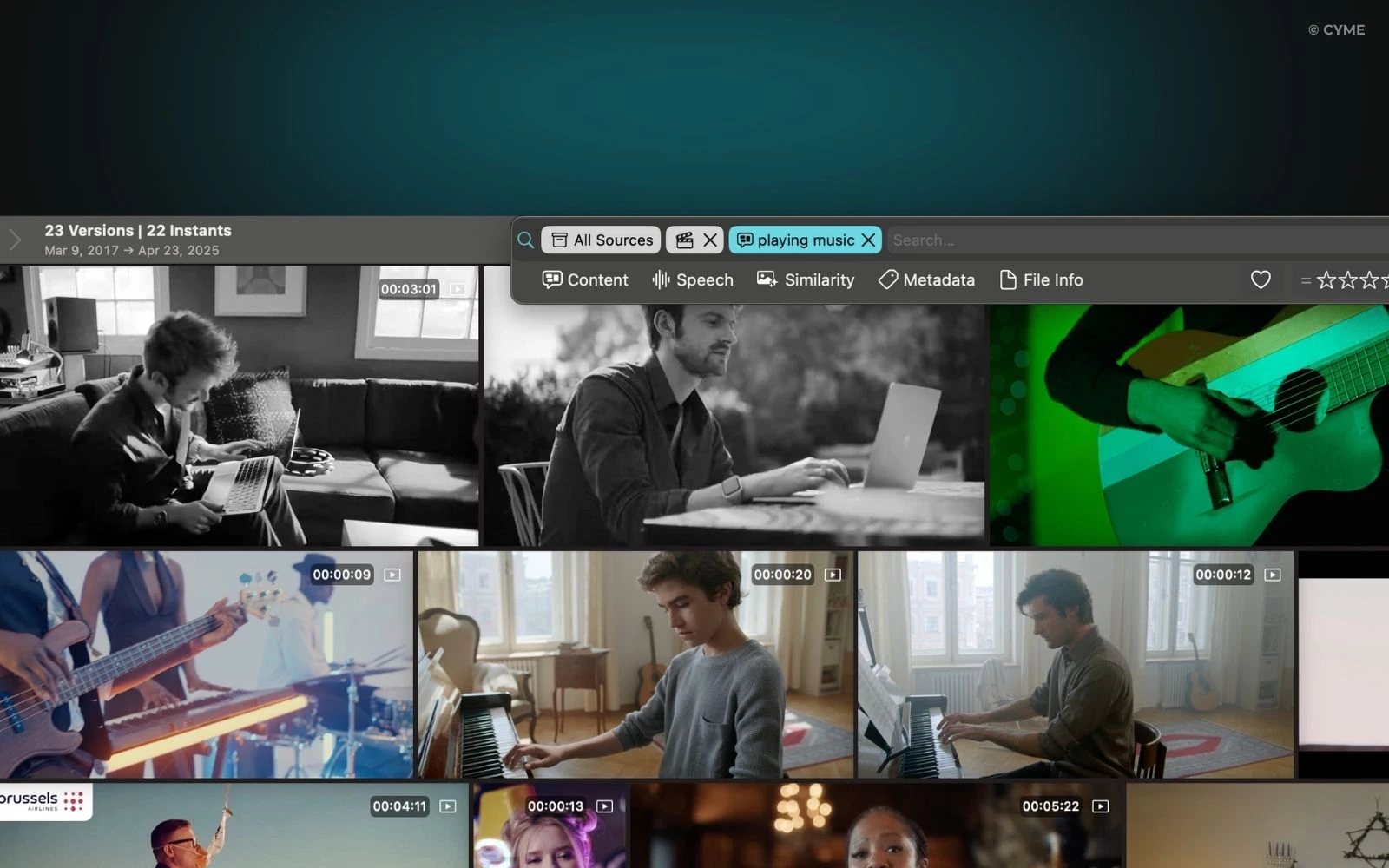
Multimodal indexing: text, audio, and image signals
Effective indexing combines three complementary channels:
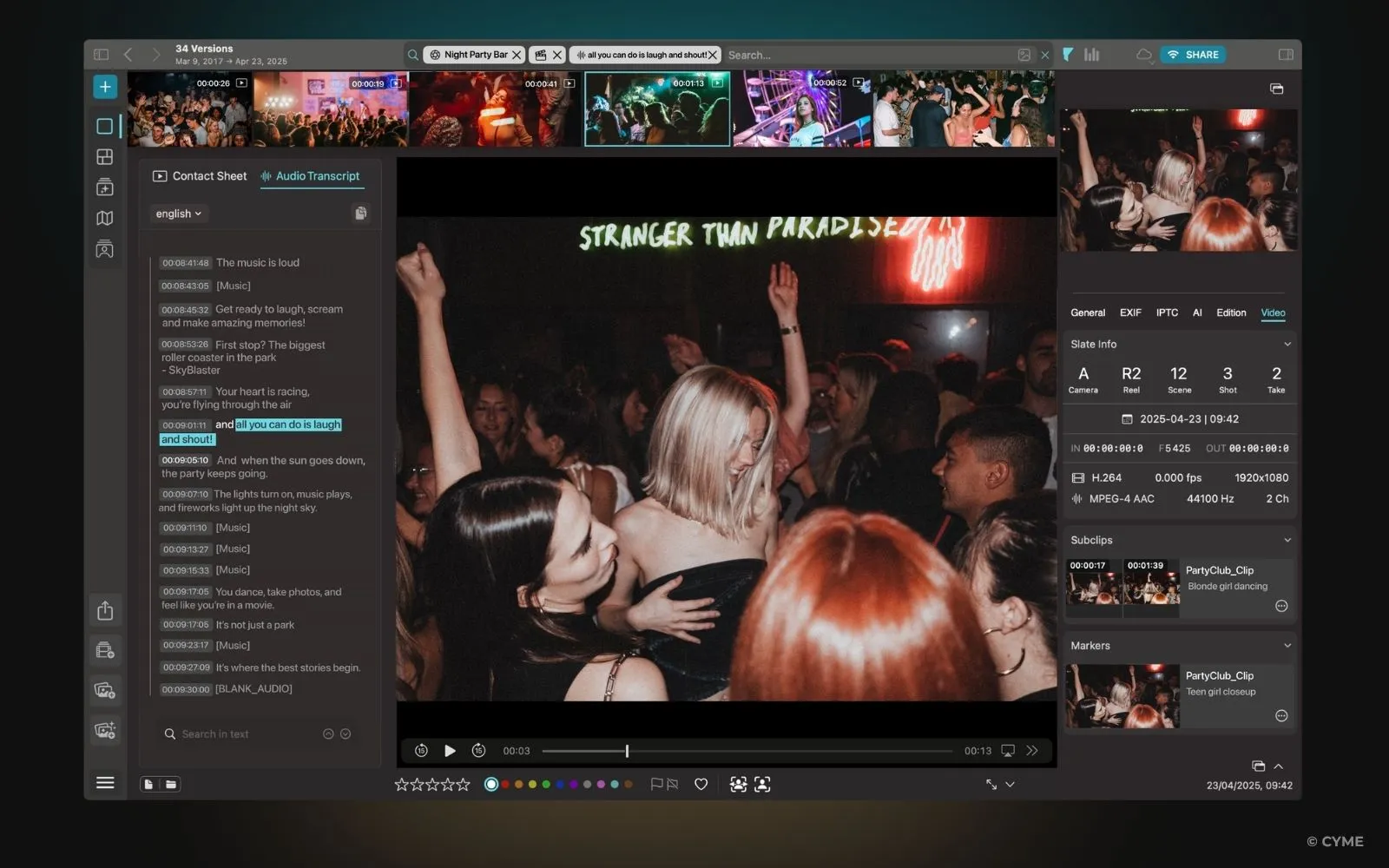
- Spoken content (ASR transcripts and captions) for “find the quote” queries.
- On-screen text (OCR) for slides, UI labels, lower thirds, and documents.
- Visual content (object/scene/action cues) for “find the moment” queries where words are missing.
This is why visuals matter even in “text-like” video search: a tutorial might never say a button’s label out loud.
Semantic embeddings and vector search
Query-to-clip alignment and passage retrieval
High-performing systems retrieve at the right granularity: not only “which video,” but “which span.” Passage-style retrieval (clip-level windows) is often more actionable than file-level retrieval, because it supports direct jump-to-time, preview thumbnails, and shareable deep links. Done well, it reduces friction and improves perceived quality of the search results.
A clear pipeline from query to results
Typical AI video search pipeline (from ingestion to ranked moments)
User query intent + filters Query encoding embedding + rewrite Retrieval vector + lexical hybrid Ranking quality + policy Output: timecoded moments, previews, confidence cues, and explainable highlights
Minimum fields for a semantic video index
If you want reliable retrieval and auditing, define a minimal schema before you scale. The goal is not perfection; it is consistency across teams and content processes.
| Field | Description | Why it matters |
|---|---|---|
| asset_id | Stable unique ID | Prevents broken references when filenames change |
| source_uri | Storage location or reference | Supports playback, permissions, and traceability |
| timecodes | Start/end timestamps per segment | Enables passage retrieval and moment sharing |
| transcript | ASR text + punctuation | Backbone for intent match and explainability |
| captions_language | Language code(s) | Improves multilingual search and routing |
| ocr_text | Detected on-screen text | Finds slide content, UI labels, and “silent” answers |
| visual_labels | Objects/scenes/actions tags | Boosts recall when speech is missing or vague |
| embedding_vector | Numeric representation | Enables semantic similarity retrieval at scale |
| policy_flags | Rights, sensitivity, brand safety | Prevents unsafe or non-compliant results from surfacing |
When you later add structured data for discoverability, keep it aligned with your internal schema. For public-facing pages, schema markup using VideoObject schema can help search engines interpret key video attributes (title, description, thumbnails, upload date, duration) consistently.
Signals and Algorithms: What AI Actually “Reads” in a Video
Transcription and captions are the foundation
Speaker diarization helps with “who said what”
OCR and logo detection unlock “silent” intent
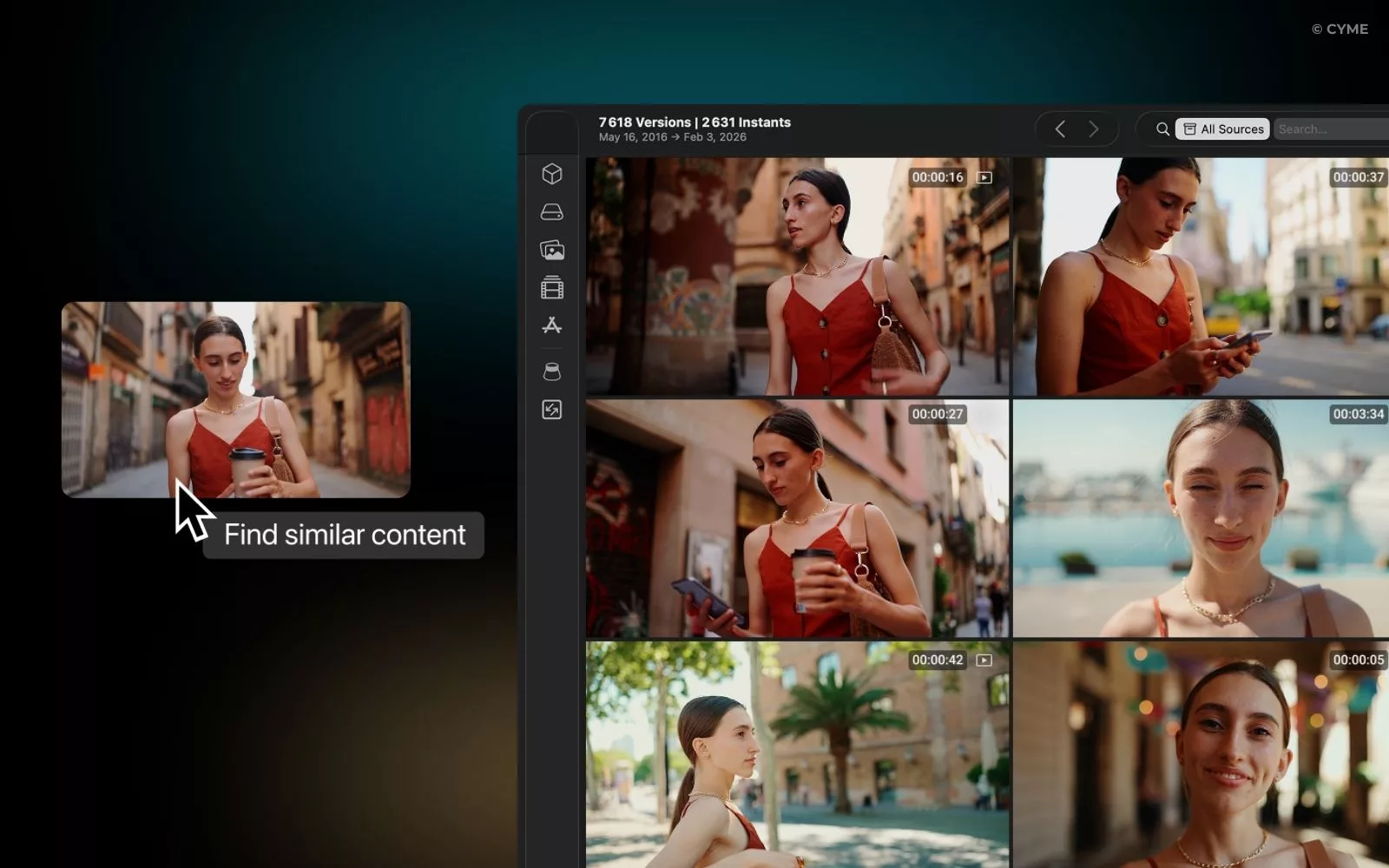
Frame analysis: objects, scenes, actions
Which signals to prioritize: internal vs. external
| Signal type | Examples | Best used for | Common failure mode |
|---|---|---|---|
| Internal (content-derived) | Transcripts, captions, OCR, visual labels, audio events | Core relevance, moment retrieval, highlighting | Noise from low audio quality or fast-moving screens |
| Internal (quality/tech) | Resolution, bitrate, framerate, camera motion | Confidence scoring, preview selection, model routing | Over-penalizing older but valuable content |
| External (behavioral) | Clicks, replays, completion rate, query reformulations | Ranking refinement and personalization | Feedback loops that over-promote popular content |
| External (business/context) | Audience segment, role, permissions, freshness | Compliance and relevance by user intent | Over-filtering that hides “long tail” expertise |
A practical warning: behavioral signals can be distorted by a “content whale” asset that dominates clicks due to branding or placement, not true relevance. Treat popularity as one input, not the ground truth, because your users need the right moment, not the loudest one.
Ranking and Experience: What Changes for Users (and What Can Break)
Relevance improves when intent and context are modeled
Navigation becomes moment-based
Quality signals matter more than teams expect
Governance: rights, brand safety, and compliance are part of ranking
Fast diagnosis: frequent problems and quick fixes
| Problem you observe | Likely cause | Quick correction | What to measure (with numbers) |
|---|---|---|---|
| Relevant videos appear, but the wrong moment is highlighted | Segments too long or misaligned timestamps | Re-segment by pauses, slide changes, or speaker turns | Median time-to-answer; highlight click-through rate |
| Queries work for experts, fail for new users | Jargon mismatch; missing synonyms | Add query expansion and controlled vocabulary | Reformulation rate; zero-result rate |
| UI tutorials are hard to find | OCR misses small text; low resolution | Capture at higher resolution; increase UI zoom in recordings | OCR hit rate; precision@k for UI queries |
| One asset dominates results | Popularity bias; “content whale” effect | Cap popularity influence; diversify by intent and freshness | Result diversity; share of top-10 by unique assets |
| Users complain about “unsafe” or off-brand clips | Missing policy flags or weak enforcement | Apply policy at segment level; add human review loop for sensitive sets | Policy violation rate; appeal/review volume |
One operational tip: if you are optimizing for internal adoption, include “success cues” in the UI (why it matched, preview, and confidence). That reduces escalations and helps teams justify the investment to stakeholders and followers of the program.
FAQ: Intelligent Video Search in Real Workflows
Which metadata should you prioritize to rank better?
Should you rely on automatic transcription or human captions first?
How do you handle multiple languages and accents?
Next Steps: A Practical Rollout Plan You Can Execute
Start with the highest-leverage foundations
- Make transcripts and captions your baseline index for every asset.
- Add chapters or segment boundaries using speaker turns, slide changes, or topic shifts.
- Standardize titles, tags, descriptions, and filenames so governance and retrieval stay aligned.
Test relevance like a product team, not like a tagging project
Iterate models and policies together
Model quality improvements can surface content you did not expect. Pair each index/ranking iteration with policy checks (rights, sensitivity, brand safety), and keep an audit trail of why items were retrieved. This reduces compliance risk and speeds incident response.
If you want one action to start today: select 50 high-value videos, generate transcripts + OCR, segment them into moments, and run a controlled query test to see where retrieval fails—then fix the signals before you scale the full catalog.